Reviewing Day Statistics on the Display VFC400-USB User Guide 45
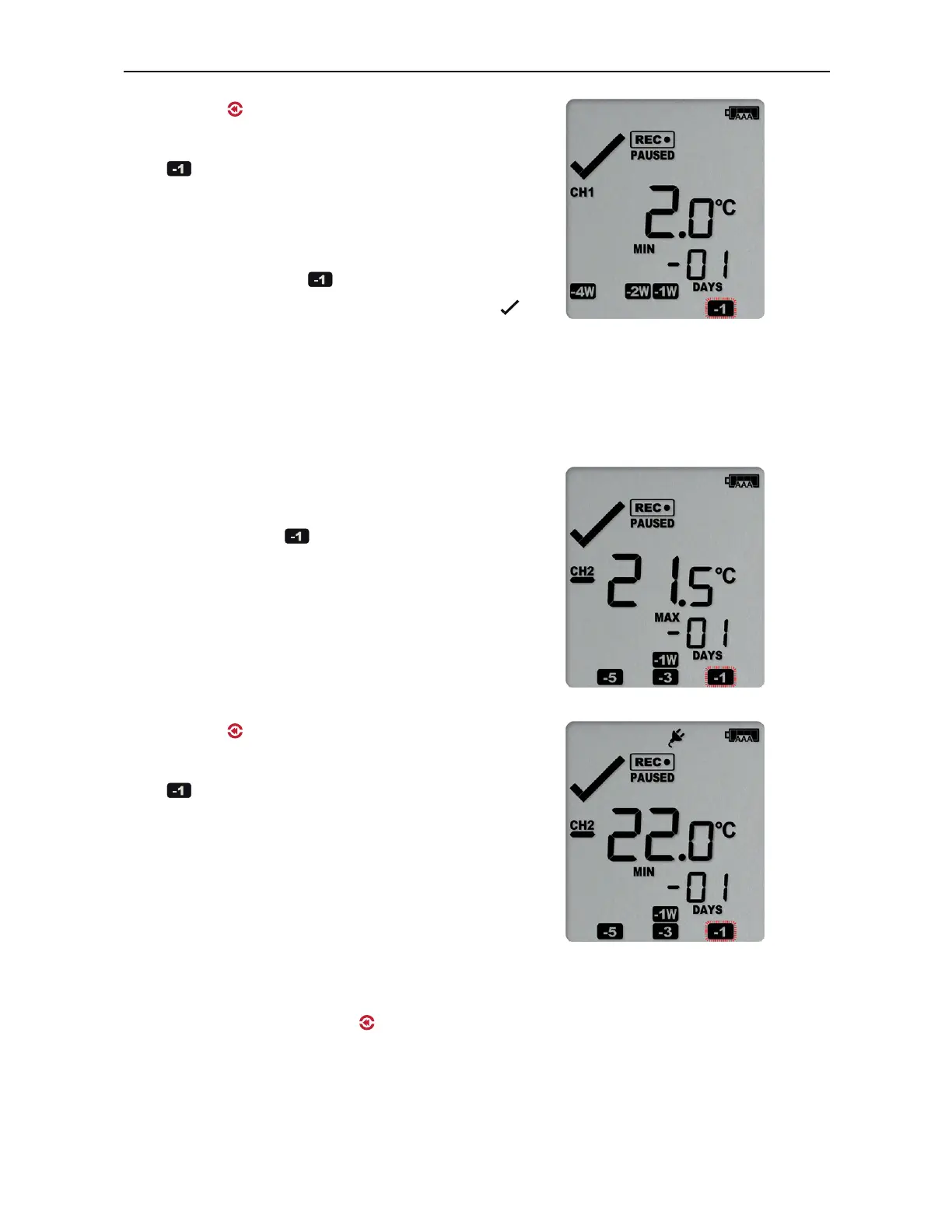
Pressing the button now displays yesterday’s
minimum statistic:
l
flashes, as we are still looking at
yesterday's data.
l
Yesterday, no temperature values were
recorded below the lower alarm threshold. The
alarm for the day was generated by the
upper alarm, not by the lower alarm, so a is
displayed in the minimum statistics.
l
The minimum temperature recorded yesterday
was 2.0 °C.
Yesterday's data from the other channel
Pressing the Channel button now displays
yesterday’s maximum statistic from channel 2:
l
The -1 marker still flashes to indicate that
yesterday's data is being displayed.
l
Yesterday, no recordings above the upper
threshold were recorded, and no duration
value is shown.
l
The maximum temperature recorded yesterday
was -21.5°C.
Pressing the button now displays yesterday’s
minimum statistic from channel 2:
l
flashes, as we are still looking at
yesterday's data.
l
Yesterday, no temperature values were
recorded below the lower alarm threshold.
l
The minimum temperature recorded yesterday
was -22.0 °C.
Pressing the Channel button again displays yesterday’s maximum statistic from channel
1, with a further press on the button displaying yesterday’s minimum statistic from
channel 1 once more.



 To Next Page