22
COOLIUS A50
4.9 Vessel charge
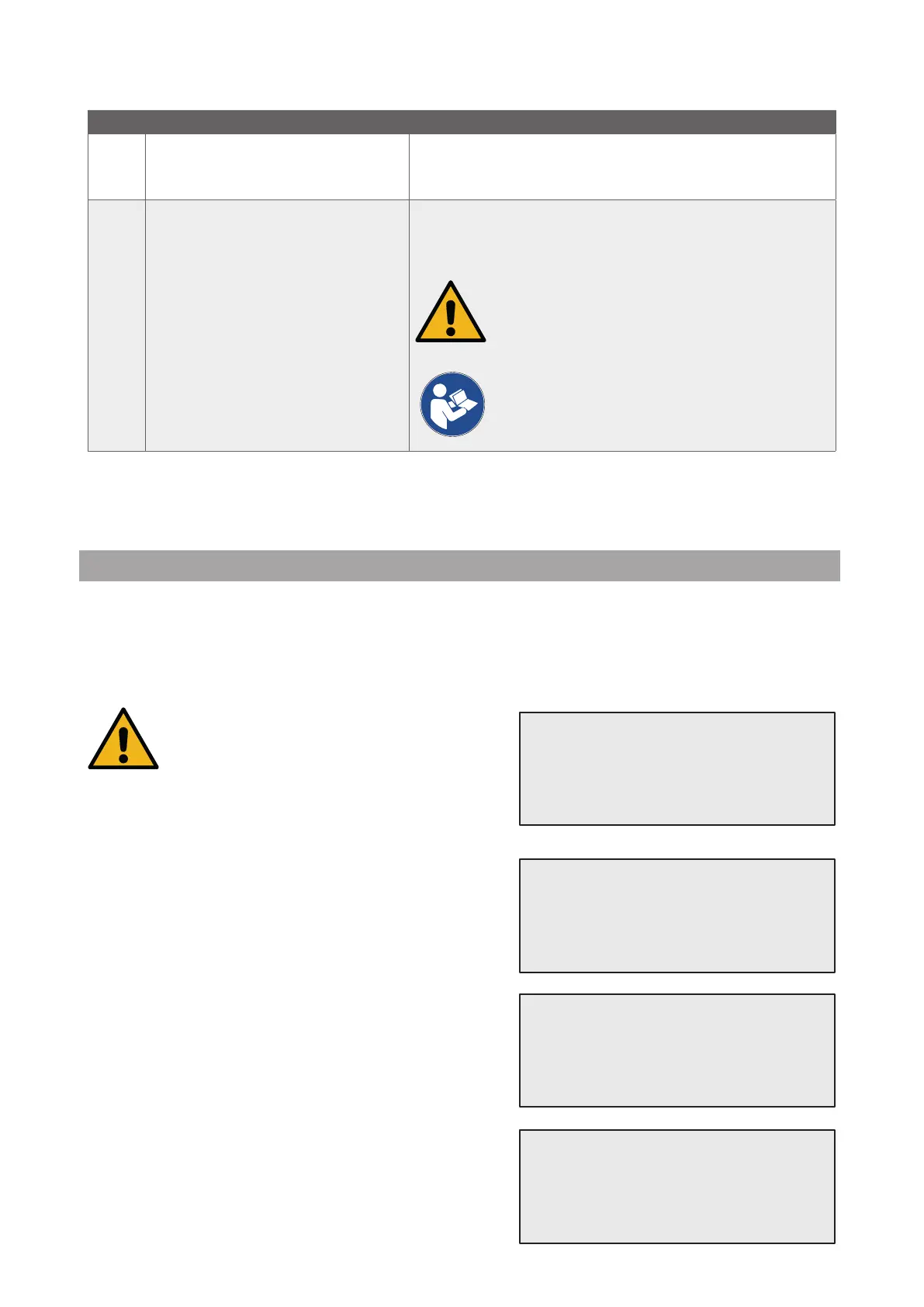
The equipment may not contain enough refrigerant to run. The available quantity could be negative
(Es: -500 g.) It will be necessary to add new refrigerant into the internal vessel before the use (at least 3 or 4
Kg).
1. Turn COOLIUS SELECT to select
VESSEL CHARGE. Press ENTER to conrm.
NOTE: The message is shown before processes.
2. Connect the LP (BLUE) or the HP (RED) hose to a new
tank of refrigerant. If available, open the liquid tank valve
(RED).
Otherwise turn the tank up-side-down.
3. Turn COOLIUS SELECT to set the value.
• Minimum: 800 g.
• Maximum: the value shown by the display.
4. Press ENTER to conrm..
5. Press START key to conrm
WARNING!
Verify Oil/UV
quantity in the
bottles.
Connect LP or HP
hose to ext. tank.
Open the valve
liquid side.
Set the quantity.
g./////
Confirm by “START”
No Error message Description
F1
Error!
A/C System Charge
The pressure is too low to complete the A/C System Char-
ge (in case of A/C System Charge performed by “LP PORT”
only).
Last internal
flushing process
not completed
Internal ushing of last process was not correctly comple-
ted.
Press START key to perform it again.
ATTENTION! The following procedure is
STRONGLY DISCOURAGED! Please read
See
chapter 4.6 Automatic Internal ushing p. 20
and PROCEED AT YOUR OWN RISK!
NOTE: Is possible to skip the cleaning process
by keeping pressed down the STOP key for 5
seconds.


 To Next Page