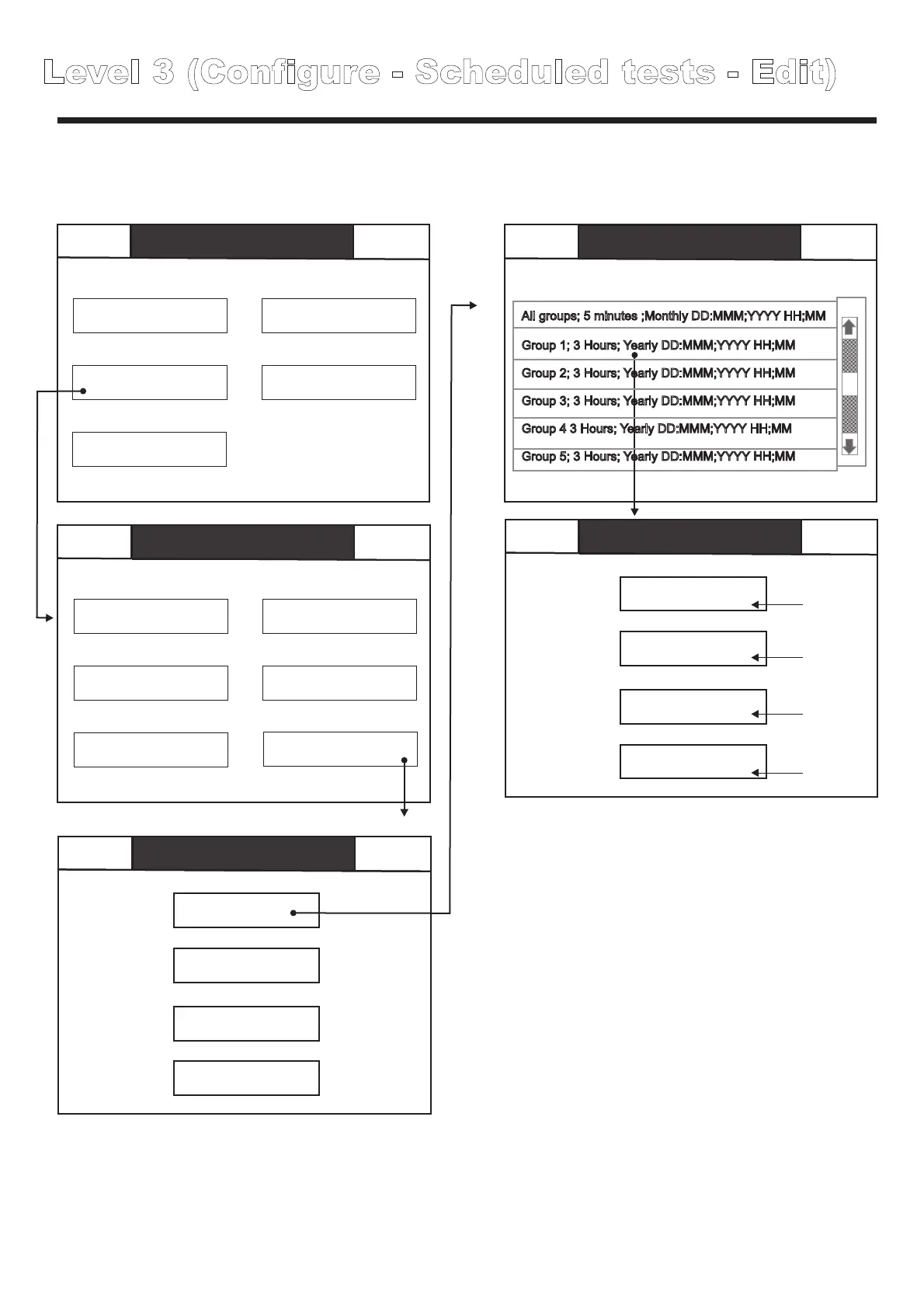
Level 3 (Configure - Scheduled tests - Edit)
Easicheck allows extremely flexible configuration of test regimes to suit different requirements and
preferences, use edit test to edit an existing test, use new test to add an additional test to the test
regime.
Level 1
0 Disabled
0 Faults 0 In test
Mute Buzzer
Level 1
0 Disabled
0 Faults 0 In test
Mute Buzzer
Configure
Scheduled tests
Scheduled tests
Edit test
Edit Tests
Group1
Delete test
180 Minutes
Delete all tests
DDD DD MMM YYYY HH;MM;SS
New tests
Yearly
Back
Back
Level 3
Mute
Buzzer
Mute
Buzzer
Global reset
Buzzer mode
Commission
Configure address
Configure
Edit panel text
Analogue level
Add delete address
Test
Thresholds
Scheduled tests
Level 3
Configure
Back
Scheduled tests
Edit tests
Mute
All groups; 5 minutes ;Monthly DD:MMM;YYYY HH;MM
Group 1; 3 Hours; Yearly DD:MMM;YYYY HH;MM
Group 2; 3 Hours; Yearly DD:MMM;YYYY HH;MM
Group 3; 3 Hours; Yearly DD:MMM;YYYY HH;MM
Group 4 3 Hours; Yearly DD:MMM;YYYY HH;MM
Group 5; 3 Hours; Yearly DD:MMM;YYYY HH;MM
1
2
3
4
1. Group allocation
2. Duration
3. Start date
Touch here to allocate which group(s) are included in the test,
you can select global (tests all groups) or a specific group
Touch to select the duration of the test, use the + / - buttons to
increment / decrement by multiples of 1 hour or 5 minutes,
touch“back” when finished to save and exit.
Touch here to select the date and time of the first instance of
this test.
press back when finished to save and exit.
press OK when finished to save and exit.
Touch here to specify the interval between successive
instances of this particular test.
Touch units of time to select the desired time unit (one off,
daily, weekly, monthly or yearly) then use the + / - buttons to
select the number of intervals e.g. To conduct a weekly test,
select days as the units of measure, then use the “+” button
until the display reads “every 7 days” press OK to save and
exit.
4. Interval
The Easicheck test regime can be reconfigured at any time by deleting unwanted tests and adding
new tests as required, deleting of a test permanently removes it from the test regime.
Level 1
0 Disabled
0 Faults 0 In test
Mute Buzzer
Configure
Scheduled tests
Edit Tests
Delete test
Delete all tests
New tests
Back
Back
Level 3
Global reset
Buzzer mode
Commission
Configure address
Configure
Edit panel text
Analogue level
Add delete address
Test
Thresholds
Scheduled tests
Level 3
Configure
Level 1
0 Disabled
0 Faults 0 In test
Mute Buzzer
Level 1
0 Disabled
0 Faults 0 In test
Mute Buzzer
Back
Scheduled tests
Delete test
Back
Scheduled tests
Delete test
All groups; 5 minutes ;Monthly DD:MMM;YYYY HH;MM
Group 1; 3 Hours; Yearly DD:MMM;YYYY HH;MM
Group 2; 3 Hours; Yearly DD:MMM;YYYY HH;MM
Group 3; 3 Hours; Yearly DD:MMM;YYYY HH;MM
Group 4 3 Hours; Yearly DD:MMM;YYYY HH;MM
Group 5; 3 Hours; Yearly DD:MMM;YYYY HH;MM
Group 1; 3 Hours; Yearly DD:MMM;YYYY HH;MM
Level 3 (Configure - Scheduled tests - Add / Delete)
Mute Buzzer
Mute Buzzer
Confirm
delete
Touch “Confirm delete” to permanently
delete the selected test, or press “back” to
cancel.
To permanently delete all tests, touch the
delete all tests button and touch yes to
confirm or back to cancel.
To add a new test, touch the new test button
then configure as required in the same way
as the edit test functions described on the
previous page.



 To Next Page