Level 3 (test - Group test)
In addition to the user defined automatic test cycles, it is also possible to manually instigate a test
at any time.
This is useful after routine maintenance to confirm correct operation or to demonstrate correct
operation of emergency luminaires if ever required.
Back
Back
Level 3
Level 3
Test
Mute
Buzzer
Mute
Buzzer
Global reset Commission
Configure
Begin / end group test
Test address
Analogue level
Test
Group 2
Group 3
Group 4
Group 5
Group 6
Group 7
Group 2
Group 3
Group 4
Group 5
Group 6
Group 7
Not in test
Not in test
Not in test
Not in test
Not in test
Not in test
Not in test
In test
Not in test
Not in test
Not in test
Not in test
Back
Back
Level 3
Test
Level 3
Test
Mute
Buzzer
Mute
Buzzer
Touch the “not in test” button adjacent to a
group to put this group into a manual test,
touch again to terminate the manual test.
Multiple groups can be put in test at the
same time, simply select groups one at at
time to start or end a test.
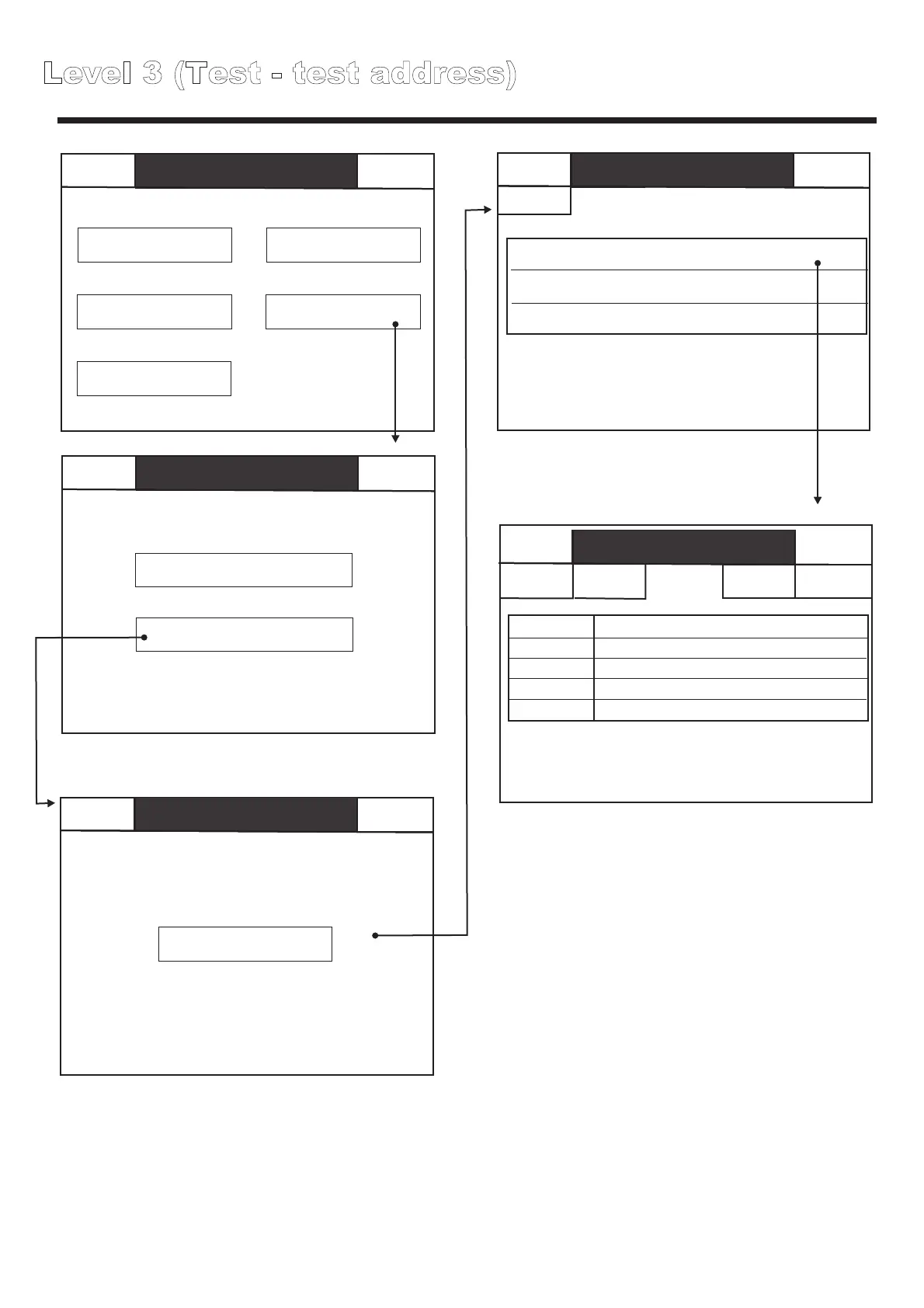
Level 3 (Test - test address)
Back
Back
Level 3
Level 3
Test
Mute
Buzzer
Mute
Buzzer
Global reset Commission
Configure
Begin / end group test
Test address
Analogue level
Test
Loop 1
0 Disabled0 Faults 0 In test
Mute Buzzer
0 Disabled0 Faults 0 In test
Mute Buzzer
0 Disabled0 Faults 0 In test
Mute Buzzer
Level 3
Test address
Level 3
Test address
Level 3
Test address
Loop 1; Address 1; Group 1; SCAEL; Nicad 2 cells
Reception Exit sign
Location
Loop
Address
Type
Group
Reception Exit sign
Loop 1; Address 2; Group 1; SCAEL; Nicad 3 cells
Reception Above desk
Loop 1; Address 3; Group 1; SCAEL; Nicad 2 cells
Reception in corridor
Previous
Next
1
1
1
SCAEL
Touch any fitting to
initiate a manual test.
Use the Previous / next buttons to bring the
current fitting out of test, and place the next /
previous fitting into test.
Press back to take the current fitting out of test
when finished. Instead of testing a single fitting
or a group of fittings at the same time. It is
possible to use the auto scroll function to
sequentially scroll through a list of fittings (see
overleaf).
Back
Back
Back
Send to PC
Send to PC
Auto



 To Next Page