19
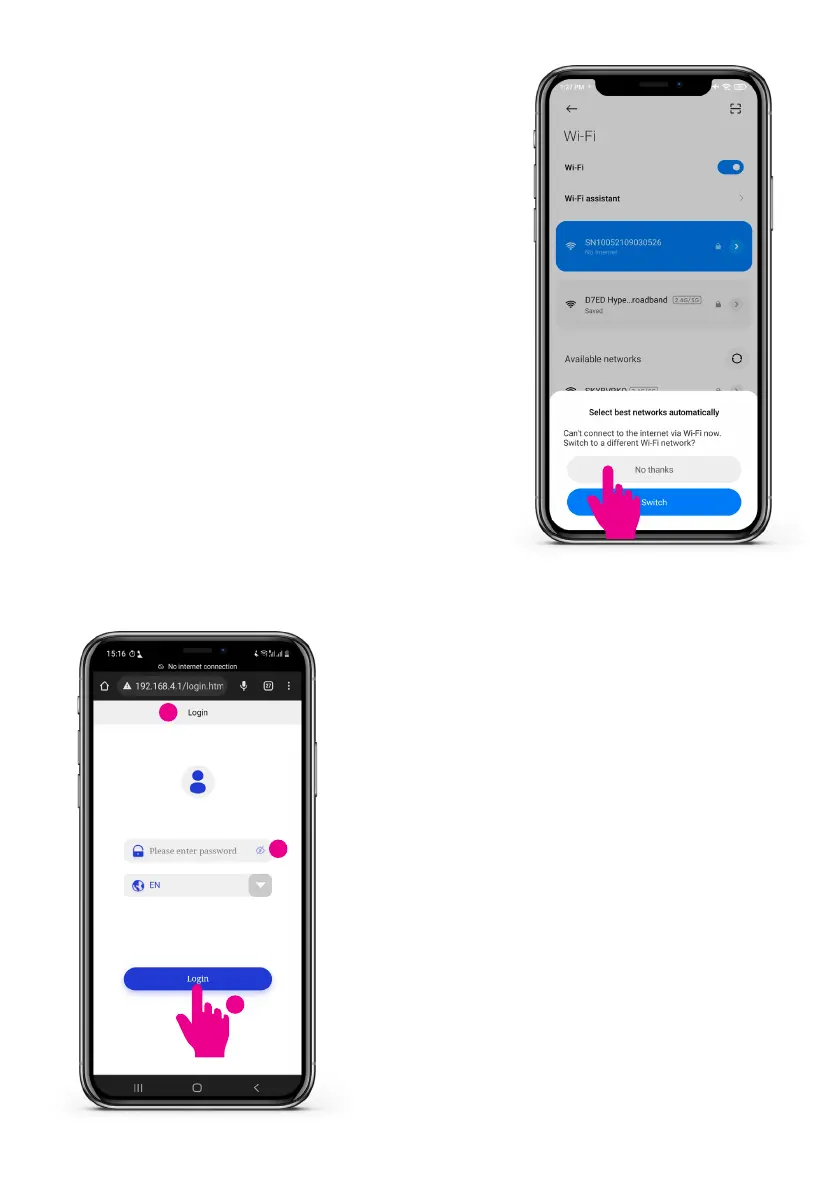
Step 7: Automatic network switch
PleaserejectautomaticWi-Finetwork
switch when the message appears. The
smartphone can communicate with the
charge point without internet connection.
Step 8: Login credentials
• Open a web browser on your smartphone.
• Goto192.168.4.1toopenthenetwork
congurationpage.
• Input the four digit network pin.
• Tap ‘Login’.
1
3
2


 To Next Page