29
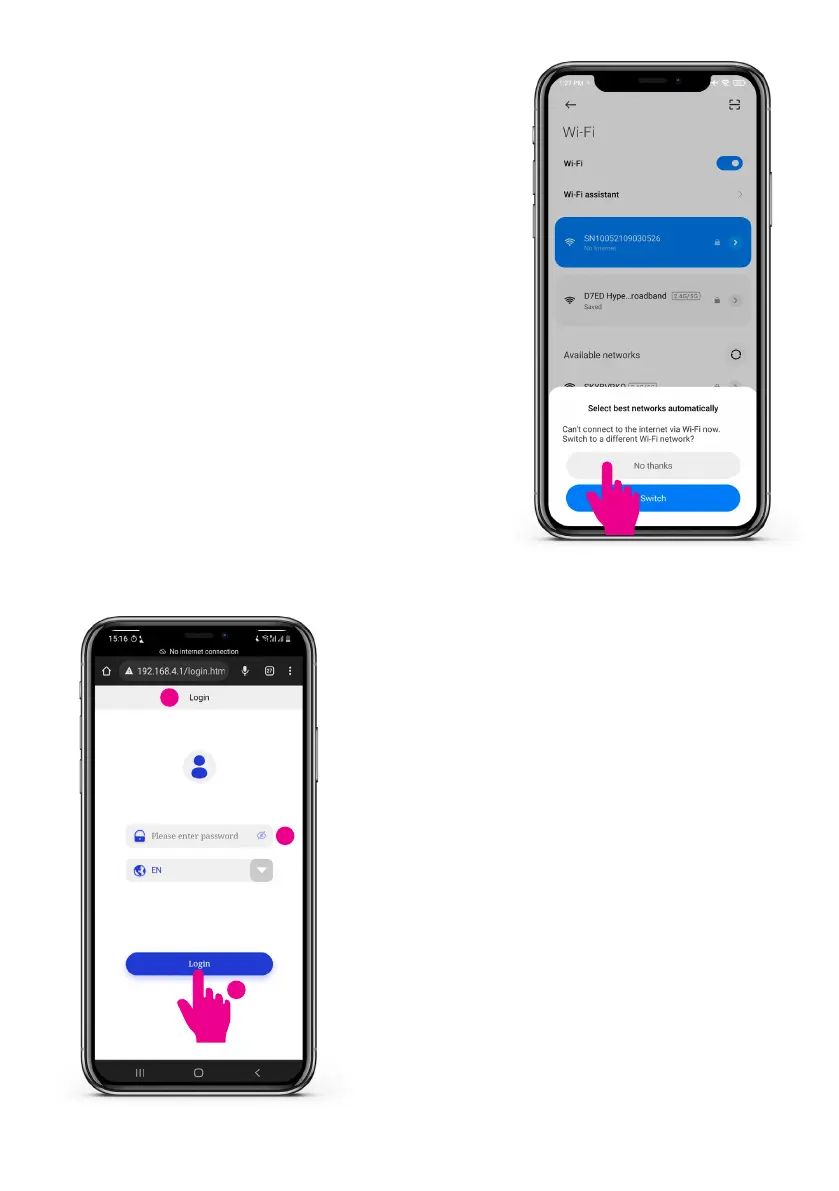
Step 5: Automatic network switch
PleaserejectautomaticWi-Finetworkswitch
when the message appears. The smartphone
can communicate with the charge point without
internet connection.
Step 6: Open network conguration page
• Open the web browser on your smartphone
which should be connected to charger Wi-Fi.
• Go to 192.168.4.1 to open the network
congurationpage.
• Input the 4-digit network pin. The network pin
can be found on the cover of the charge point.
Please take note of the pin and remove the pin
sticker from the charge point.
• Tap ‘Login’.
• Ifthewebpageisnotaccessible,pleasereboot
the charge point and start at Step 6 again.
1
3
2


 To Next Page