30
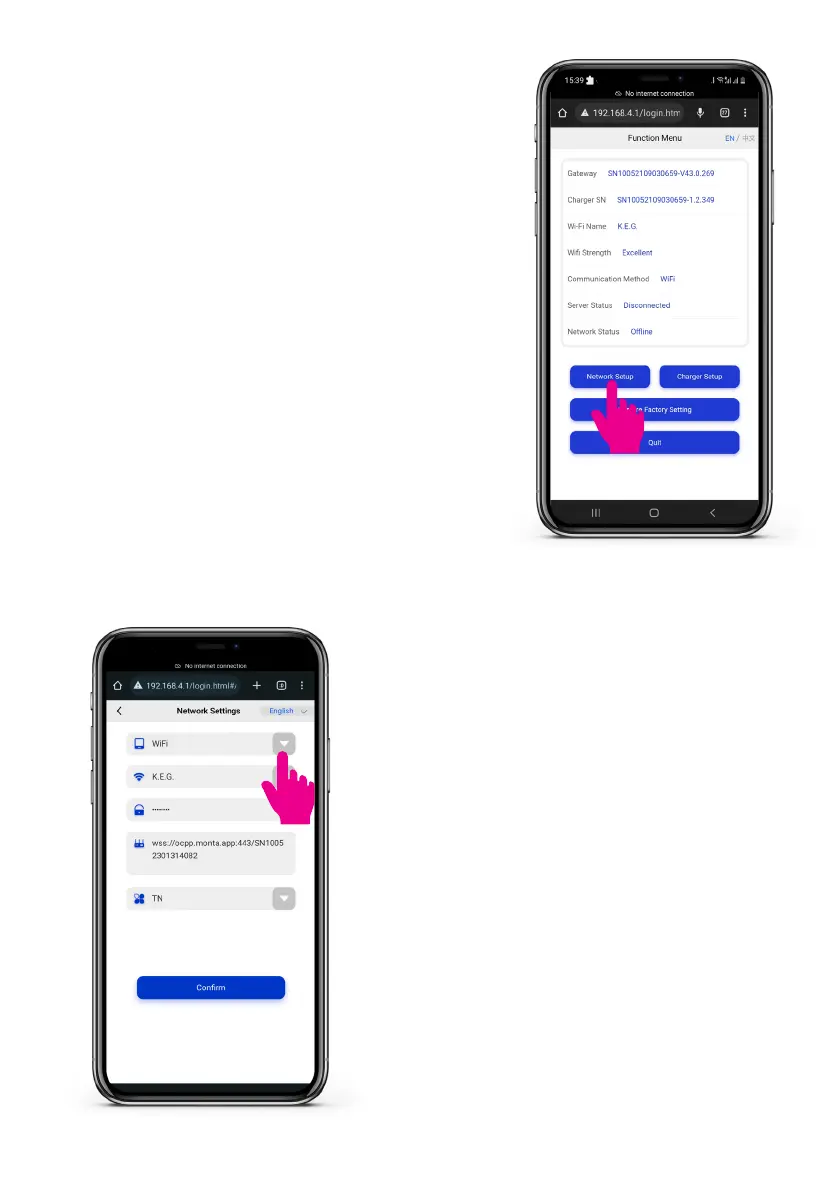
Step 7: Network setup
Afterloggingintothefunctionmenu,click
‘Network setup’.
Step 8: Select preferred networking mode -
Wi-Fi or 4G
• For Wi-Fi.
• Tap on the Networking mode drop-
down menu and select ’Wi-Fi’.
• Tap‘Conrm’.
• Go to Step 11.
Step 9: 4G mode (optional)
For 4G mode please refer to Section 11.4.



 To Next Page