FMFV - Installation Manual
Publication Number: 919000012INS - 11 - © 2018-19, Cornelius Inc.
7.
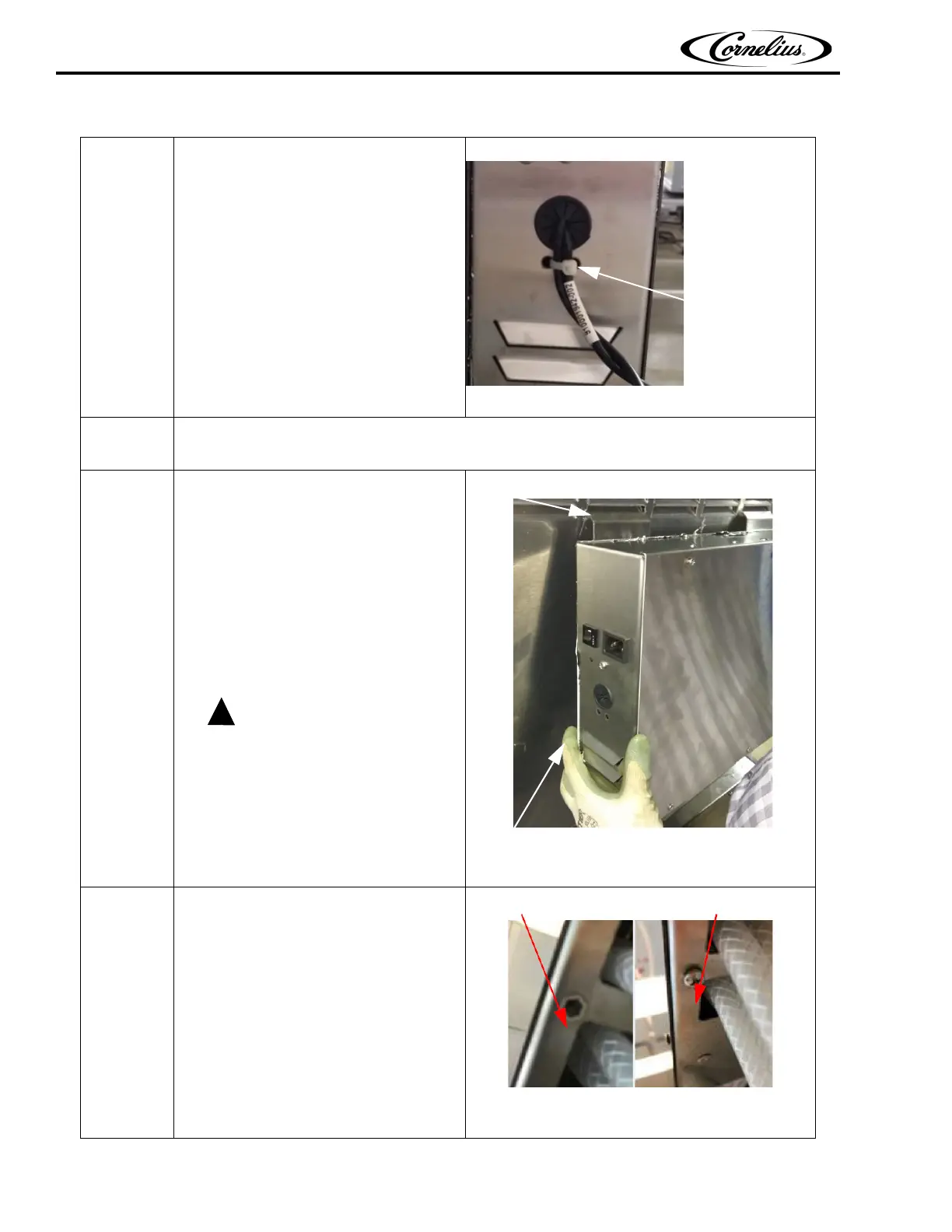
Tie “Cable FMFV touch
display(910001942)” using cable tie
to C-Box
Figure 11.
8.
Assemble the side panel to C-Box with screws.
IMPORTANT: DO NOT EXCEED 3 IN-LB of torque
9.
Assemble “C-box mounting bracket”
(910001938) to the C- box right or left
as per the requirement of hanging on
the Viper unit.
Use the existing screw on C-Box
Make sure the fingers should not come
in between C-box and Viper unit while
placing the C-box after hooking on the
unit.
Hooking Bracket
Pinching area
Figure 12.
10.
Replace the bottom screw as per the
mounting requirement left or right and
cover the dummy hole by screw.
Dummy threaded Hole Close with screw
Figure 13.
Table 4: Installation of C-Box



 To Next Page