4-52
Section 4
Additional Soft Key Commands for Cruise Setup include:
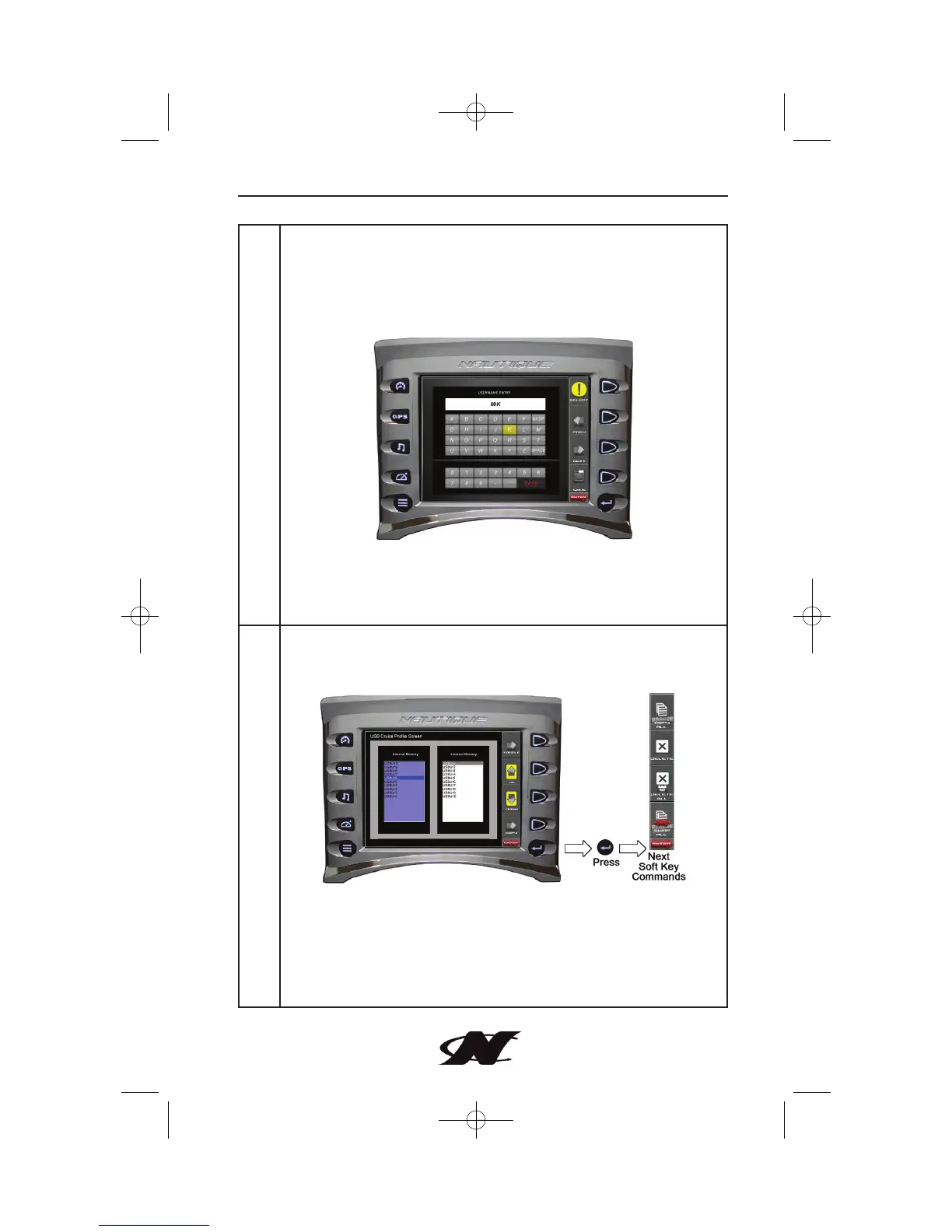
NEW USER – provides an interface to add new user information.
Use PREV / NEXT arrows to navigate alpha/numeric keys. Press
SELECT when a desired character is highlighted. Press Save when
user information is complete.
EDIT USER – select and edit existing user name information.
DELETE USER – select and delete existing user name.
SAVE – saves any new or changed user information.
LOAD USB – this feature allows you to load predefined users
(External Memory) from USB or to save user information
(Internal Memory) to USB for loading onto another unit.
TOGGLE – toggles between External and Internal Memory list of
users.
UP – DOWN – navigates through list of users.
COPY – copies the currently selected user to the opposite list
(internal vs. external memory).








 To Next Page