4-51
Controls and Indicators
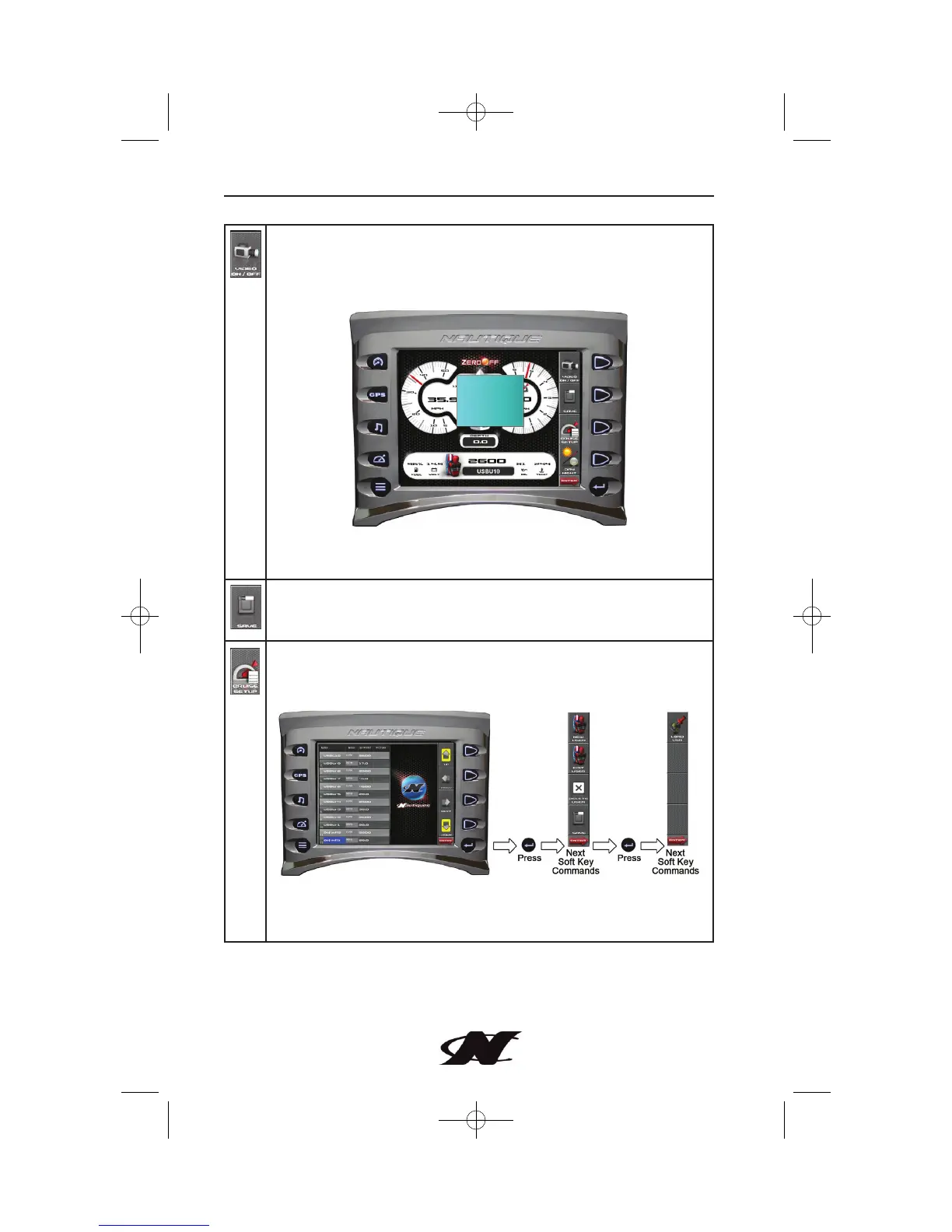
VIDEO ON/OFF – toggles the video on or off. Pressing Video
On/Off from the Cruise Gauge screen launches a small video
window overlay, allowing user, cruise and gauge information to be
viewed simultaneously.
NOTE: Full-screen video is not available on the Cruise Gage
screens.
SAVE – used for saving a speed change to a user’s profile.
Otherwise the change would be made under Cruise Setup.
CRUISE SETUP – provides utilities for adding new users, editing
existing users and copying/loading user profiles through USB
connection.
UP – PREV – NEXT – DOWN – use arrows to navigate user list
and make changes.








 To Next Page