4-64
Section 4
Waypoint Manager
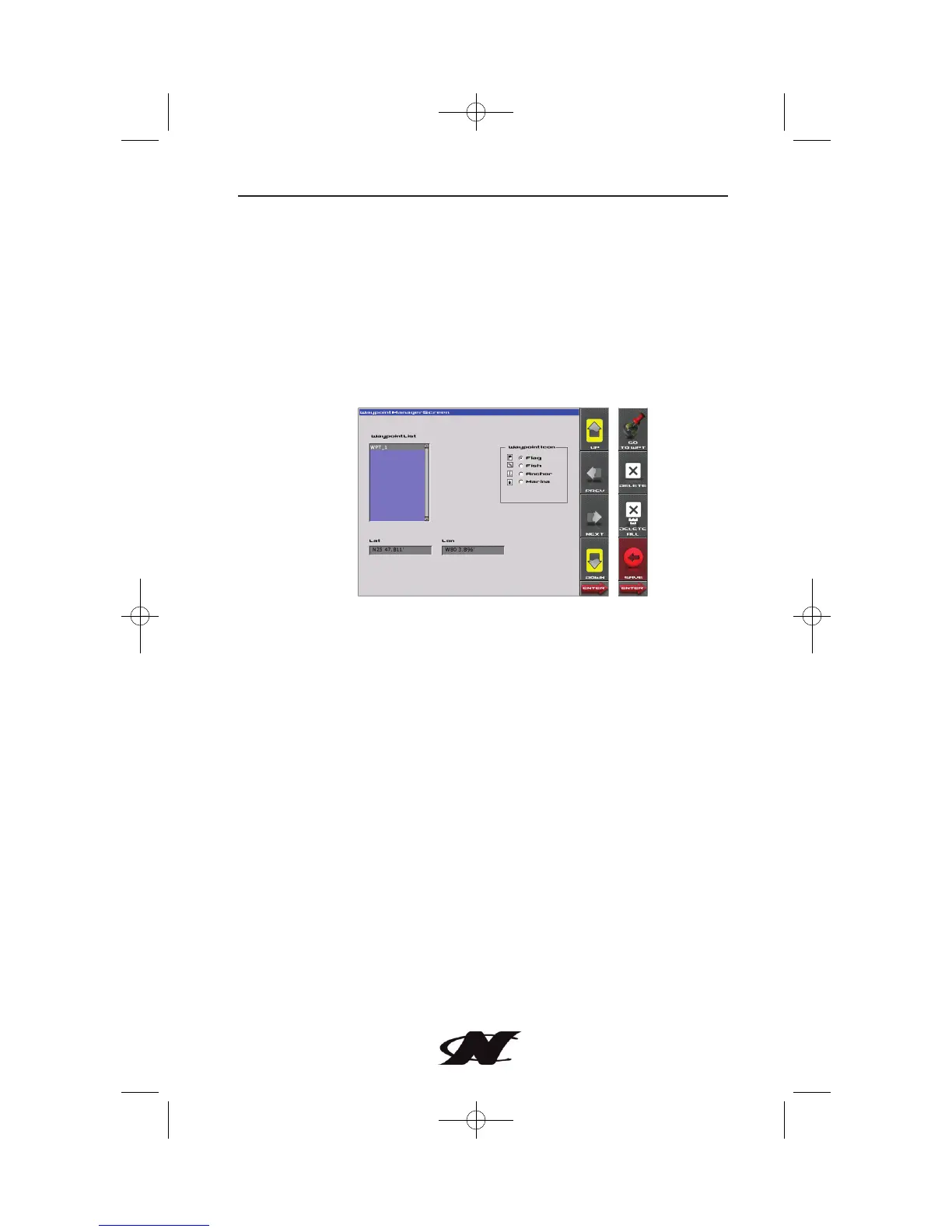
Waypoints allow you to mark specific locations by latitude and
longitude. Once the waypoints are established, the Waypoint
Manager allows you to associate an icon with them for
identification. You can delete a single waypoint by using the
DELETE key, or all of them at once with DELETE ALL. Pressing
the GO TO WPT key displays the GPS screen containing the
currently highlighted waypoint.
Waypoint List – displays a list of the waypoints that have been set.
Use the UP and DOWN keys to highlight the desired waypoint.
Waypoint Icon – allows you to assign one of four different icons to
any of the waypoints listed.
Lat/Lon – Displays Latitude and Longitude values for the currently
highlighted waypoint on the list.








 To Next Page