NL
DE
EN
77
CUSTOMER MANUAL M400 DRIVE SYSTEM
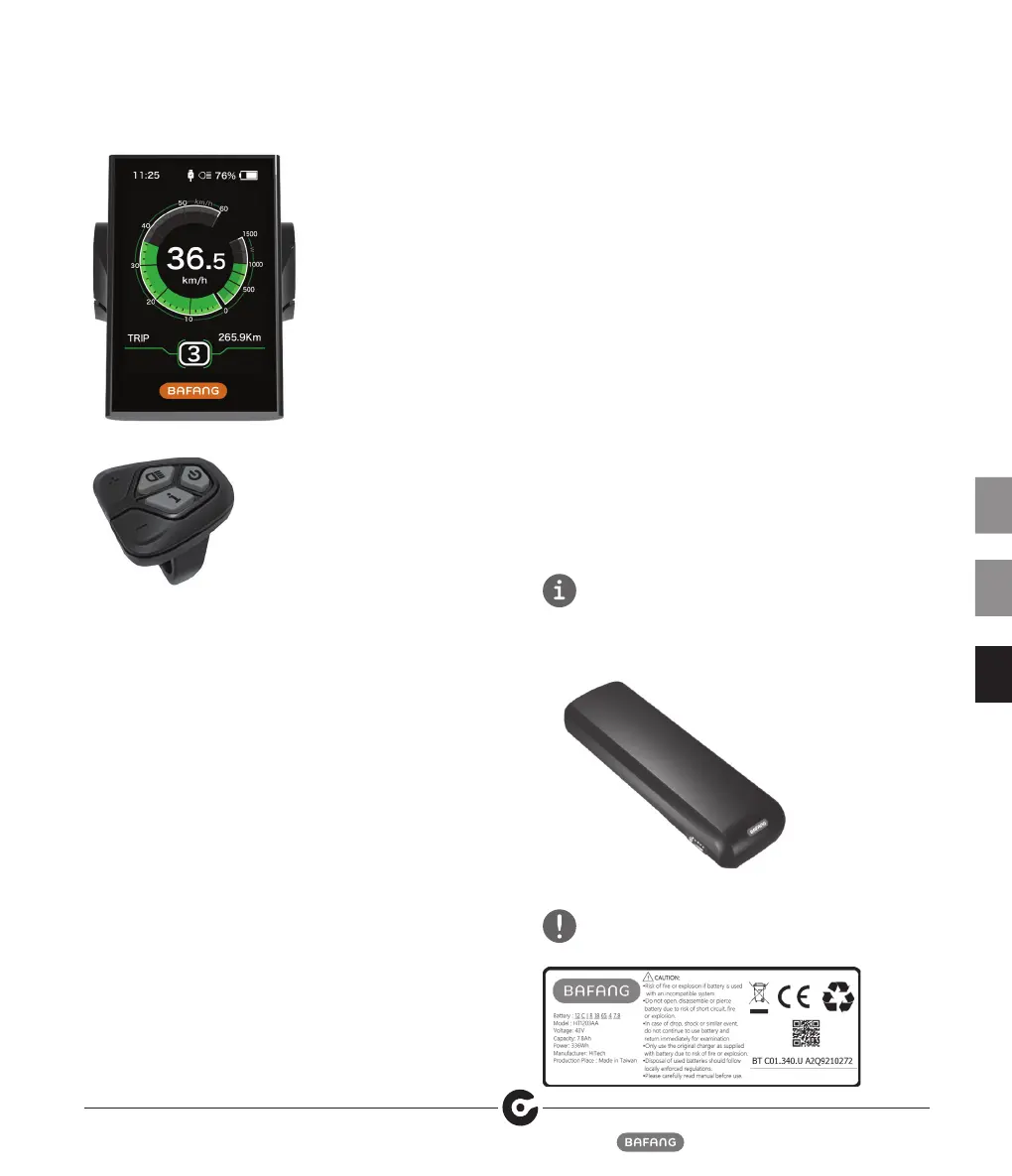
Display Screen
Control Panel
4.3.1 Functions Overview
• Use of a two-way serial communication protocol,
simple operation via the additional 5-button keypad.
• Speed indication: Indicate the real-time speed
as SPEED, the maximum speed as MAXS and the
average speed as AVG.
• Km or mile: The user can choose between km and
mile.
• Intelligent battery capacity indication: With an
optimization algorithm, a stable display of the battery
level is ensured, and the problem of fluctuant battery
level indication common with other displays is
avoided. The user can define display mode of battery
level as voltage or percentage.
• Automatic light-sensitive lights: The headlight, taillight
and display backlight will be automatically turned on/
off depending on lighting conditions.
• 5 levels off backlighting: 10% is most dark, 100% is
highest light.
• Support levels mode selection: 0-3/0-5/0-9.
• Trip distance indication: The maximum distance
displayed is 99999. Single-trip distances TRIP or the
total distance TOTAL can be displayed.
• Indication of error messages.
• Push assistance.
• Intelligent display: including motor’s output power W
for riding, output current A, Remaining miles RANGE,
consumption of energy CALORIES.
• Set access password: user can set access password by
himself.
• Set parameters: Power assistance level, wheel
diameter, speed limit etc., can be set on the computer
via a communication cable. Please see the detailed
in the description of the computer parameter
configuration.
4.4 Battery
Your Pedelec can be supplied with different types of
batteries.
Model numbers: BT C01.340.UART, BT C01.450. UART,
BT C01.600.UART, BT C01.750.UART
Battery
Read the indications printed on the external label of the
battery before using the battery.


 To Next Page