CUSTOMER MANUAL M400 DRIVE SYSTEM
94
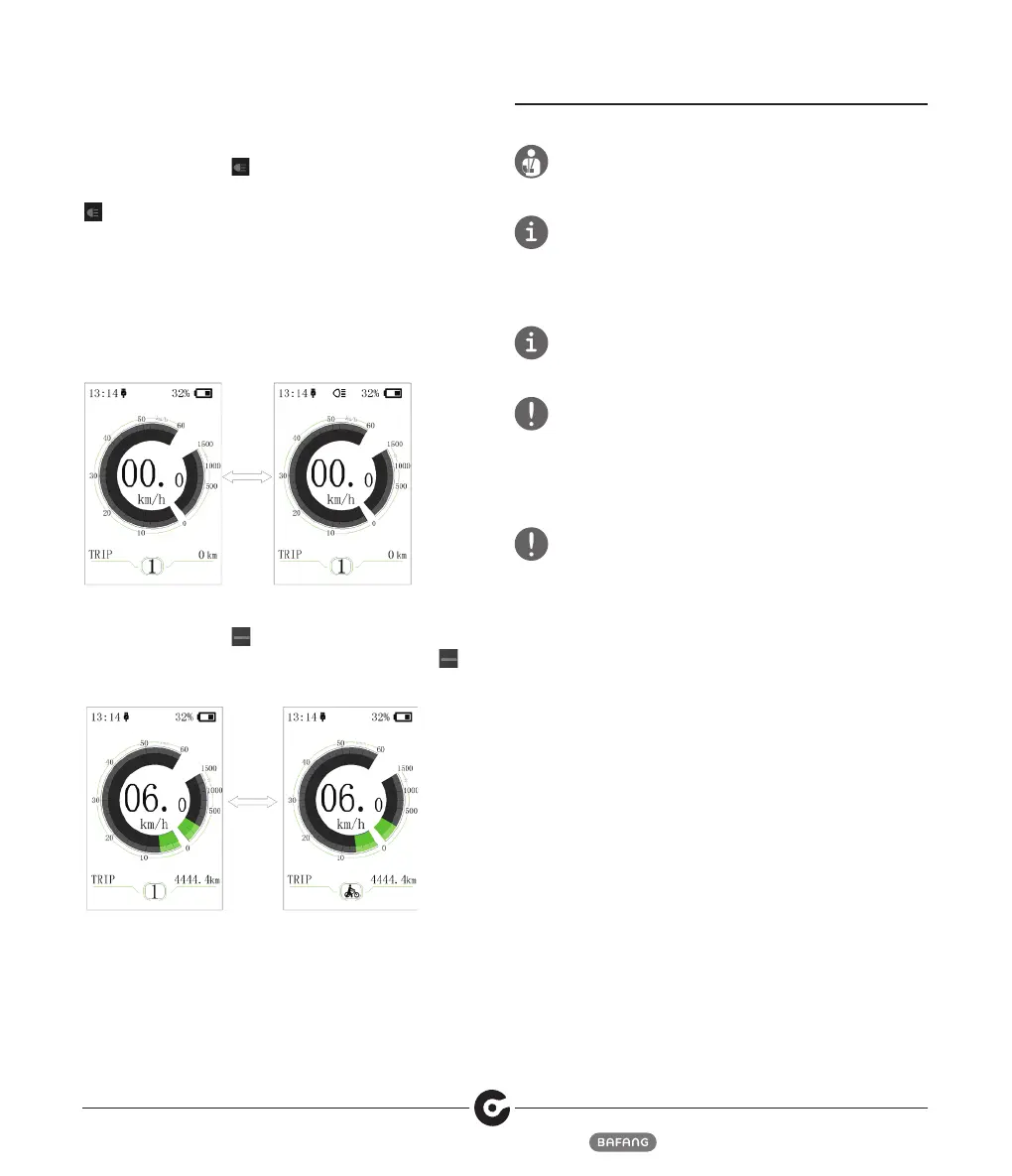
6.4.4 Headlight/Display Backlight Switch
Press and hold (>2S) to turn on the display
backlight as well as headlight. Press and hold (>2S)
again to turn off the display backlight and the
headlight. There are 5 levels of backlight brightness
that can be selected by the user (can be set in
the“Brightness”). (If the display is turned on in a dark
environment, the display backlight/headlight will
be turned on automatically. If the display backlight/
headlight are turned off manually, they also need to be
turned on manually afterwards).
6.4.5 Push assistance mode
Press and hold (>2S) to enter into push assistance
mode, the symbol is displayed, when release key ,
will exit the push assistance the mode.
7 MAINTENANCE
Before performing any kind of work on your Pedelec, turn
off the electric unit and remove the battery. Not doing so
may result in serious injury and/or electric shock.
Keep the all components of the electrical system clean.
Clean gently with a damp, soft cloth. The components must
not be immersed in water or cleaned with a water jet or
steam jet. If the components are no longer functional,
contact your dealer.
Do not clean the Pedelec with a steam jet, high-pressure
cleaner or water hose. Water may seep into the electrics or
drive and destroy the equipment.
The frequency of maintenance will vary depending on
riding conditions. Periodically clean the chain using an
appropriate chain cleaner. Do not use alkaline or acidic
cleaning agents to remove rust under any circumstances. If
such cleaning agents are used, they may damage the chain
and serious injury may result.
Only have maintenance, repairs and repair work carried out
by qualified personnel and only with original spare parts. In
case of a flat tire or other technical problem, let your dealer
carry out the repairs.


 To Next Page