NL
DE
EN
83
CUSTOMER MANUAL M400 DRIVE SYSTEM
Errors – Causes and Solutions
Error description Cause Solution
The operating display does
not light up.
Mains plug not properly connected
to the power supply.
Check all connections and whether the charg-
er is properly connected to the power supply.
The charging indicator is not
lighting up.
The battery may have a malfunction.
Contact the manufacturer or your specialist
dealer.
The charging indicator is not
lighting up permanent red.
The battery may have a malfunction.
Contact the manufacturer or your specialist
dealer.
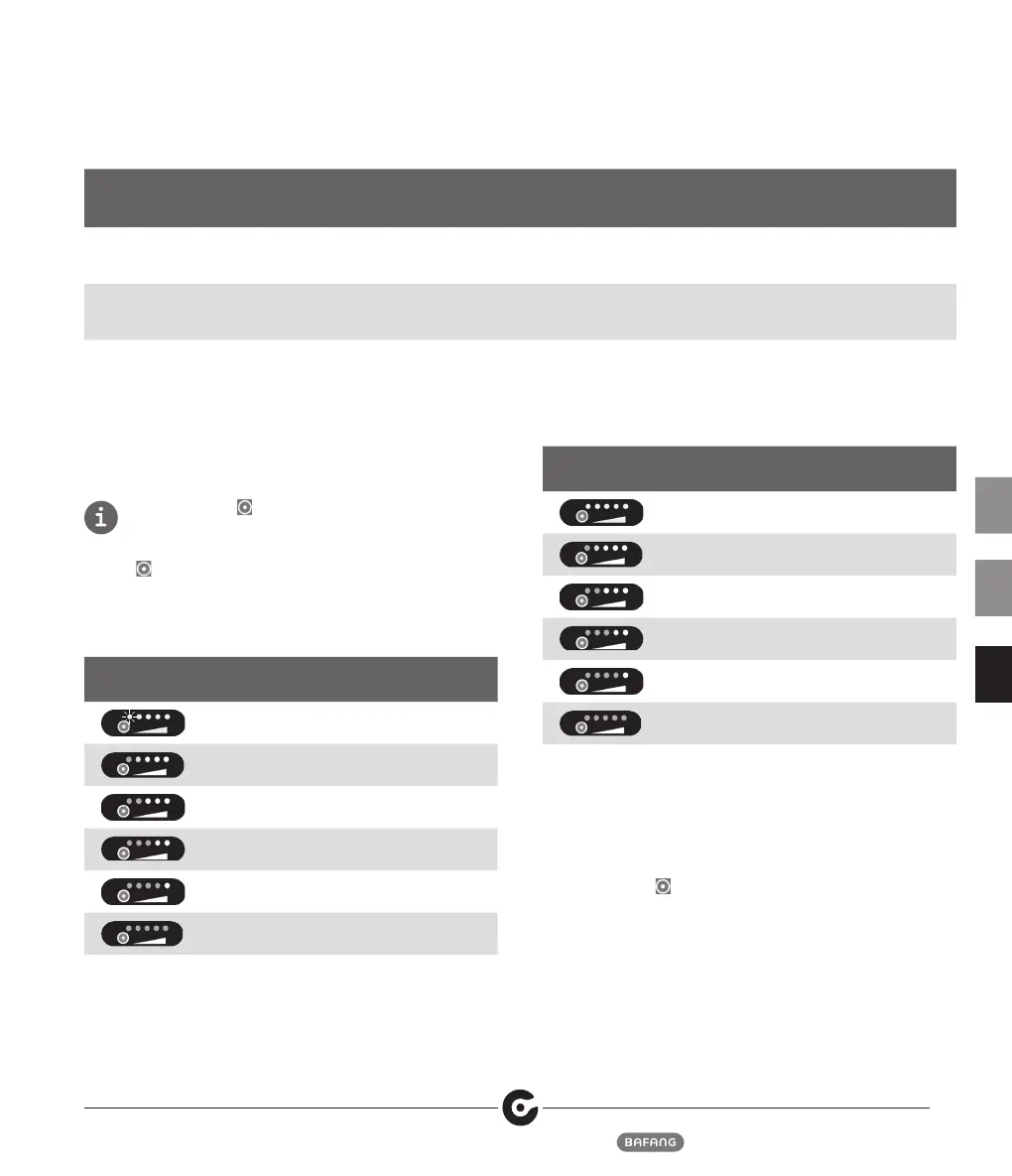
5.4 LED Display for Charge Status
and Charging Capacity
Press the button
“ “
for 1 second for the battery
management system to display the charge status of the
battery on the LEDs for 5 seconds. Hold down the button
“ “
for 5 seconds for the BMS to display the capacity of the
battery on the LED's for 5 seconds. The battery management
system will then turn off the LED display to save energy.
Charge status indication
LED LED state Charge status
First LED blinks ≤ 5 %
One LED light turns
green
6 – 9 %
2 LED lights turn
green
10 – 29 %
3 LED lights turn
green
30 – 49 %
4 LED lights turn
green
50 – 74 %
5 LED lights turn
green
≥ 75 %
Capacity Indicator
LED LED state Charge status
All LED lights are off < 40 %
One LED light turns
green
41 – 50 %
2 LED lights turn
green
51– 60 %
3 LED lights turn
green
61 – 70 %
4 LED lights turn
green
71 – 80 %
5 LED lights turn
green
81 – 100 %
5.4.1 Sleep Condition
To avoid the battery discharge from becoming damaged,
the battery management system puts the battery into
sleep mode. In sleep mode, no function is given for tech-
nical reasons.
Hold down the“
“ button for 5 seconds to wake up from
Deep Sleep mode.



 To Next Page