CowTech Ciclop 3D Scanning Guide
The more indirect the light is, the better.
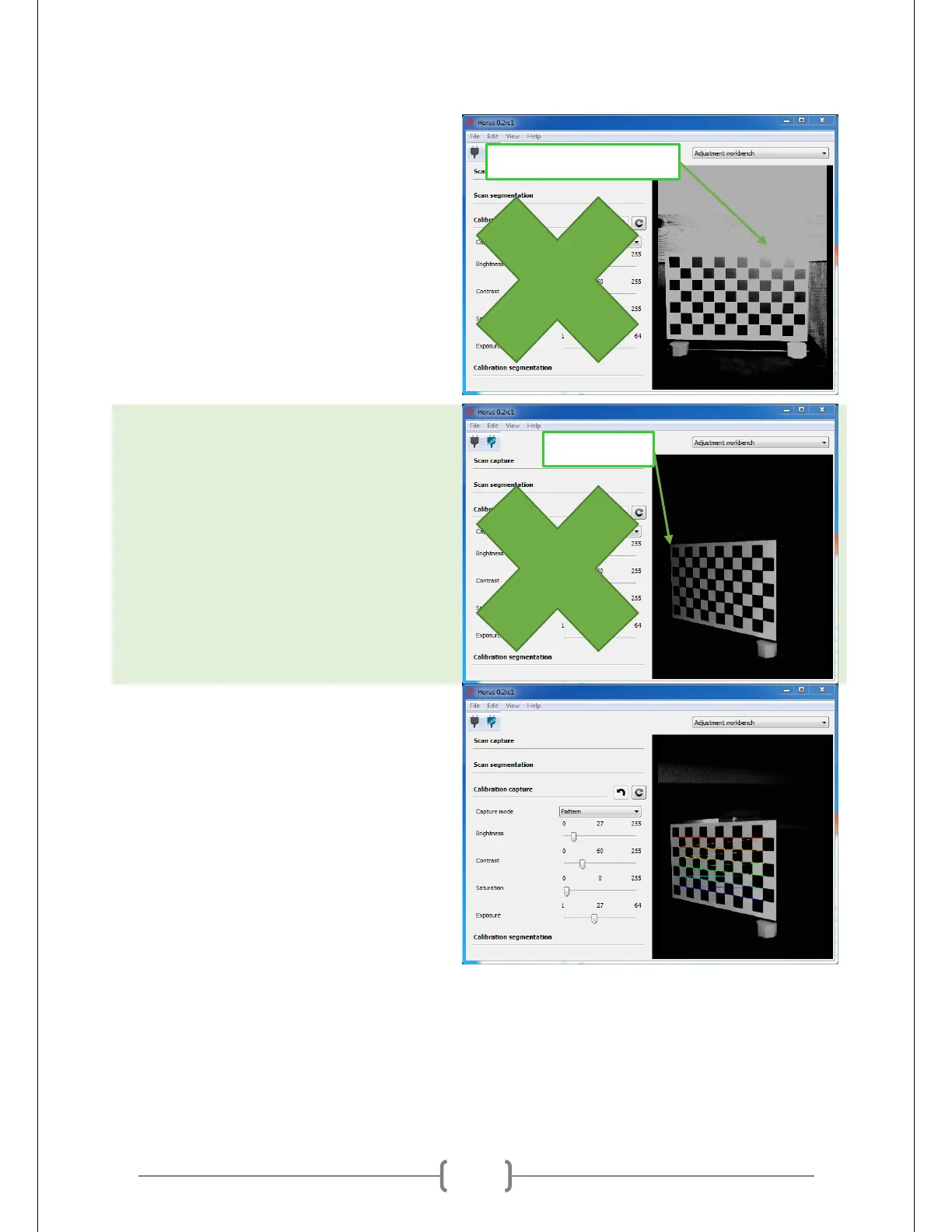
Direct light can cause glare on the slightly
reflective surface of the sticker, which
makes the black squares in some areas
indistinguishable from the white ones. The
picture at right is an example of this. If
even one square is obscured by too much
glare, Horus will not recognize the pattern.
To get more indirect light, try shining a
lamp at a white surface near the scanner.
The white surface will bounce a fair
amount of indirect light onto the pattern
without glare.
Rotate table to the left or right with your
hand. Try to see how far you can rotate
the table before the rainbow lines go
away. They usually go away when one side
of the pattern is exposed to less light and
becomes darker. When the pattern’s
lighting becomes inconsistent like this,
Horus will fail to recognize the pattern.
The picture at right shows the angle at
which Horus just begins to stop
recognizing the pattern
Add light sources to either side of the table.
This increases the scanner’s range of
pattern detection. At right you can see
how this allows Horus to detect the
pattern at a steeper angle of rotation.
Again, this may take some time to get
right.



 To Next Page