CowTech Ciclop 3D Scanning Guide
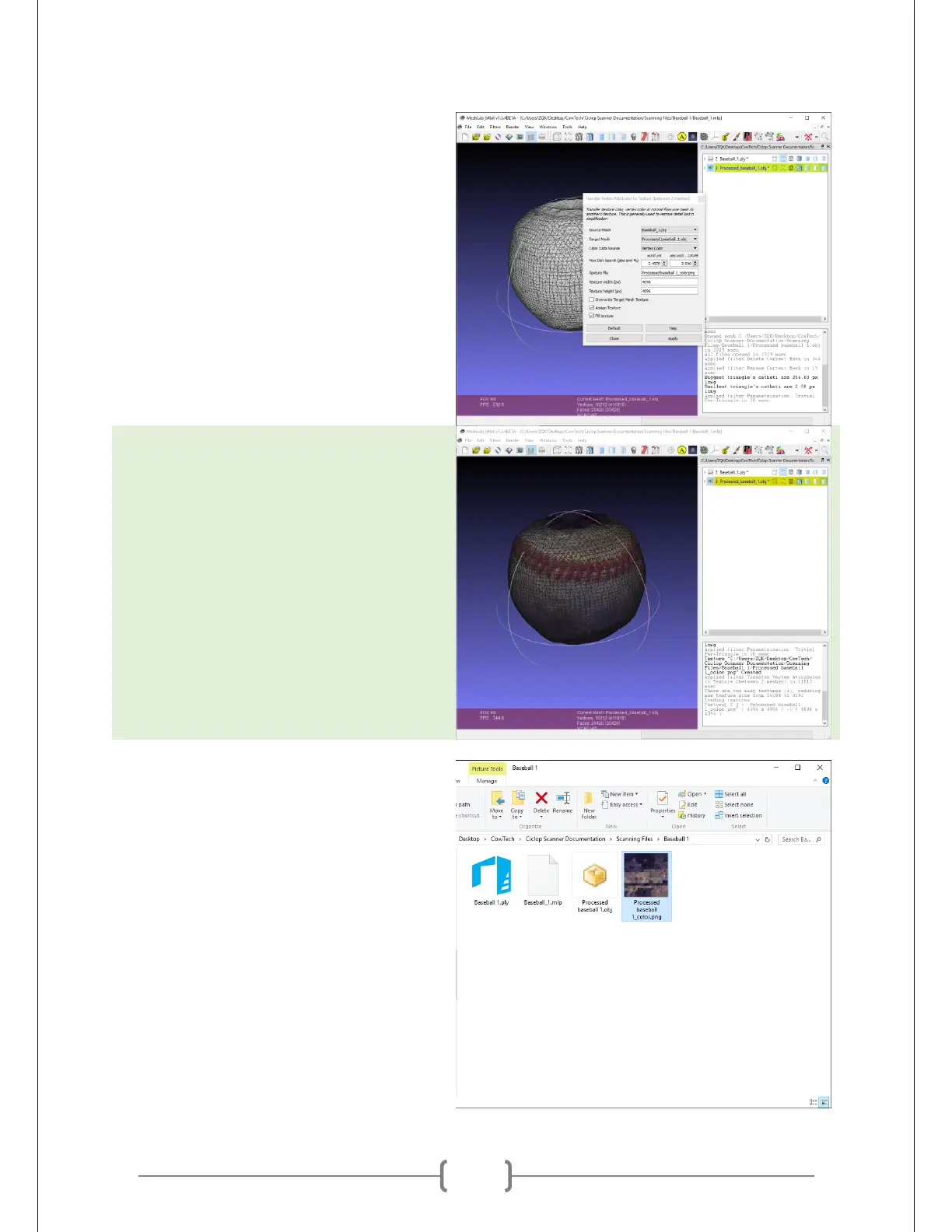
Change “Source Mesh” to be the name of
your object’s point cloud. Leave “Target
Mesh” the way it is.
Change both “Texture Width” and
“Texture Height” to 4096.
Check the boxes titled “Assign Texture”
and “Fill Texture.” Leave the “Overwrite
Target Mesh Texture” box unchecked.
Click apply. It may take a while for
MeshLab to generate the result. Close
the parameter input window when
MeshLab has completed the operation.
Open up the directory that your project is
saved in. You should now see a .png file
saved in the same directory as the .mlp
file you saved earlier.



 To Next Page