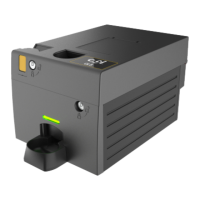
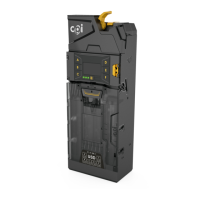
Gryphon™ Coin Changer User Guide
© 2021 Crane Payment Innovations.
All rights reserved.
INITIAL POWER UP
The coin changer will power up and check the number of coins in each tube. If any tubes are
empty, the coin changer will tell you which tubes need coins. You should fill all tubes with a
minimum of 3 coins per tube.
Once the cassette is filled with coins, the coin changer will measure the tubes and display
the total amount of change.
Cassette Setup
It is easy to customize the coin changer cassette. Use one of the many stock configurations
or create your own. There are 2 methods to configure the cassette. Please note: The
cassette must be empty before proceeding.
Cassette Code
To select a predefined cassette:
1. Press the
MENU KEY (≡).
2. Press the D button.
3. Enter the code located on the front of the cassette.
4. Press
SAVE to confirm.
The coin changer will now calibrate the tubes and zero any coin counts.
Creating Custom Cassette
Follow these steps if the code is not recognized or to change individual tubes.
1. Ensure the cassette is empty
.
2. S
elect the
MENU KEY (≡). Then select the D button, followed by CUSTOM.
3. Use the man machine interface (MMI) to choose the tube (A-F) that you would like
to
edit.
4. Scroll through the coin list and select your coin.
5. Pre
ss
SAVE to program the tube.
6. When all tubes have been programmed, press
≡.
7. When pr
ompted, press
START to calibrate.
The coin changer will now check tube capacity and display the amount of change in the
tubes.


 To Next Page