Gryphon™ Coin Changer User Guide
© 2021 Crane Payment Innovations.
All rights reserved.
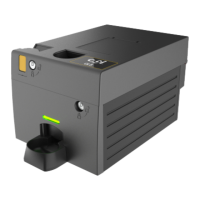
Cleaning the Coin Cassette
If the light transmitter and light collectors are dusty, clean all reflective surfaces.
Recommended cleaning aids
Do not put water directly on reflective surfaces for cleaning.
Do not use these items for cleaning reflective surfaces:
• Solvents or abrasive agents.
• Paper towels.
These items attack sensitive surfaces on optical parts or leave residues.
Only use recommended cleaning aids below.
• Cotton s
wabs
• Microfiber cloth
Steps
1. Remove the coin cassette from the coin changer.
2. Use a dampened cotton swab with lukewarm water to clean all 45° surfaces.
3. Thoroughly dry all surfaces as residue-free as possible using a microfiber cloth.
4. Reinsert coin cassette.
5. Run an auto self-test to check the values of the filling level sensors again.
6. If the values are still low after cleaning, clean disassembled cassette or contact
your service technician.


 To Next Page