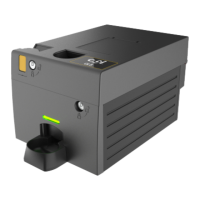
Gryphon™ Coin Changer User Guide
© 2021 Crane Payment Innovations.
All rights reserved.
MMI MENUS
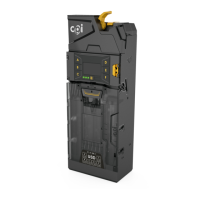
The resting MMI screen will display a smiling face, the word “OK” and the amount of coins
currently in the cassette. If there are errors, the face will change to a frown and a message
indicating the error will appear. The LED will also change accordingly to yellow or red; see
LED Codes for details.
Audit Menu
Press the
MENU KEY (≡) twice in quick succession (with the cassette in) to quickly display
audit information. Each section will display for 3 seconds before showing the amount of
change in each tube.
An audit can also be performed via the micro-USB slot on the front of the device, under the
coin reject lever, with an accompanying USB drive and USB to micro-USB dongle.
Main Menu
Press the
MENU KEY (≡) once to display the menu options. The default options on the home
menu are Par, Coin Set, Cassette, and Setup, though this may vary depending on the
configuration requested. Each menu has several sub-menus. The following section will detail
each option and its use.
Par
Use this menu to initiate a par. Initiating a par will dispense coins in excess of the set par
level or request insertion of coins below par.
Starting Float
• Snapshot – View or change the current par levels.
o By Value: Set the target value. Use the D and E buttons to increm
ent the
s
elected decimal. Use the A and B buttons to change decimals
.
o B
y Levels: View the current par levels. Press Save and Adjust to update
the
l
evels in the cassette by denominati
on.
• N
ext – Initiates a par.
o Skip: Retain the number of coins in the cassette and adjust levels by addi
ng
c
oins.
o Start: Initiate a par. Follow the commands on screen to par.
Coin Set
Use this menu to select a coin set or to enable or disable specific denominations.
• Coins: Enable or disable denominations.
• Coin Set ID: View the current coin set ID.
• Coin Counts: Displays the current number of coins in each tube. Press the A-
F
buttons
to dispense a coi
n.


 To Next Page