Gryphon™ Coin Changer User Guide
© 2021 Crane Payment Innovations.
All rights reserved.
INSTALLATION
Please contact a local sales representative about any installation questions.
Unpacking the Coin Changer
Unpack the coin changer and immediately inspect it for damage. If the unit is damaged,
return it to its original carton along with packing materials.
Notify the delivering carrier of damages and request immediate inspection. Send a letter of
intent to file a claim to the delivering carrier within 72 hours from the time of delivery. Send a
copy of the letter to the shipper.
Only the consignee (the person or company receiving the coin changer) can file a claim
against the carrier for concealed damages.
Retain the original carton and packing materials for future use in shipping or transporting the
coin changer.
Mounting
The coin changer was designed for ease of mounting onto existing studs provided by original
equipment manufacturers (OEMs). Some machines may require brackets or faceplates to
mount the unit. Refer to your machine operation manual or contact your distributor/OEM for
more model-specific mounting information.
1. Turn off the power to the vending machine.
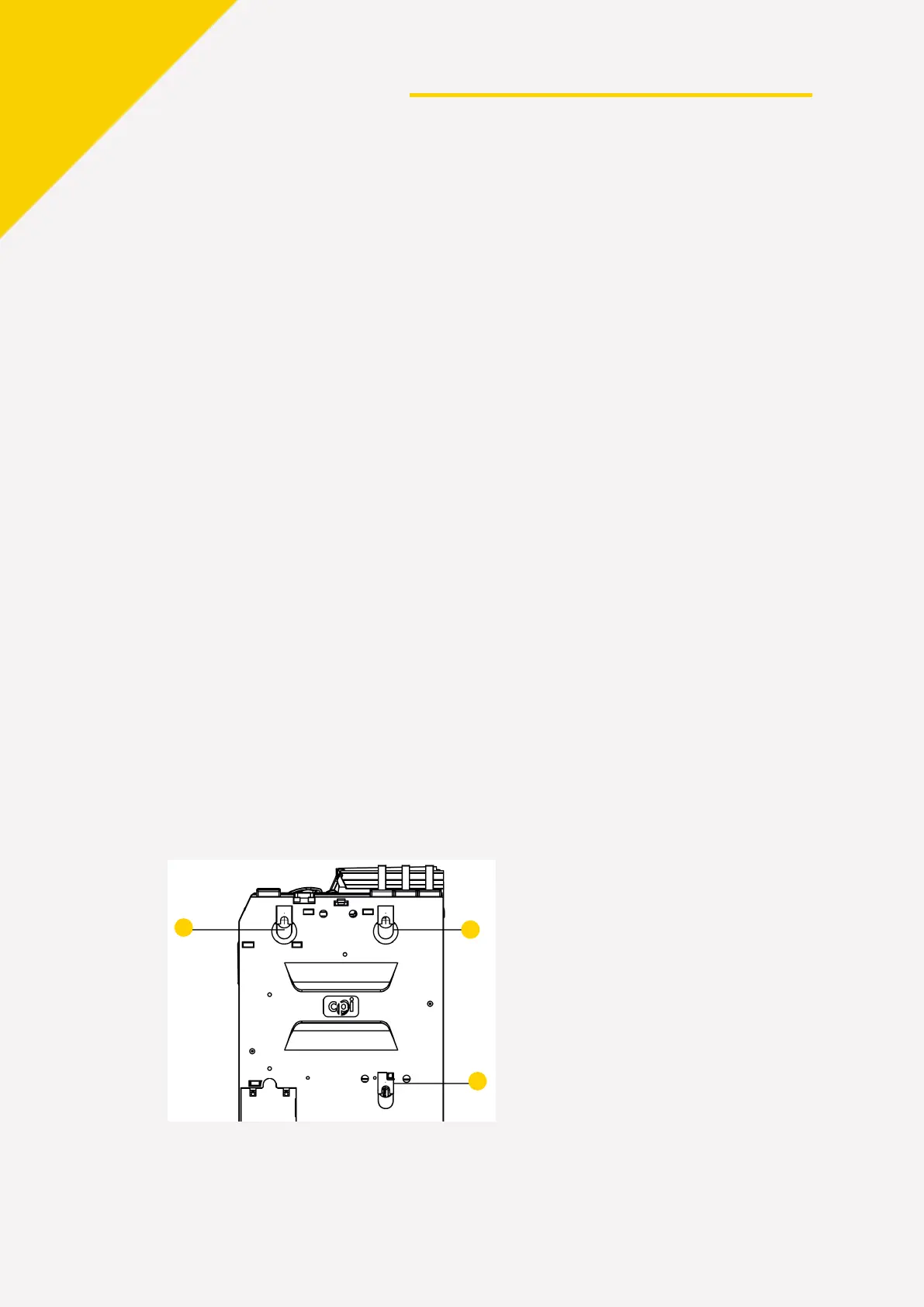
2. Push and hold the yellow button on the top right of the coin changer and til
t the
v
alidator assembly forward to access the mounting holes. You do not have to remov
e
the cassette.
3. Hang the coin changer on the vending machine’s mounting studs
.
4. The l
ower mount (a) can be difficult to see through the device. Hanging the coi
n
c
hanger from the top 2 studs (b and c) first will help to locate the lower m
ount.


 To Next Page