Gryphon™ Coin Changer User Guide
© 2021 Crane Payment Innovations.
All rights reserved.
5. Tighten screws if necessary, being careful not to over-tighten, and close the validator
assembly. The lower mount is difficult to access with a large screwdriver.
6. Remove the cassette. Lift it by the handle and pull toward y
ou.
7. Fi
ll the cassette with coins, ensuring the coins are inserted into the proper tubes
.
8. R
eturn the filled cassette to the coin changer and ensure it is properly seated.
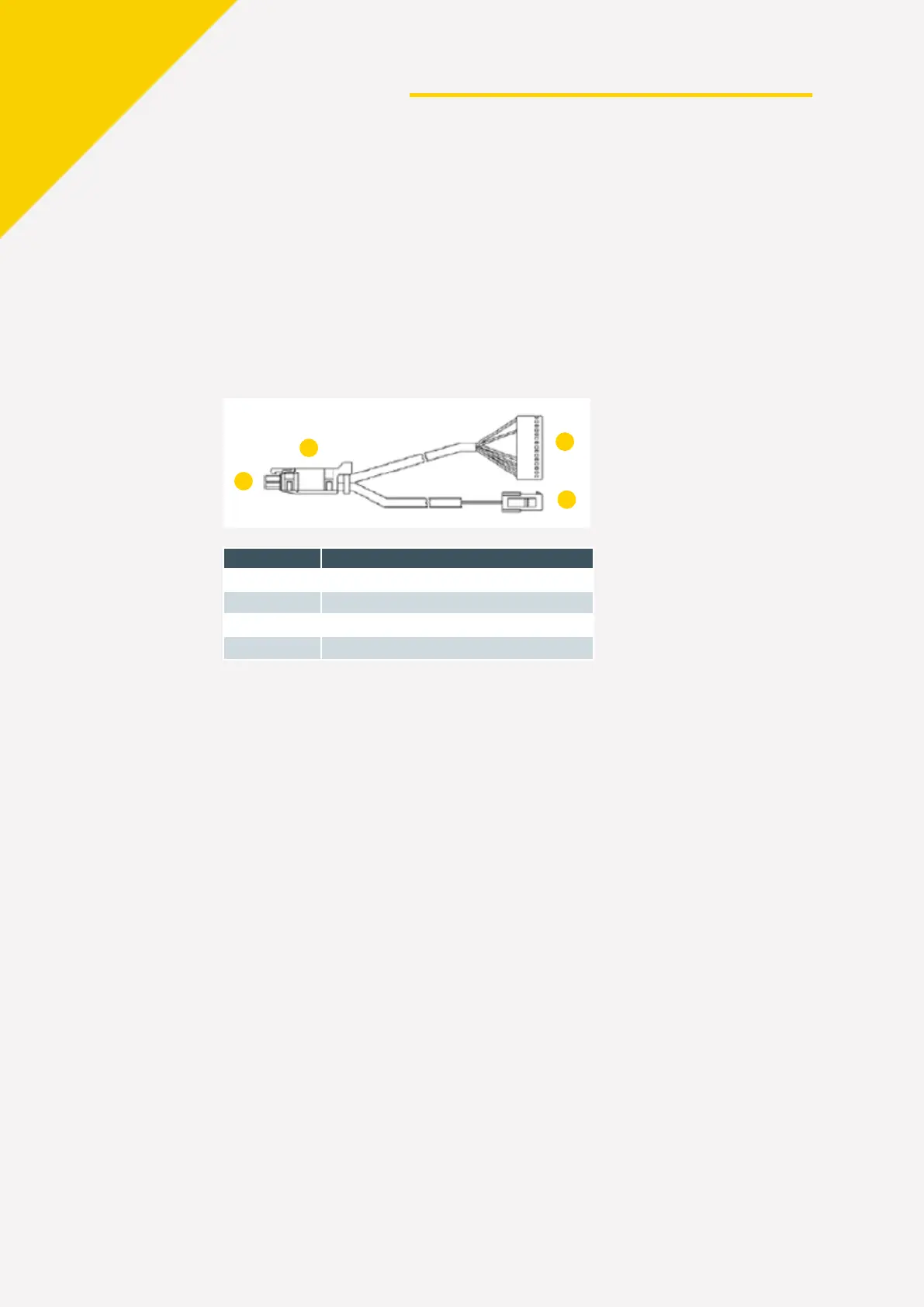
9. Connect the MDB, EXEC, BDV, or VCCS cable.
If you have a note validator, connect the MDB or VCCS harness from the coi
n
c
hanger to the note validator’s Y connector.
Item Description
To machine
Y connector
From note validator
To coin mechanism
10. Use cable ties to secure any excess cabling inside the vending machine, ensuring
that the c
ables do not interfere with the vending machine or Gryphon coin changer
operation.
11. Restore power to the vending machine.


 To Next Page