64
Figure 6-1 Removal of panels on both sides
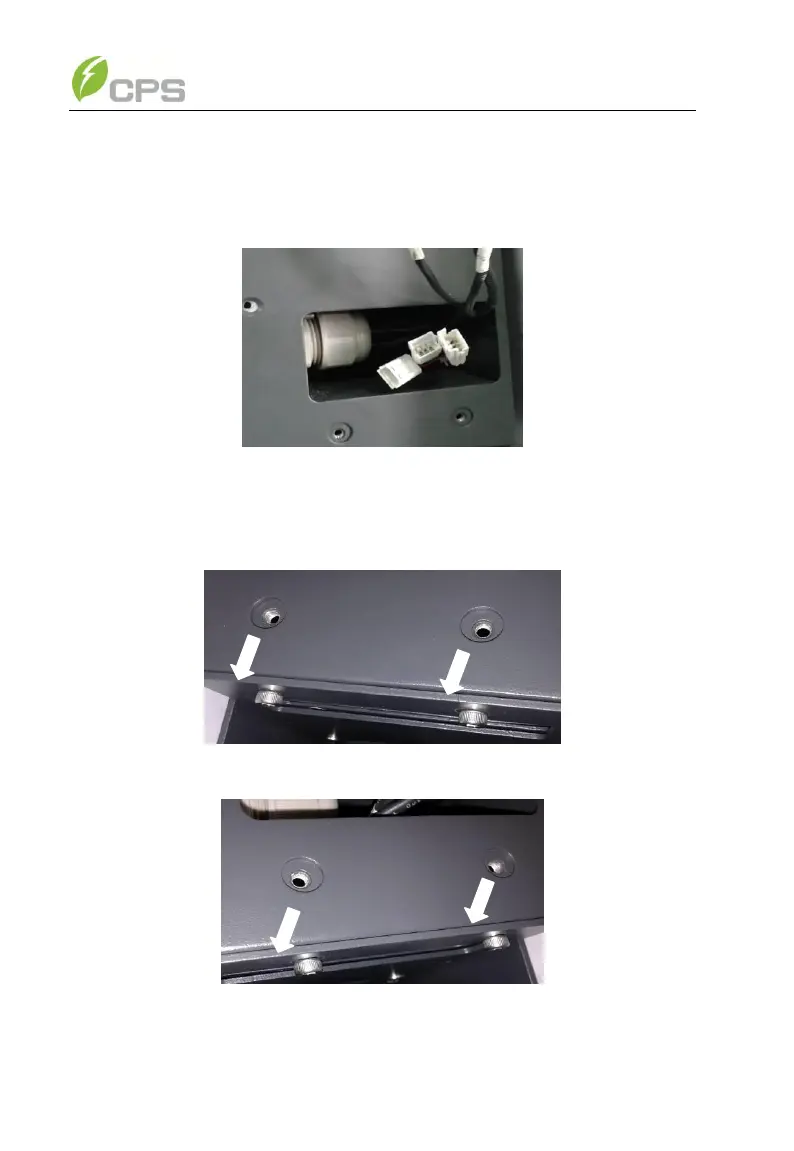
(2) Disconnect the fan tray assembly from the inverter by unplugging the
wire connectors as shown in Figure 6-2;
Figure 6-2 Unplugging the wire connectors
(3) Remove the 4PCS screws off the fan bracket as shown in Figure 6-3
and 6-4; (Tool: 0.12 inch Hexagon socket screw key)
Figure 6-3 Unscrew the fan bracket on the left side
Figure 6-4 Unscrew the fan bracket on the right side
(4) Pull out the fan tray assembly from the left side of inverter as shown



 To Next Page