EasyManua.ls Logo

CPS SCA60KTL-DO/US-480 - User Manual

Default Icon
151 pages
Print Icon
To Next Page IconTo Next Page
Loading...
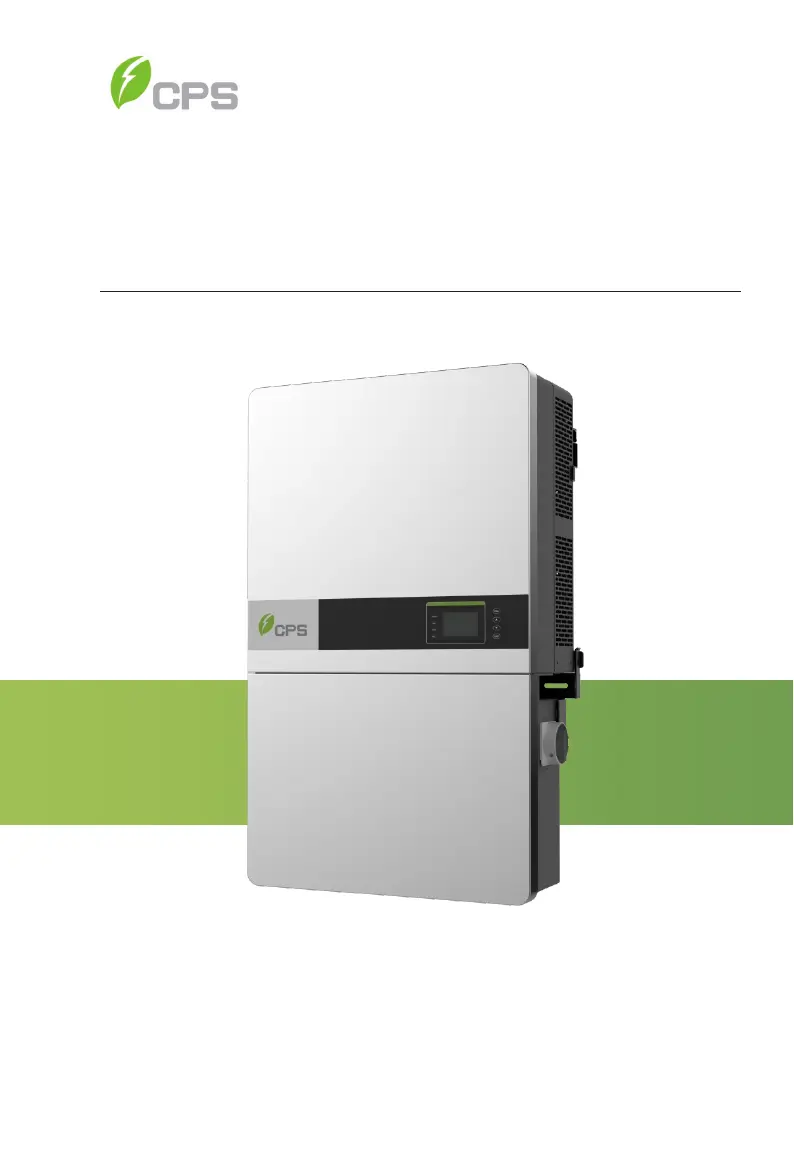
CPS SCA Series Grid-tied PV Inverter
CPS SCA50KTL-DO/US-480
and SCA60KTL-DO/US-480
Installation and Operation Manual - Rev 3.4
CHINT POWER SYSTEMS AMERICA CO.
Revision 3.4 - January 2021

Table of Contents

Questions and Answers

  • C
    Cheryl GuerraSep 23, 2025
    What to do if my CPS Inverter displays Protect0100 (The sensor fault of leakage current)?
    • O
      oliverlauraSep 23, 2025
      To resolve a Protect0100 (The sensor fault of leakage current) error on your CPS Inverter: 1. Restart the inverter by turning both the AC and DC switches OFF. Wait for 1 minute to allow all energy to discharge, and then turn both switches ON. 2. If the inverter cannot clear the fault, further assistance may be needed to replace the Filt board or inverter.
  • S
    Stephen SinghAug 23, 2025
    How to troubleshoot when the 'Power' LED and LCD screen don't light up on a CPS SCA60KTL-DO/US-480?
    • S
      Sarah JacksonAug 23, 2025
      If neither the 'Power' LED nor the LCD screen on your CPS Inverter is lighting up, please do the following: 1. Turn off the external AC breaker. 2. Switch the DC switch to the 'OFF' position. 3. Check the PV input voltage and polarity.
  • A
    Andrea HernandezAug 25, 2025
    What to do if my CPS Inverter shows TempOver (Over-temperature protection) error?
    • C
      chartAug 25, 2025
      To address the over-temperature protection issue (TempOver) on your CPS Inverter: 1. Make sure the surrounding temperature is within the inverter's operating range. 2. Check for any blockages at the air inlet. 3. Ensure the fan isn't obstructed. 4. Verify the installation location is suitable. 5. Wait for 30 minutes to see if the alarm clears. 6. If the issue persists, further assistance may be needed.
  • H
    hansenmelindaAug 26, 2025
    What to do if my CPS Inverter displays Warn0040 (DC SPD) error?
    • S
      Susan CamposAug 26, 2025
      To resolve a Warn0040 (DC SPD) error on your CPS Inverter: 1. Visually inspect the DC Surge Protection Device (SPD). 2. If the indicator is red, replace the SPD module. 3. If the indicator is green, remove and reinstall the SPD module in its socket. If the problem continues, further assistance may be needed.
  • A
    alexandra49Aug 27, 2025
    What to do if my CPS Inverter displays GFCIErr (leakage current high)?
    • A
      Angel ChapmanAug 27, 2025
      If your CPS Inverter displays a GFCIErr (leakage current high) message, check the PV and ground wires: 1. Turn OFF the AC switch to disconnect from the grid. 2. Open the fuse holders to isolate the PV strings and test them with a string test set. 3. Add one PV string at a time and start up the inverter to see if the alarm occurs. 4. If no alarm, turn OFF AC switches to disconnect from the grid and add the next string, then start the inverter again. 5. Continue until you identify the string that triggers the alarm, then trace back the faulted string to find any leakage to Earth Ground.
  • L
    Lisa NguyenSep 17, 2025
    What does IntFanErr mean on my CPS Inverter?
    • R
      Richard WilliamsonSep 17, 2025
      If your CPS Inverter displays IntFanErr, it means the inverter needs to be replaced.
  • M
    Marvin ThomasSep 14, 2025
    What does EepromErr mean on my CPS Inverter?
    • D
      Daniel SalazarSep 14, 2025
      If your CPS Inverter displays EepromErr, it indicates that the internal memory has a problem. To address this: 1. Observe for 5 minutes to see if the alarm clears automatically. 2. If the issue persists, further assistance may be needed.
  • J
    James TuckerSep 15, 2025
    What to do if my CPS Inverter displays Protect0180 (The sampling offset of DCI)?
    • A
      ashley76Sep 15, 2025
      If your CPS Inverter displays a Protect0180 (The sampling offset of DCI) error: 1. If the inverter can start up, recalibrate it. 2. If the inverter consistently reports this alarm and cannot start up, it may need to be replaced.
  • D
    debra56Sep 6, 2025
    What does ExtFanErr mean on my CPS Inverter and how to fix it?
    • W
      Walter ButlerSep 6, 2025
      If you see the ExtFanErr message on your CPS Inverter: If the fan is spinning: Replace the inverter, as the sensing circuit may be faulty. If the fan is not spinning: Remove the six bolts holding the two external fans in place. Open the white, snap-on wire connector. Measure the voltage between the pins connected to the RED and BLACK wires. If the voltage is below 6VDC, replace the inverter. If the voltage is higher than 6V, replace the fan.
  • P
    pfullerSep 3, 2025
    What to do if my CPS Inverter displays Protect0110 (BUS over voltage (firmware))?
    • T
      Travis WoodsSep 3, 2025
      To address a Protect0110 (BUS over voltage (firmware)) error on your CPS Inverter: 1. Restart the inverter by turning both the AC and DC switches OFF. Wait for 1 minute for all energy to discharge, then turn both switches ON. 2. If the inverter cannot clear the fault, it may require replacement.

Summary

Important Safety Instructions

Warnings and Markings on the Product

Details various safety warnings and symbols used in the manual and on the product.

Overview

Product Features

Lists the key features and specifications of the CPS SCA series inverters.

Installation

Recommendations Before Installation

Provides crucial advice and considerations before proceeding with the inverter installation.

Mechanical Installation

Guides the physical mounting of the inverter, including dimensions and methods.

Electrical Installation

Covers the wiring and electrical connections required for the inverter.

Commissioning

Mechanical Installation Check

Verifies the secure and proper mechanical installation of the inverter.

Conductor Connections Check

Ensures correct and secure electrical connections for all conductors.

Electrical Check

Confirms correct AC voltage and DC open circuit voltage before system startup.

Commissioning Steps

Outlines the sequential steps required to commission the inverter.

Main Menu and Operation

Fault Shutdown and Troubleshooting

LED Fault and Troubleshooting

Guides troubleshooting based on LED indicators, referring to tables for solutions.

LCD Fault and Troubleshooting

Provides guidance on diagnosing and resolving faults displayed on the LCD screen.

Maintenance and De-installation

Technical Data

Datasheet

Comprehensive technical specifications for the CPS SCA50KTL/60KTL inverters.

CPS SCA60KTL-DO/US-480 Specifications

General IconGeneral
BrandCPS
ModelSCA60KTL-DO/US-480
CategoryInverter
LanguageEnglish

Related product manuals