EasyManua.ls Logo

CPS SCA Series - User Manual

Default Icon
164 pages
Print Icon
To Next Page IconTo Next Page
Loading...
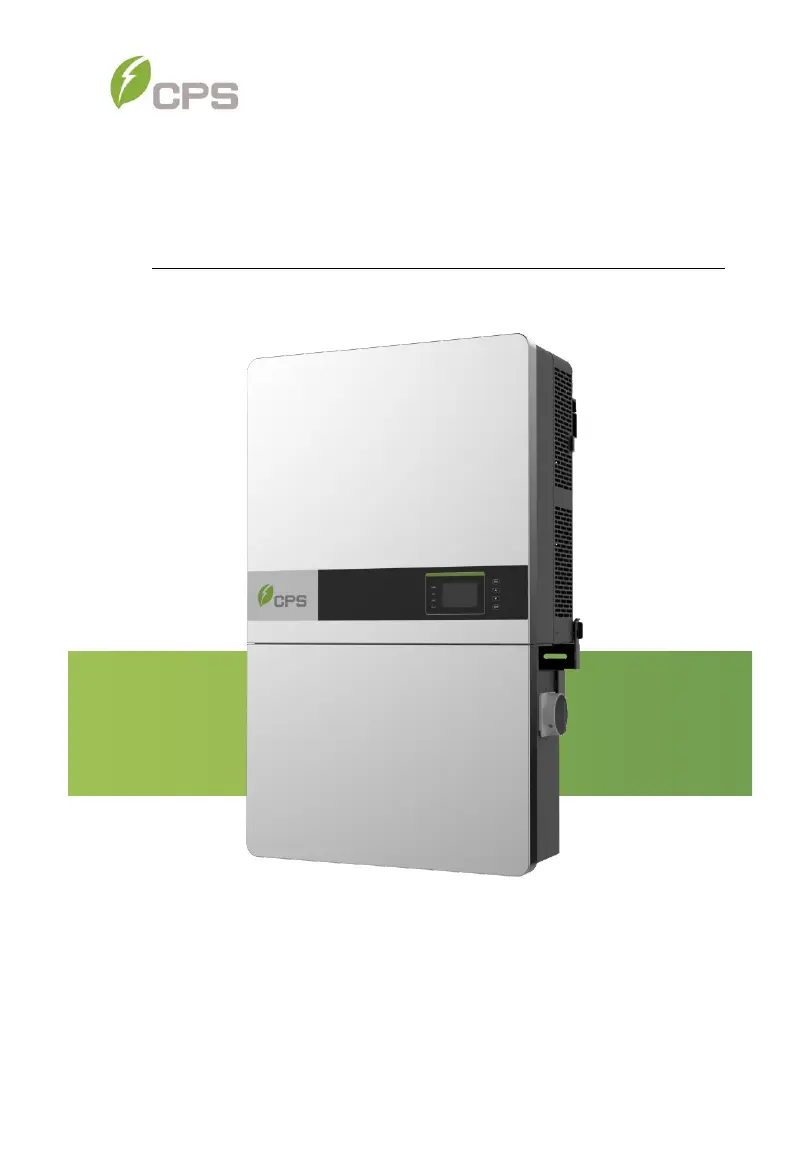
CPS SCA Series Grid-tied PV Inverter
CPS SCA25KTL-DO/US-208
CPS SCA50KTL-DO/US-480
And SCA60KTL-DO/US-480
Installation and Operation Manual - Rev3.4
CHINT POWER SYSTEMS AMERICA CO.
Revision 3.4 - May 2020

Table of Contents

Questions and Answers

  • S
    Sara AllenSep 10, 2025
    What does Warn0030 (EepromErr) mean on my CPS SCA Inverter and how to fix it?
    • J
      Jonathan AnthonySep 10, 2025
      If your CPS Inverter shows Warn0030 (EepromErr), observe for 5 minutes to see whether the alarm will be eliminated automatically.
  • B
    bauertaylorAug 25, 2025
    What to do if my CPS SCA Inverter displays Protect0090 (Bus over voltage) error?
    • J
      James RitterAug 25, 2025
      If your CPS Inverter shows a Protect0090 (Bus over voltage) error, try restarting the inverter by turning off both AC and DC switches, waiting one minute to allow all energy to discharge, and then turning them back on. If the fault persists, the inverter may need to be replaced.
  • K
    kelly67Aug 25, 2025
    What to do if my CPS SCA displays Protect0030 (Inverter Over Current) error?
    • C
      Christopher WatersAug 26, 2025
      If your CPS Inverter displays a Protect0030 (Inverter Over Current) error, try restarting the inverter by turning off both AC and DC switches, waiting one minute to allow all energy to discharge, and then turning them back on. If the fault continues, the inverter may require replacement.
  • P
    pattersonaustinSep 23, 2025
    What does IntFanErr mean on my CPS Inverter?
    • B
      Brandon ReynoldsSep 23, 2025
      If your CPS Inverter displays IntFanErr, it means the inverter needs to be replaced.
  • H
    humphreyjohnSep 12, 2025
    What to do if my CPS Inverter displays PVVoltOver?
    • D
      dperezSep 12, 2025
      To address a PVVoltOver error on your CPS Inverter: - Measure the voltage at the DC terminals in the wire-box and compare it with the reading in the Measurement menu. Ensure the PV voltage is less than 1500V in open circuit condition. - If the display reading isn't within 2% of the meter reading, consider replacing the inverter. - If the display reading is within 2% of the meter reading, adjust the number of panels in the string.
  • B
    Becky MendezSep 15, 2025
    What to do if my CPS Inverter displays Protect0110 (BUS over voltage (firmware))?
    • M
      Micheal ReyesSep 15, 2025
      To address a Protect0110 (BUS over voltage (firmware)) error on your CPS Inverter: 1. Restart the inverter by turning both the AC and DC switches OFF. Wait for 1 minute for all energy to discharge, then turn both switches ON. 2. If the inverter cannot clear the fault, it may require replacement.
  • W
    William RamirezSep 4, 2025
    What does it mean if my CPS Inverter displays TempOver (Over-temperature protection)?
    • E
      Eric GibsonSep 4, 2025
      If your CPS Inverter displays TempOver (Over-temperature protection), take the following steps: - Confirm that the external ambient temperature is within the specified operating range. - Check if the air inlet or fan is blocked. - Verify that the installation location is appropriate. - Observe for 30 minutes to see if the alarm clears automatically.
  • T
    Terry FarmerSep 5, 2025
    Why is the GRID LED blinking on my CPS Inverter?
    • D
      David SchmidtSep 5, 2025
      If the GRID LED is blinking on your CPS Inverter, try the following: - Turn off the external AC breaker. - Switch the DC switch to the “OFF” position. - Check that the grid voltage is normal and the AC side cable connection is correct and secure.
  • W
    William ClarkSep 23, 2025
    What to do if my CPS Inverter displays Protect0070 (Bus imbalance)?
    • C
      Connie SanchezSep 23, 2025
      To address a Protect0070 (Bus imbalance) error on your CPS Inverter: 1. Increase the limit of IDCmax (for example, to 400mA) to allow the inverter more room to adjust in transient conditions to cope with impedance and voltage imbalances between Grid phases. 2. If the alarm still occurs after adjustment, the inverter may need to be replaced.
  • G
    Gloria ReidAug 30, 2025
    What to do if my CPS SCA Inverter displays Protect0090 (Bus over voltage)?
    • D
      Derek DuarteAug 30, 2025
      If your CPS Inverter displays a Protect0090 (Bus over voltage) error, try restarting the inverter by turning both the AC and DC switches off, waiting one minute, and then turning them back on to allow all energy to discharge. If the fault continues, the inverter may need to be replaced.

Summary

Important Safety Instructions

Warnings and Symbols in this Document

Explains safety icons like DANGER, WARNING, CAUTION, NOTICE, and INSTRUCTION.

Warnings and Markings on the Product

Details caution and warning labels and their meanings for product safety.

Overview of CPS Inverters

Protection and Functions

Details the inverter's protection mechanisms and operational functions.

Module-Level Rapid Shutdown

Explains the RSD wirebox functionality for module-level rapid shutdown.

Installation Procedures

Recommendations Before Installation

Offers crucial advice on design, NEMA4X rating, conduit entries, and temperature ranges.

Mechanical Installation Procedures

Covers the physical aspects of mounting the inverter, including dimensions and methods.

Electrical Installation Procedures

Guides on connecting AC and DC power, grounding, and wiring.

Commissioning Process

Conductor Connections Check

Ensures correct connection and labeling of conductors, and proper polarity.

Commissioning Steps

Outlines the sequence for powering up the inverter, setting language, and grid standards.

Fault Shutdown and Troubleshooting

LED Fault Troubleshooting

Provides solutions for troubleshooting issues indicated by LED status lights.

LCD Fault Troubleshooting

Explains how to identify and resolve faults displayed on the inverter's LCD screen.

Maintenance and De-installation

Technical Data

Datasheet

Provides specifications for DC input, AC output, system, environment, and display.

Limited Warranty

CPS SCA Series Specifications

General IconGeneral
Nominal AC Output Voltage208 V / 240 V
Operating Temperature Range-25°C to 60°C
CommunicationRS485, Wi-Fi
Output Voltage208 V / 240 V
Frequency60 Hz
Protection FeaturesOvervoltage, Undervoltage, Overcurrent, Short Circuit, Over Temperature
Storage Temperature-40°C to 70°C

Related product manuals