141
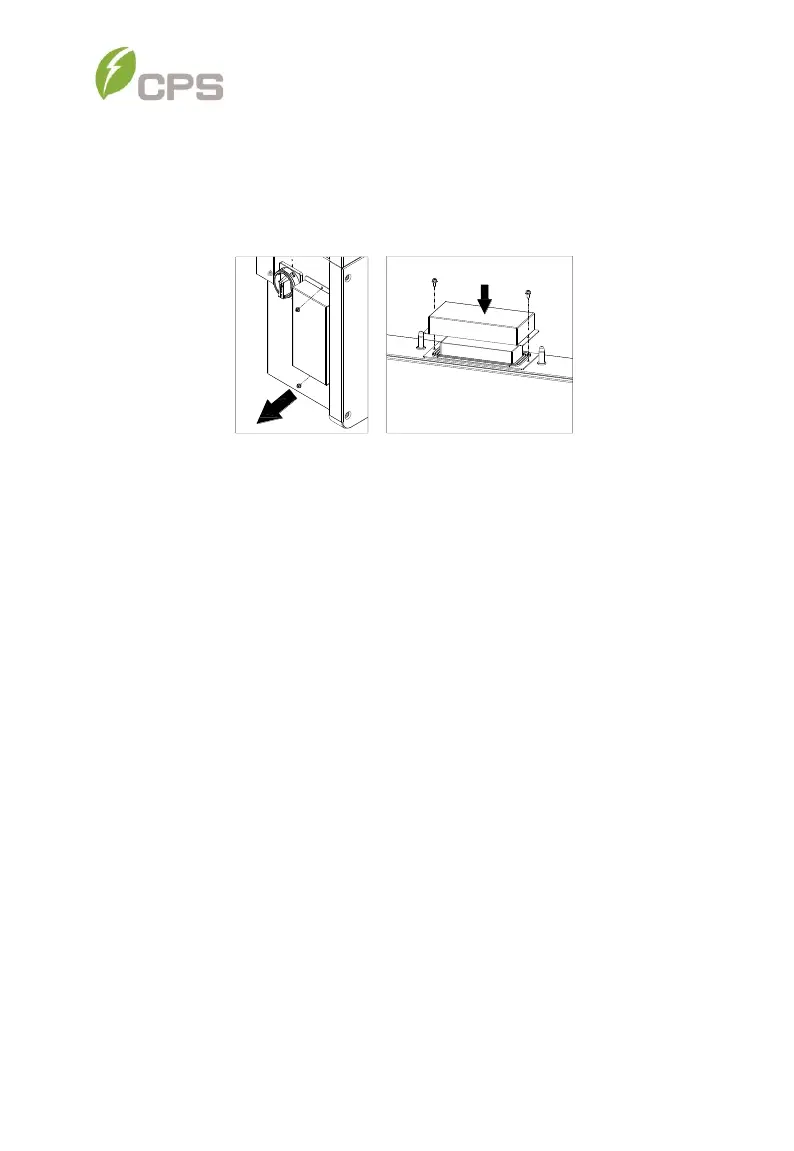
Otherwise, use a No. 2 Phillips head screwdriver to remove the 2
screws on the left side of the wiring box, and remove the bulkhead
cover. Attach the cover on the connector of wiring box. Torque value:
1.6N.m (14.2in-lbs)
Figure 8-5 Install the cover on the connector of the wiring box
The cover connector does not provide a watertight seal – if inverter
replacement is not immediately available, watertight integrity must be
maintained by method in addition to connector cover.
8.2 De-installing the Inverter
De-install the inverter and wire box assembly according to the following steps
when the inverter needs to be removed:
1. Turn off the external AC breaker and/or system disconnect switch using
lock-out/tag-out procedures.
2. Turn off the external DC breaker and/or disconnect switch, if present, and
use lock-out/tag-out procedures.
3. Switch the inverter’s AC disconnect switch to “OFF” position.
4. Switch the inverter’s DC disconnect switch to “OFF” position.
5. Wait for 5 minutes to ensure the internal capacitors have been
completely discharged.
6. Measure the AC output conductor terminal voltage against the ground.
The meter should now read 0V.



 To Next Page