76
PV Information
PdcTotal(kW)
PV Input Mode
Independent
PV3
0.0
PV1
PV2
Vdc(V)
Idc(A)
0.0
0.0
0.00.0
0.0
0.0
Energy
E-Today(kWh) 0.0
E-Month(kWh)
0.0
E-Year(kWh)
AC Output
L3-NL1-N
L2-N
V(V)
I(A)
0.0
0.0
0.00.0
0.0
0.0
0.00.0
0.0
F(Hz)
Others
Ambient Temp(℃)
Heatsink Temp(℃)
-37.0
-49.9
P1/4
P2/4
P3/4
P4/4
Pac(Kw)
P Ref
PF Ref
0.0
100.0%
1.000
0.0
Grid Connection Rule
IEEE1547
Power Derating
Main Menu
Measurement Data
History Record
Power On/Off
Device Information
Setting
0.0
E-Total(kWh)
Thdv(L1~L3) 0.0% 0.0% 0.0%
ThdI(L1~L3) 0.0% 0.0% 0.0%
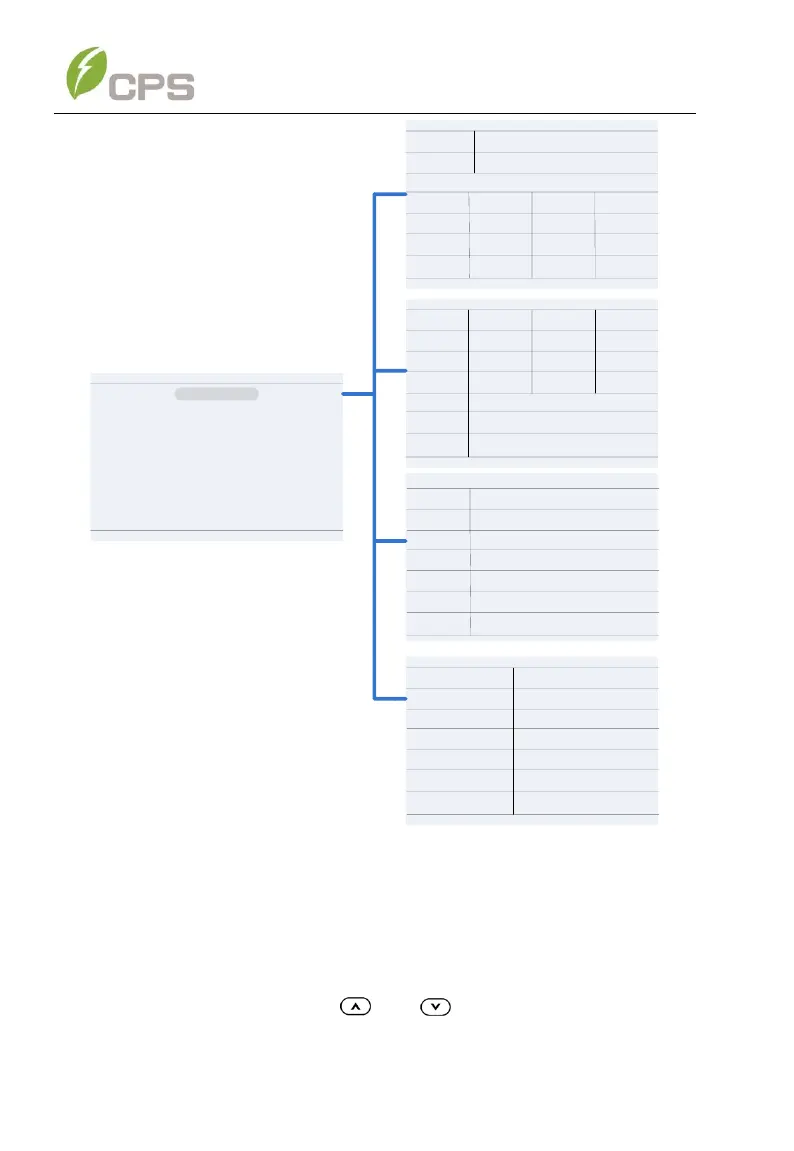
Figure 6-2 Operation Information
6.2 Setting
Move the cursor to Setting in the main interface. Press the ENT key to be
prompted for the password: “1111” as shown in Figure 6-3. Enter the
password number by pressing and , selecting the numeral, and
pressing the ENT key to input and proceed to the next digit of the password



 To Next Page