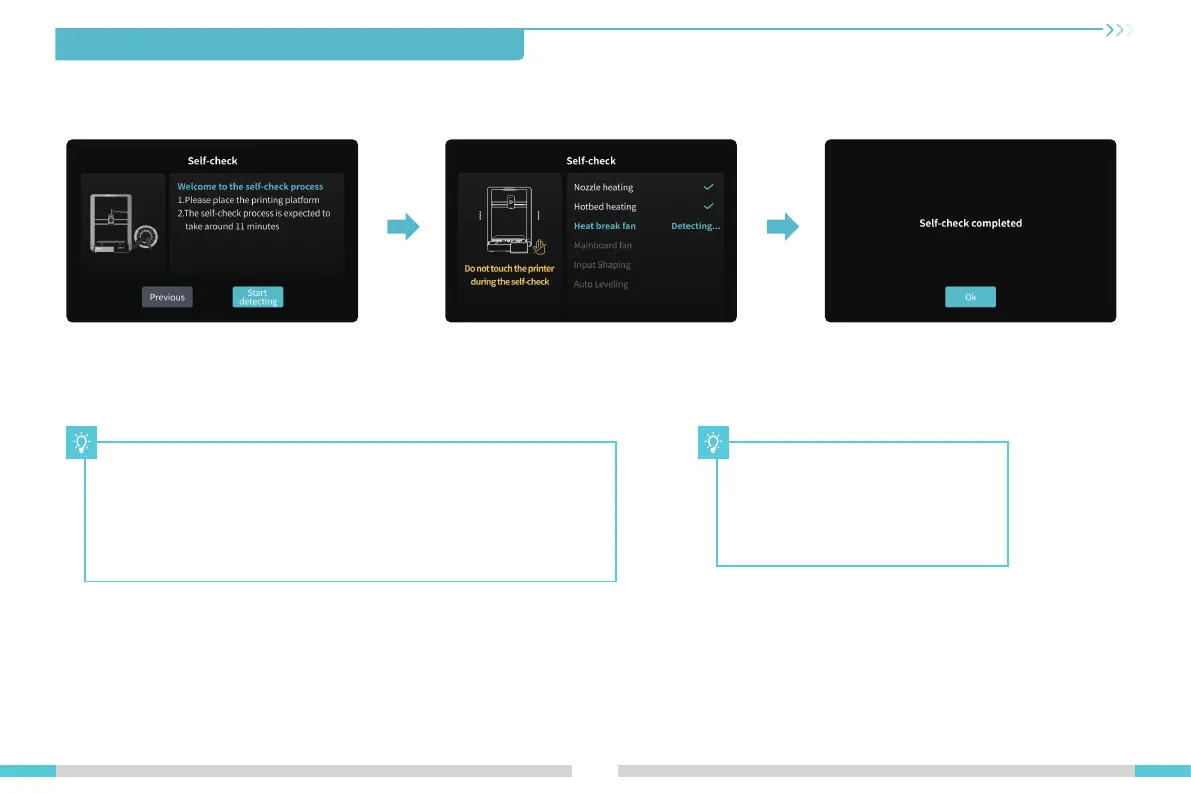
4.About the Power-on Guide and User Interface
08
Tips:
If any abnormalities occur during the self-check process, please refer to
the FAQ to check for possible machine malfunctions;
Alternatively, scan the QR code for “fault reporting" to report the machine
issue and seek assistance from the after-sales service for problem
resolution.
The current interface is for reference
only. Due to the continuous upgrading
of functions, it shall be subject to the
latest software/firmware UI published
on the official website.





 To Next Page