5.2 LAN printing
13
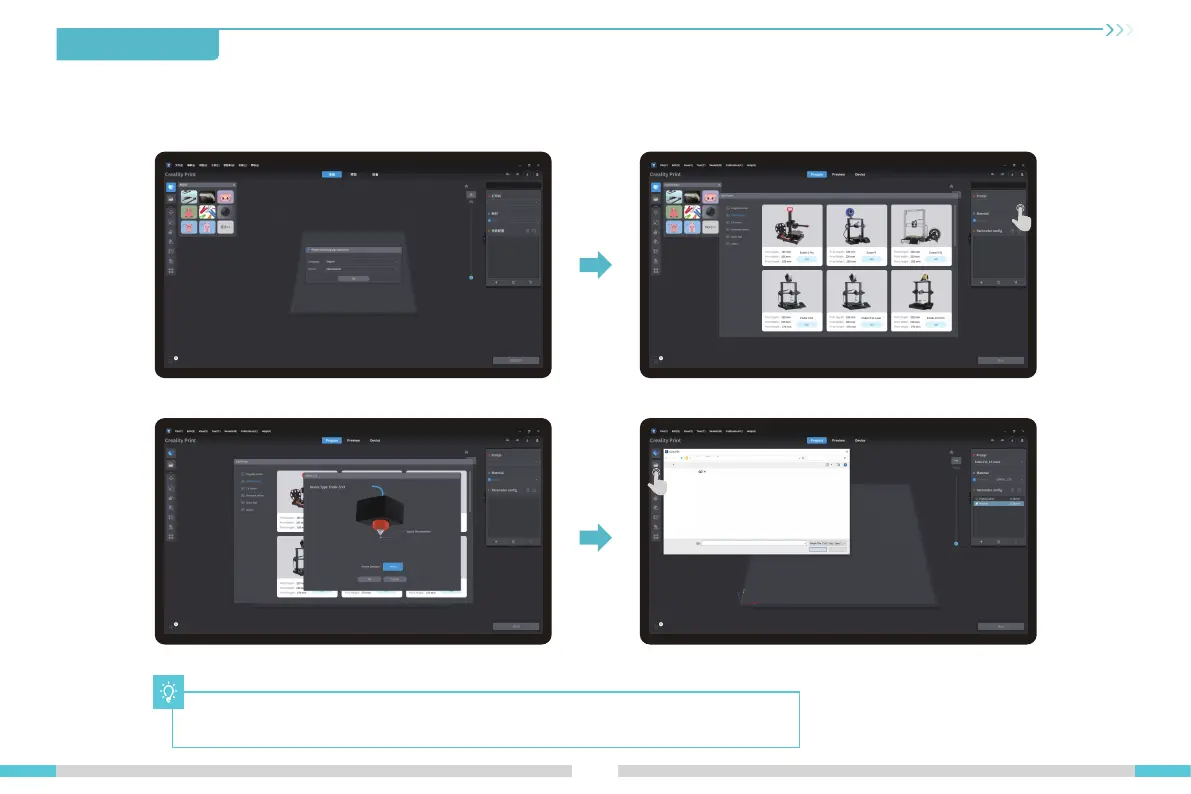
① Select “Language" and “Server" ② Add the printer
③ Confirm the nozzle diameter
※ Install Creality Print slicing software by opening the random data on the USB flash disk.
※ Log in to the official website to download for installation: https://www.crealitycloud.com/software-firmware/software?type=7
④ Import model files
5.First Printing
The current interface is for reference only. Due to the continuous upgrading of functions,
it shall be subject to the latest software/-firmware UI published on the official website.
Open



 To Next Page