1-2 Getting To Know Your Modem
Jacks
Jacks are connecting interfaces on your modem. They allow you to
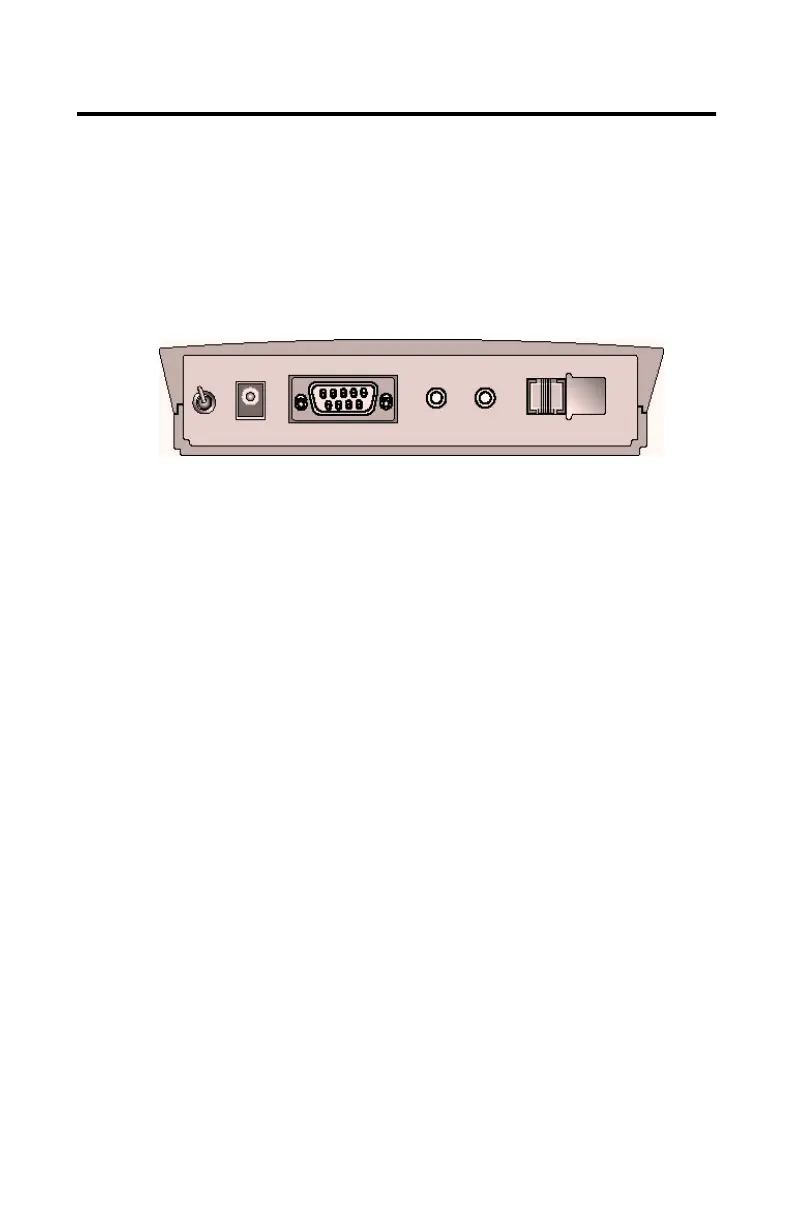
attach other devices to your modem. The jacks on your Modem
Blaster Flash 56 External can be seen in
Figure 1-1
.
Telephone Line Jack
The Telephone Line jack (LINE) allows you to connect a telephone
line for data, fax, and voice function. The PHONE jack is not
available for this model.
Microphone and Speaker Jacks
The Microphone jack (MIC) and Speaker jack (SPK) allow you to
connect an external microphone, speaker, and /or headset for use with
voice mail and speaker phone applications.
RS-232 Serial Cable Jack
The RS-232 jack allows you to connect the modem to a computer
serial port.
Figura 1-1: The jacks on the back of your Modem Blaster.
The Rear View of your modem
on
off
POWER
RS-232
MIC SPK LINE PHONE













 To Next Page