Getting To Know Your Modem 1-3
Power Jack
The POWER jack allows you to connect the supplied power adapter to
your Modem Blaster.
On and Off Switch
Turn the switch to the ON or OFF position to activate or terminate the
entire function of your Modem Blaster.
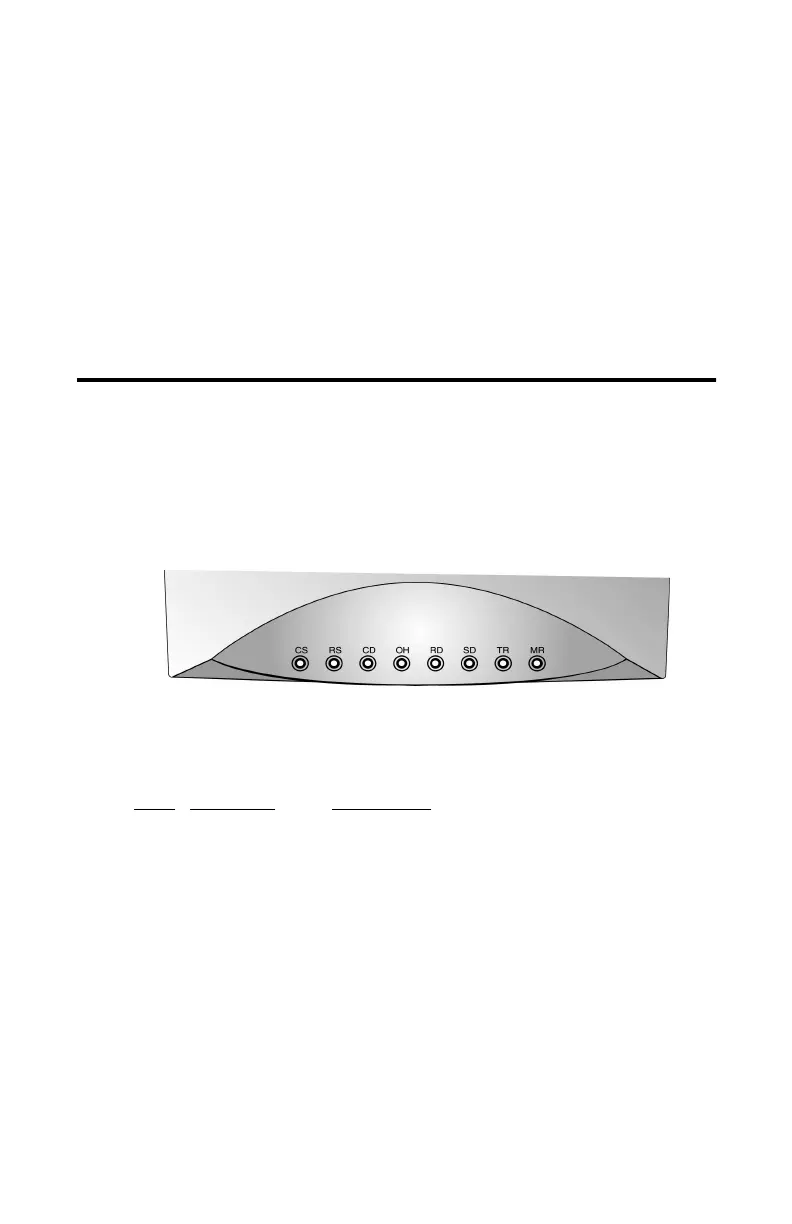
Indicator LEDs
Modem Blaster Flash 56 External features indicator LEDs on the front
panel. These LEDs report your modem status.
LED
Definition Description
CS
Clear to send On when CTS(clear to send) signals is active
RS
Request to Send On when RTS(request to send) signal is active
CD
Carrier Detect On when remote carrier has been detected
OH
Off Hook On when modem is off hook
RD
Receive Data On when modem is receiving data from remote
modem
SD
Send Data On when modem is transmitting data to remote
modem
TR
Terminal Ready On when DTR(data terminal ready) signal is active
MR
Modem Ready On when modem is ready to work
Figura 1-2: LED indicators on the front of your Modem Blaster
The Front View of your modem













 To Next Page