2-2 Modem Installation
Installing the Modem
To install the modem in your system, please follow the instructions
carefully.
Note: If you are replacing the modem currently in your system, you
must remove the existing modem and all existing modem drivers.
1. Shut down your system and
all peripheral devices.
Unplug the power cord from
the wall outlet.
Note: The power adapter
connector and wall outlet
shown may be different in
your country.
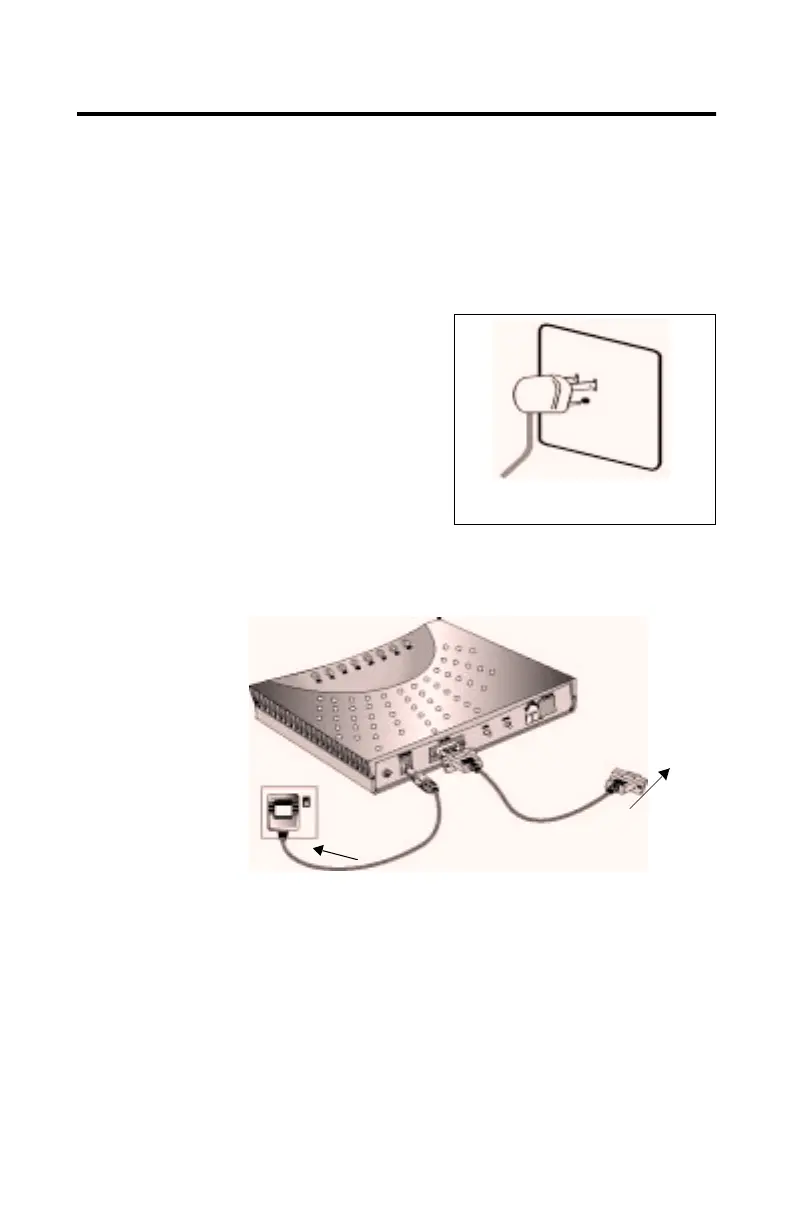
2. Connect the power adapter and the RS232 serial cable to your
Modem Blaster Flash 56 External.
A 25-pin connector is also available on the supplied RS232
serial cable as an option for your installation.
3. Connect the other end of the power adapter to an electrical
outlet, and connect the other end of the RS232 serial cable to a
serial port on the back of your computer.
Figure 2-1: Unplug the
power cord
Figure 2-2: Connect RS232 and Power adapter
To your system
Serial port
To electrical
outlet
Power
Adapter
RS232
Serial Cable Jack













 To Next Page