Modem Installation 2-7
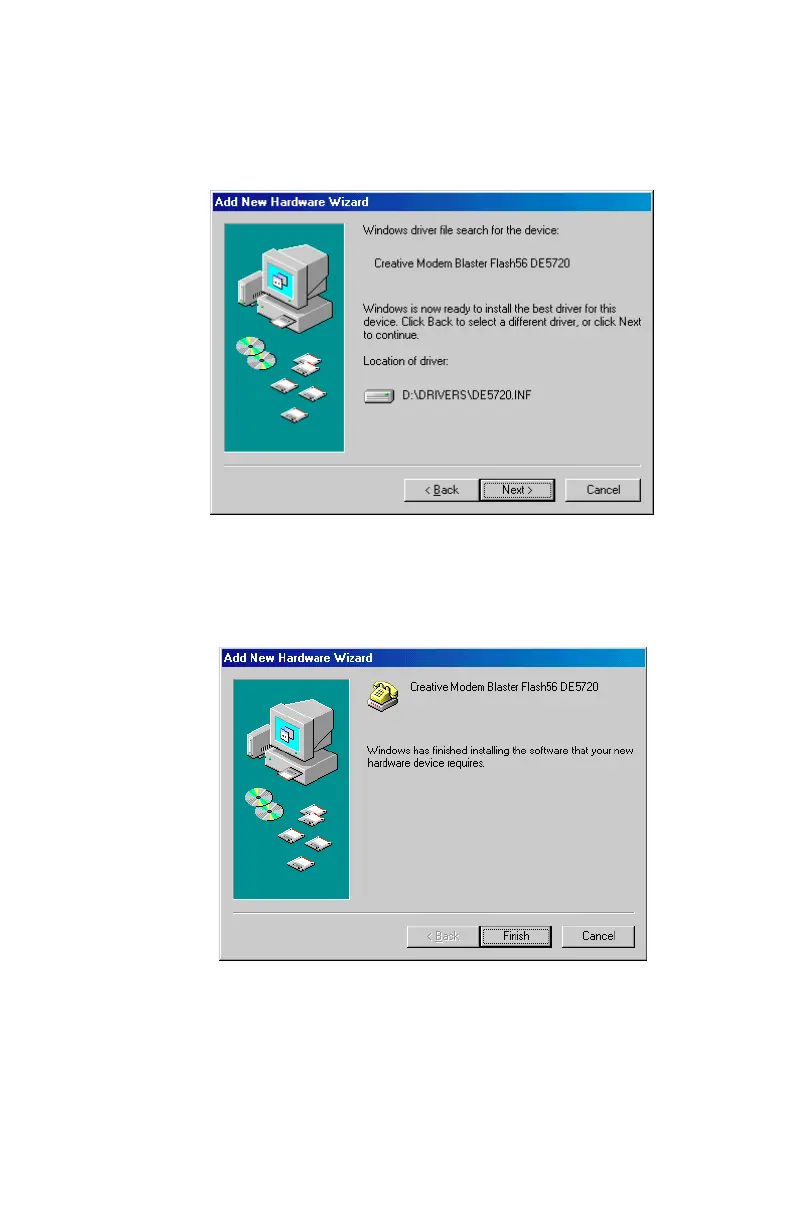
5. A dialog box similar to
Figure
2-7
will appear to indicate the
modem’s drivers have been detected and are now ready to
install. Click on Next to continue.
6.
Figure 2-8
appears once the driver has loaded. Click the Finish
botton to complete the modem driver installation.
Figure 2-7: Confirm the location of driver
Figure 2-8: New hardware driver installation complete













 To Next Page