Product Manual — Doc. 9132A • 30
l
XiO Cloud Service
NOTE: Changes made from the XiO Cloud service will override any settings made from
the Crestron Settings app.
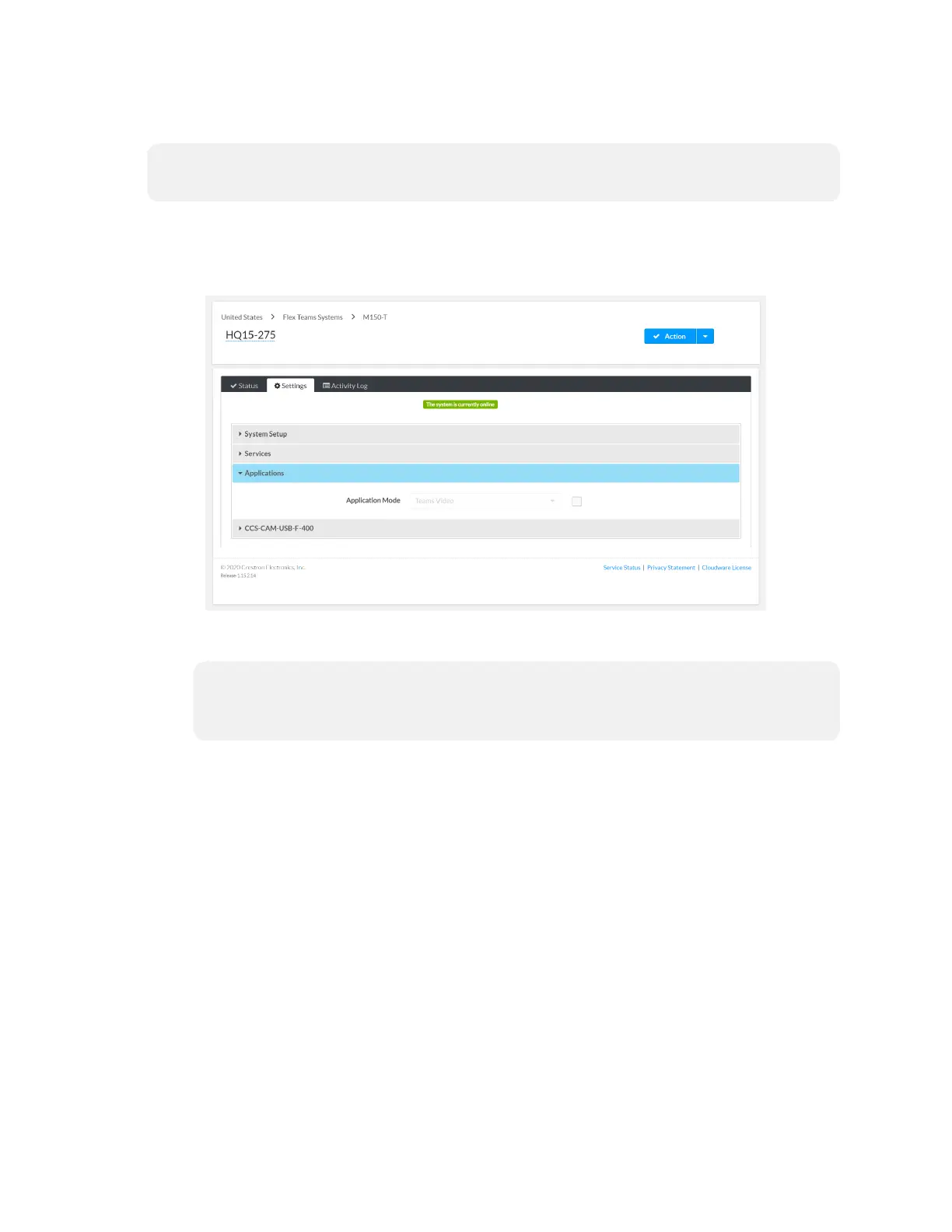
1. Log in to the XiO Cloud service and select the UC Engine to switch.
2. Click the Settings tab.
XiO Cloud, UC Engine, Settings tab
3. Click Applications.
NOTE: Some dual display systems cannot switch between the Microsoft Teams
Rooms and the Zoom Rooms application. If the Settings tab does not contain an
Applications menu, the system does not support the mode switch function.
4. Click the checkbox next to Application Mode to have the XiO Cloud service manage
the device.


 To Next Page