61 • Product Manual — Doc. 9132A
l
XiO Cloud Service
NOTE: Changes made from the XiO Cloud service will override any settings made from
the device.
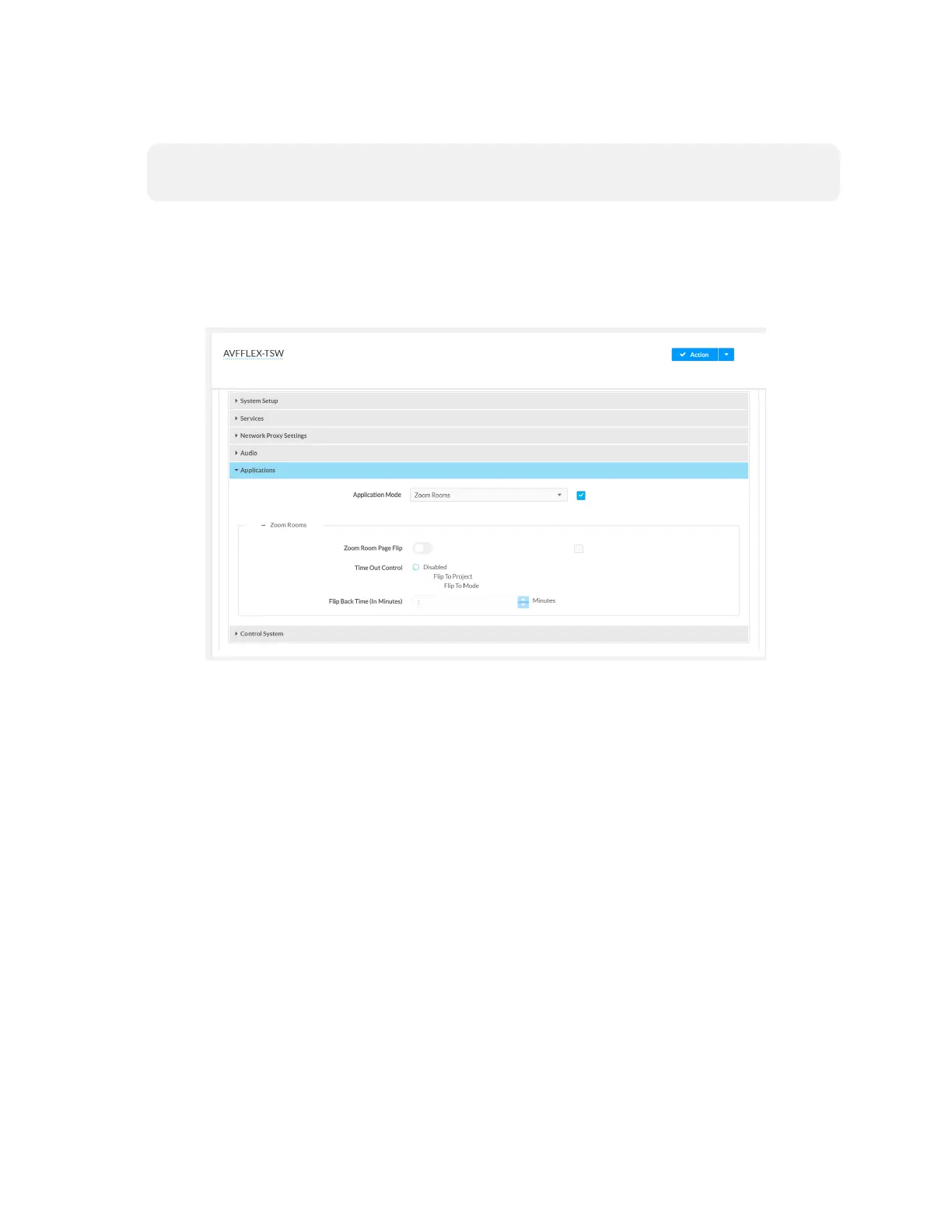
1. Log in to the XiO Cloud service and select the touch screen device to switch.
2. Click the Settings tab.
3. Click Applications.
XiO Cloud, Touch Screen Device, Settings tab
4. Click the checkbox next to Application Mode to have the XiO Cloud service manage
the device.


 To Next Page