39
3.3.3 Advance settings
All these parameters are not volatile. They remain unchanged despite the
absence of charger power. It can take up to 30 seconds for a change to take
effect.
3.3.3.1 Pin code change
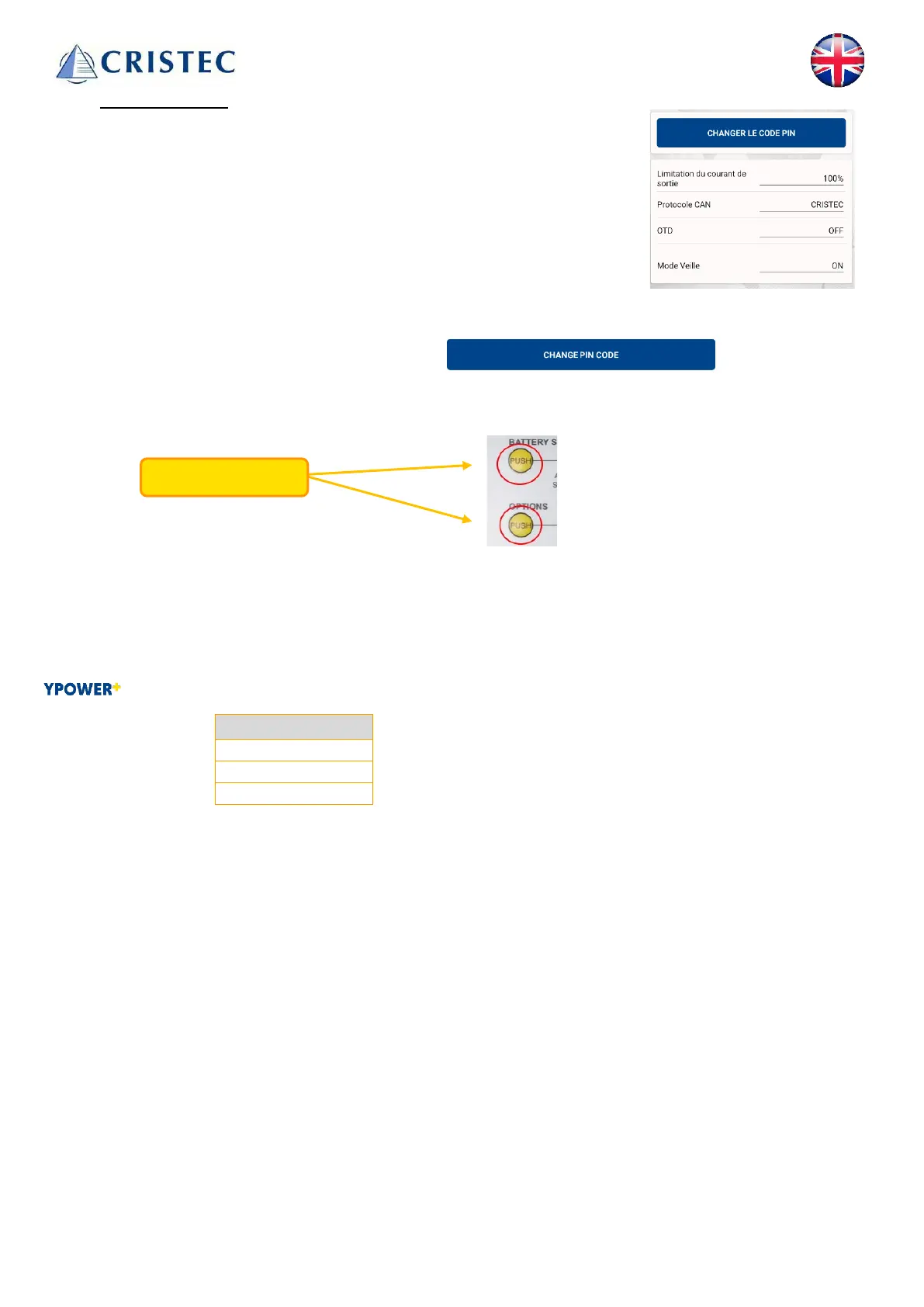
The default pin code can be changed by pressing:
You will then need to choose a 6-digit sequence.
If you forget, you can always reset the code to 000000 by simultaneously pressing the charger's two PUSH
buttons for 3 seconds.
3.3.3.2 Output current limiting
Current can be limited in 10% steps relative to the charger rating.
3.3.3.3 BUSCAN protocol selection
Battery chargers can communicate with the following CANBUS protocols:
3.3.3.4 OTD
Activate or deactivate OTD function, see OTD function (Over the Temperature Device) (see 3.4.2).
3.3.3.5 Standby mode
Activate or deactivate the standby function, see standby function (see 3.4.3).



 To Next Page