Released on 10/31/05 - X800058A UV Pure Technologies Inc. © 2005
No part of this document may be photocopied, reproduced, transmitted, or translated to another language without the
prior written consent of UV Pure Technologies Inc.
For additional info call 1-888-407-9997 or email info@uvpure.com
or visit www.uvpure.com
29
require manual cleaning. In this situation the "Water Quality" alarm will arise and
alert you to the unsatisfactory conditions. Follow the steps below to inspect the
quartz and disassemble the unit for quartz cleaning.
Caution: Always unplug the unit before performing any maintenance. Never
operate a unit unless all the covers are installed.
Tools Needed
• slotted screwdriver
• Philips screwdriver
• 3/16" Hex wrench
Determining the Need for Cleaning
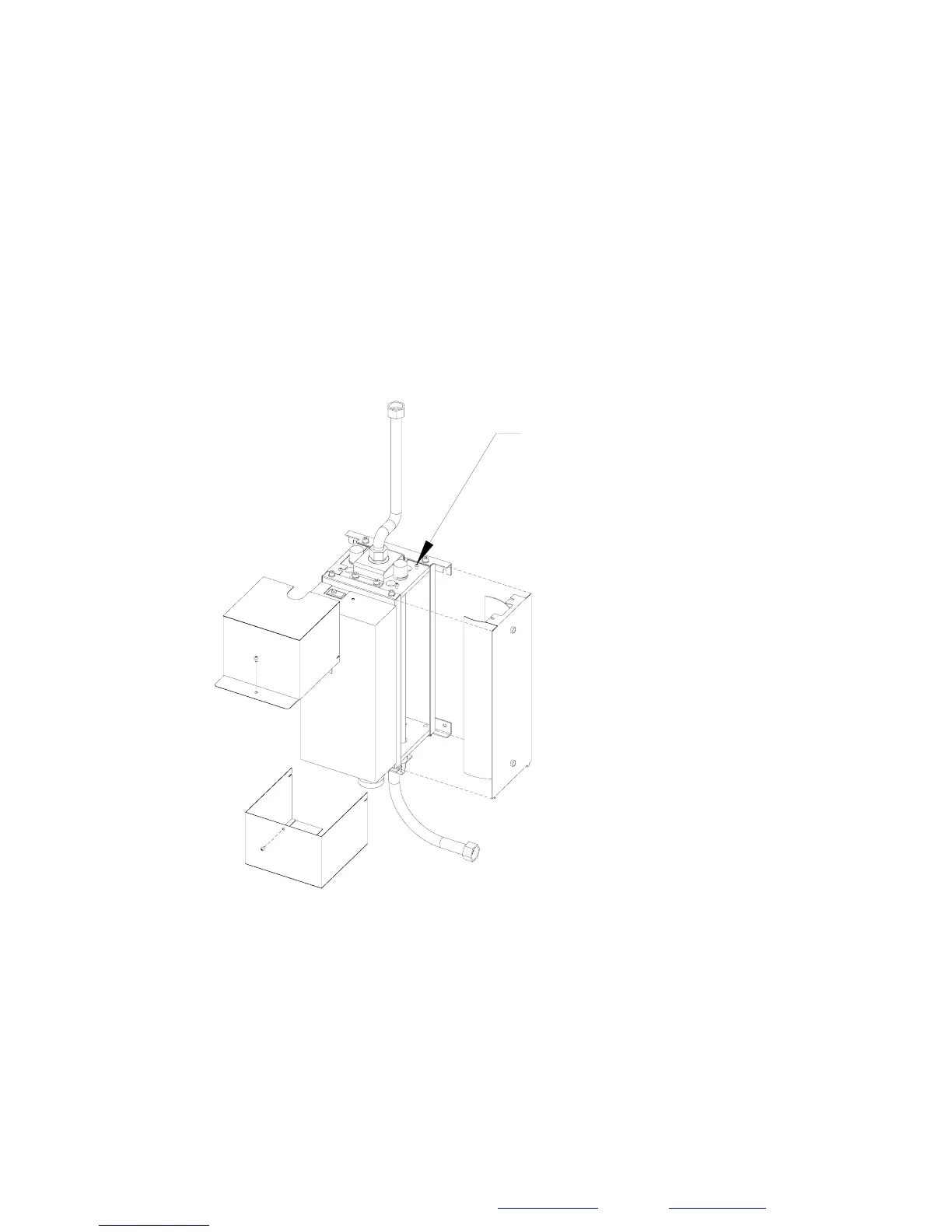
LOOSEN SCREWS
Figure 4A
Step 1: Unplug the unit.
Step 2: Loosen the screws and remove the top and bottom covers.
Step 3: Remove the lamps (see Replacing UV Lamps). Keep the lamps in a safe
place.
Step 4: Remove the right-hand cover panel by loosening the two screws on the



 To Next Page