19
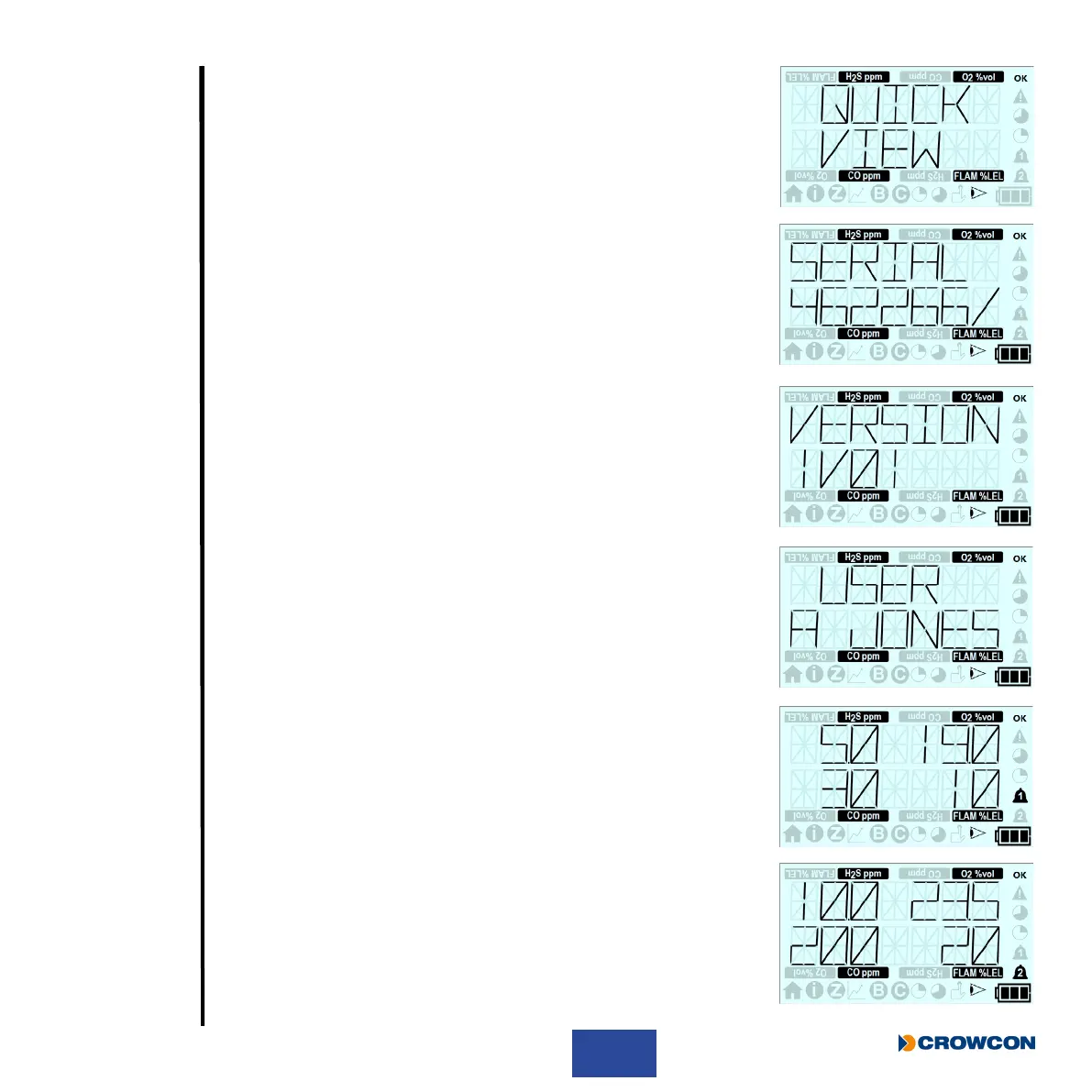
The screen displays the Quick View screen.
The screen then displays the T4 serial number.
The screen then displays the T4 rmware version.
This screen displays the T4’s congured user name.
This screen displays the sensors congured lower alarm levels.
This screen displays the sensors congured upper alarm levels.



 To Next Page