32
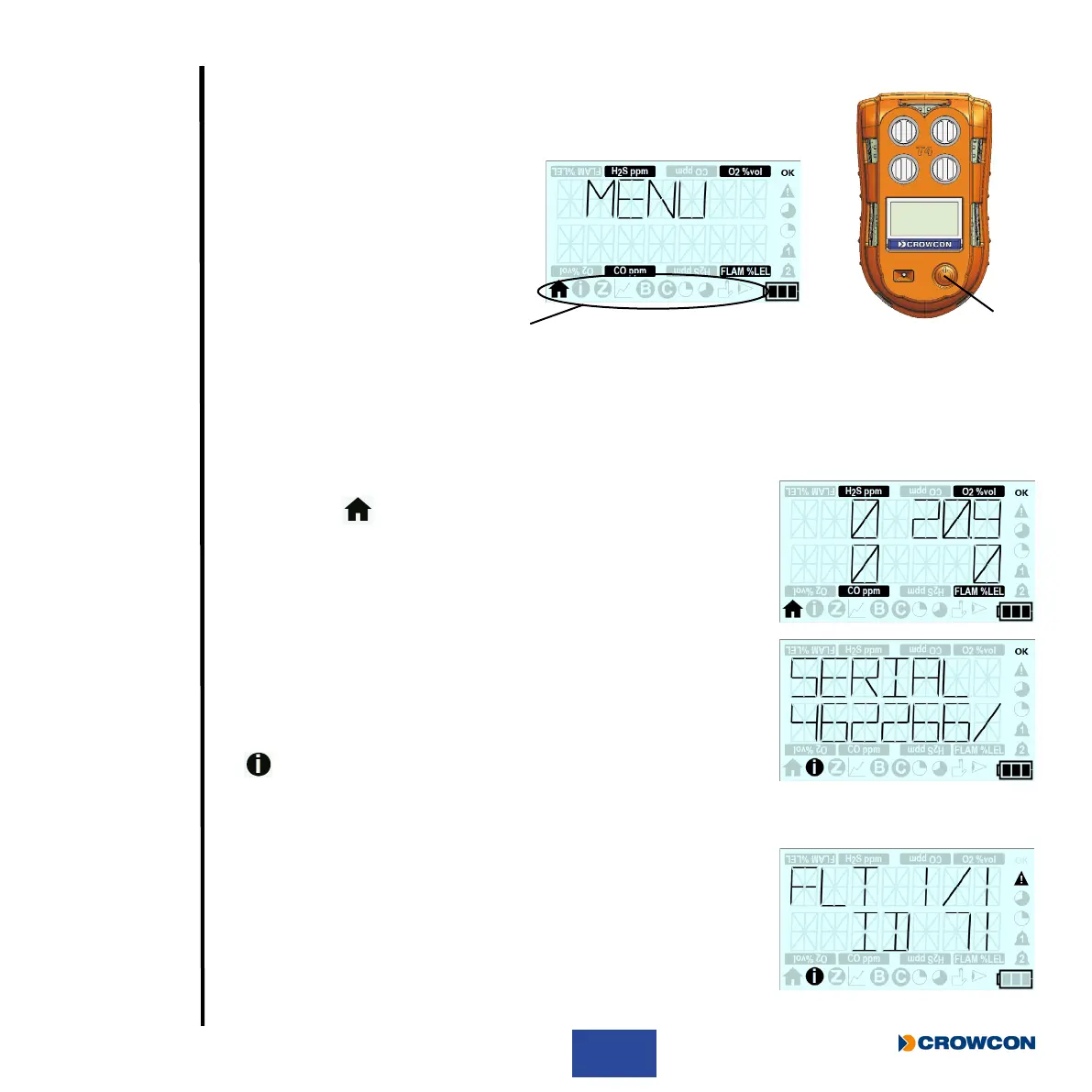
2.8 Accessing T4 menu functions
X With the home screen displayed, double click the operator button À to
access the menu functions Á.
X Single click the operator button
repeatedly to scroll right until the
required menu icon is displayed and
then double click the operator button
to select the function.
X As a safety feature if gas is detected whilst in a menu, T4 will revert back to the home screen
to ensure the gas readings are displayed. This will not occur if T4 was in bump test mode,
calibration mode or peak mode.
2.8.1 Home screen
When this icon is selected, the Home screen will be displayed.
2.8.2 Information Screen
The information screen displays the T4 status/conguration.
X With the home screen displayed, double click the operator button
to access the menu functions screen.
X Single click the operator button repeatedly to scroll right until the
menu icon is displayed and then double click the operator
button to select.
The screen will display the same sequence of screens as when Quick View is selected, please refer
to Section 1.7 for details.
In addition the Information screen will also display any identied fault;
this fault will be indicated by a warning icon on the home screen.
Accessing the information screen will provide further details of the
identied fault.
À
Á



 To Next Page