24
2.2 Home screen
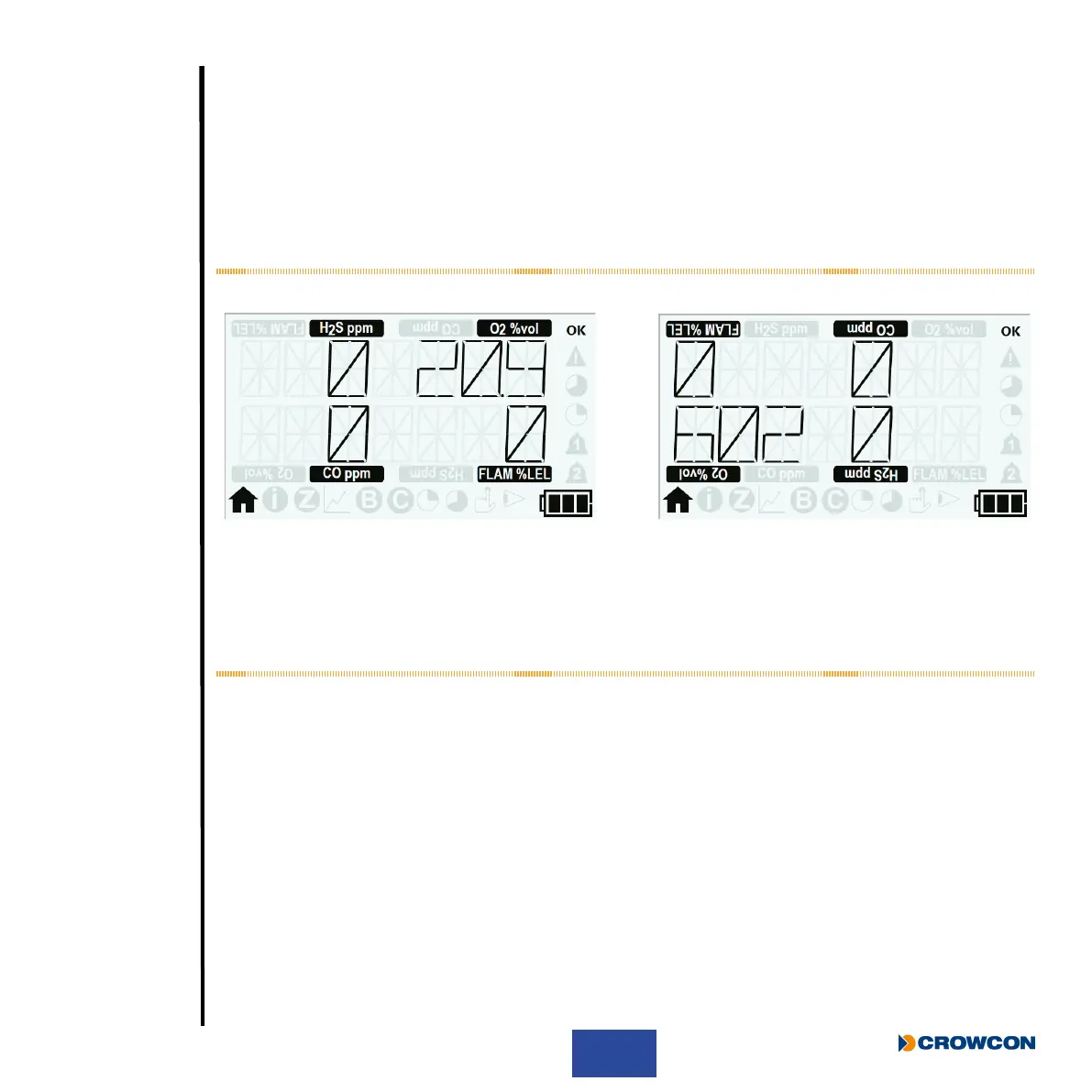
After a successful start up sequence the screen will display the home screen as shown below À and (if
congured) the +ve Safety™ LED will be illuminated green indicating T4 is operating correctly.
i
The image shown is the home screen of a T4 tted with 4 sensors.
The same screen is also shown in ‘home screen ipped’ mode’
Á, if this has been congured via
Portables Pro 2.0.
Figure 8: Display screen after successful start up
u Gas type & unit
v Gas level
w Home screen symbol
x Battery Level indicator
u
u
uu
w
v
v
v
x
v
À Á



 To Next Page