21
2. Operation
!
Before turning T4 on, ensure it is in ‘clean air’ (i.e. outside, in normal air, away from any
plant process or suspected gas location). This will allow T4 to be zeroed using clean air
as the base point. If T4 is zeroed in contaminated air a false gas reading can result, or the
zero could fail.
2.1 Turning on
i
T4 will not respond to gas until the startup sequence is complete.
In ‘clean air’, turn on T4 by holding down the operator button for 3 audible short blips followed by one
longer tone. T4 will warm up and go through a series of automatic processes as follows:
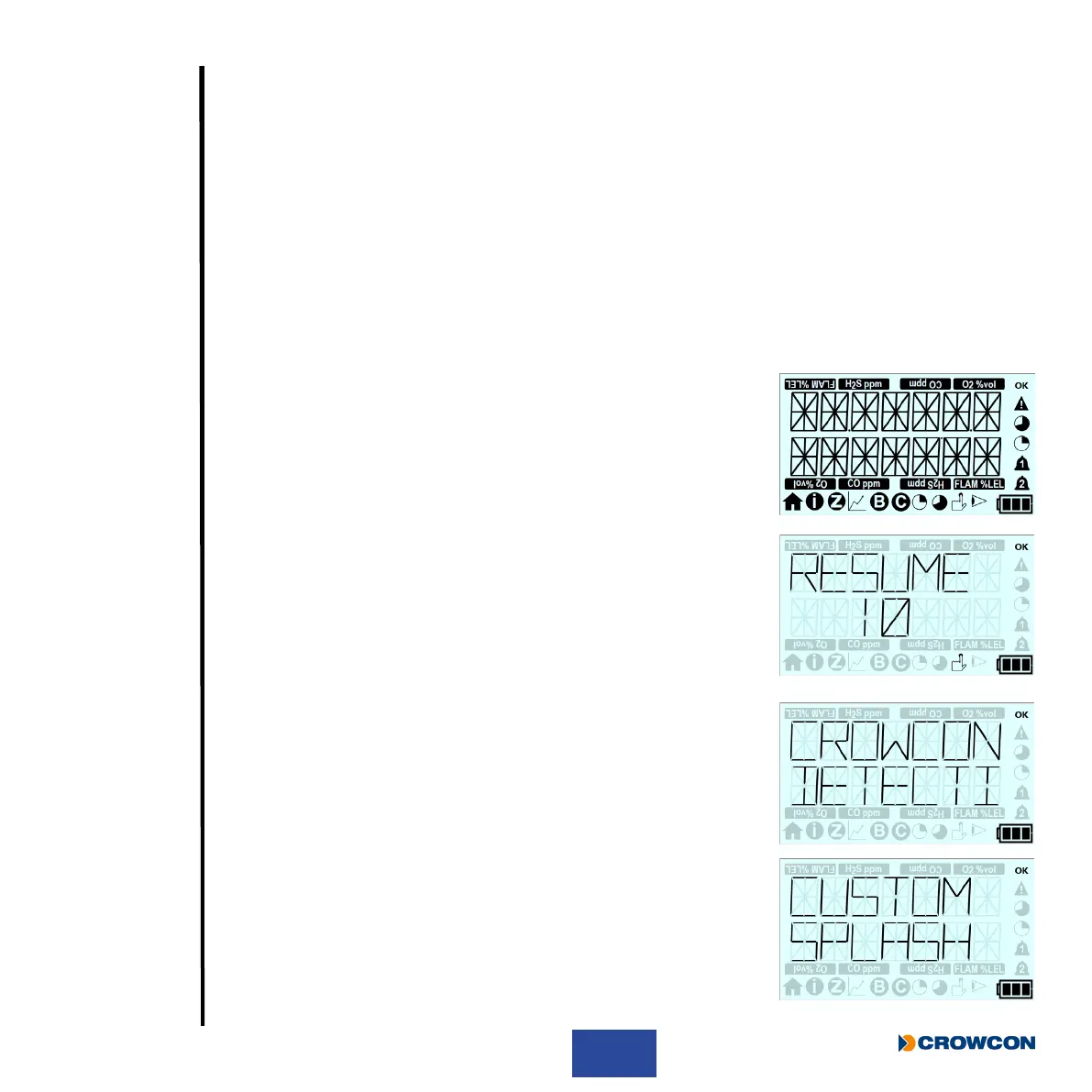
Firstly a test screen will be displayed showing all the possible LCD
segments and icons turned on.
If T4 is switched on within 8 hours of being switched off, the following
screen will be displayed for 10 seconds allowing T4 to retain TWA,
STEL and peak readings (see Section 2.3.5 for more details on this
feature).
Simply press the operator button to retain, or do not click the
operator button and allow countdown to expire.
The screen then displays the Crowcon splash screen.
This screen then displays the user’s company splash screen/slogan.
i
This screen will only be displayed if splash screen is
congured via Portables Pro 2.0.



 To Next Page