39
2.8.7 STEL (Short term exposure limit)
The STEL function allows the current STEL value to be displayed.
For further details on the function of the STEL alarm refer to Section 2.3.3.
X With the home screen displayed, double click the operator button to access the menu functions
screen.
X Single click the operator button repeatedly to scroll right until
the
menu icon is displayed and then double click the
operator button to select.
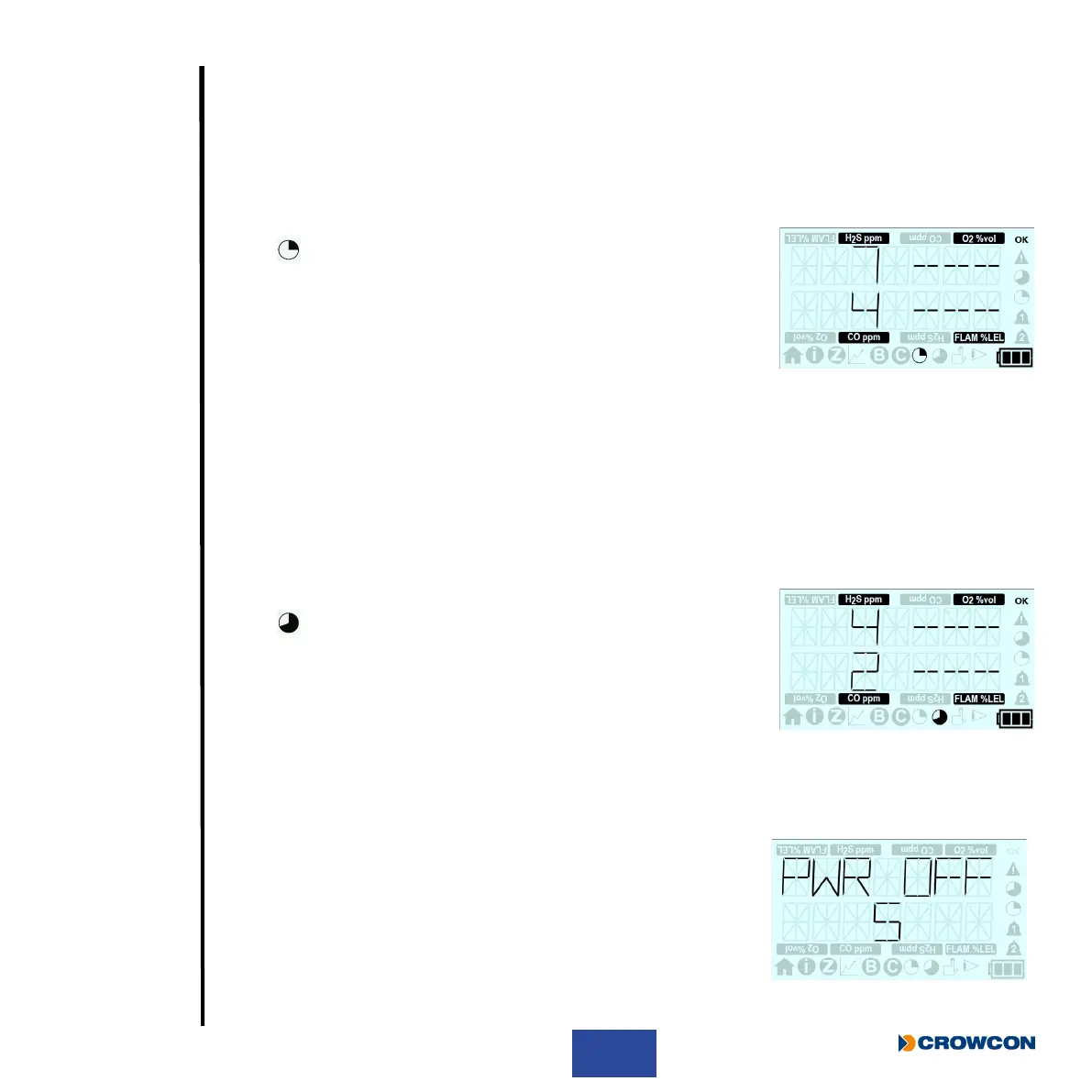
X The STEL current value screen will then be displayed.
X T4 will revert back to the home screen automatically after
30 seconds or the operator button can be double clicked to
return to the menu screen and then double clicked again to
return to the home screen.
2.8.8 TWA (Time weighted average)
The TWA (or long term exposure limit) function allows the current TWA value to be displayed.
For further details on the function of the TWA alarm refer to Section 2.3.4.
X With the home screen displayed, double click the operator button to access the menu functions
screen.
X Single click the operator button repeatedly to scroll right until
the
menu icon is displayed and then double click the
operator button to select.
X The TWA current value screen will then be displayed.
X T4 will revert back to the home screen automatically after
30 seconds or the operator button can be double clicked to return
to the menu screen and then double clicked again to return to the
home screen.
2.8.9 Shutdown
To turn T4 off, press and hold the operator button. A 5 second
countdown will start. Hold the button down until the countdown has
nished and T4 will shut down. If you release the button before the
countdown has nished, T4 will resume operation. Once off, place
on charge if required (see Section 1.3).
T4 cannot be shutdown if a zero, bump test or calibration is in
progress.



 To Next Page