21
1. OPERATION of theZ33I MenuSelect™ Control Ovens
a. Turn Oven Deck ON
1. Turn ON main disconnect switch at the wall box.
2. Turn keypad ON/OFF switch ON.
NOTE: If oven is programmed for automatic timing, turn keypad ON/OFF switch to ON and oven will
automatically turn ON and OFF at the set times. Keypad ON/OFF switch must remain ON for timed operation.
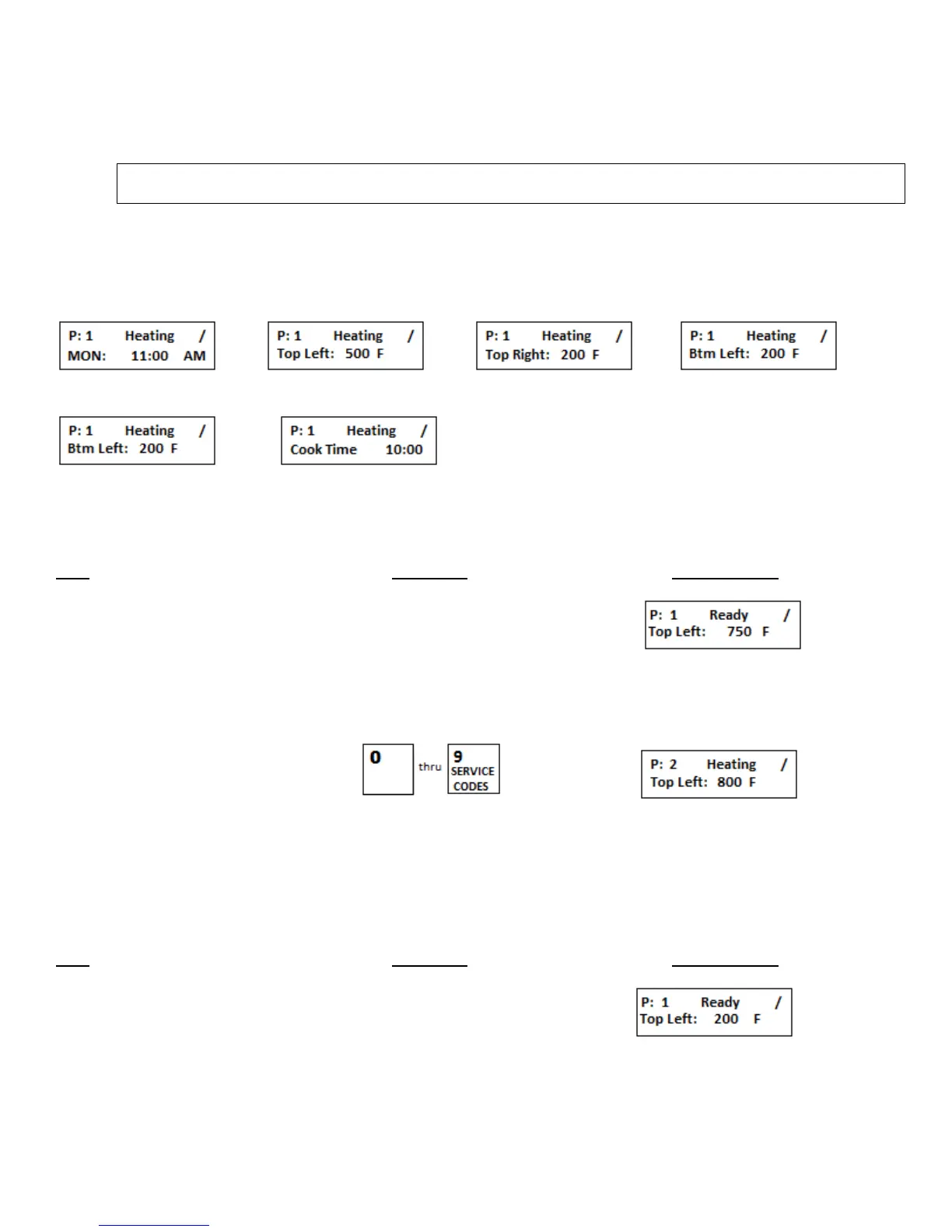
3. The display will automatically scroll through six (6) screens. See below for the screen order.
Repeat scroll
b. Preset Menu Select Operation
Step Press Key Display Reads
The preset menu that was being
used when the oven was turned
OFF.
1. Press desired preset menu #
Oven deck is ready for cooking
when “READY” is displayed
c. View Actual Temperatures in all 4 zones
NOTE: To view the actual temperature the ACTUAL key must be pressed while the P: # is displayed.
Step Press Key Display Reads
Ready = Oven at set temperature
Heating = Oven heating up to set temperature
Cooling = Oven cooling down to set temperature


 To Next Page