22
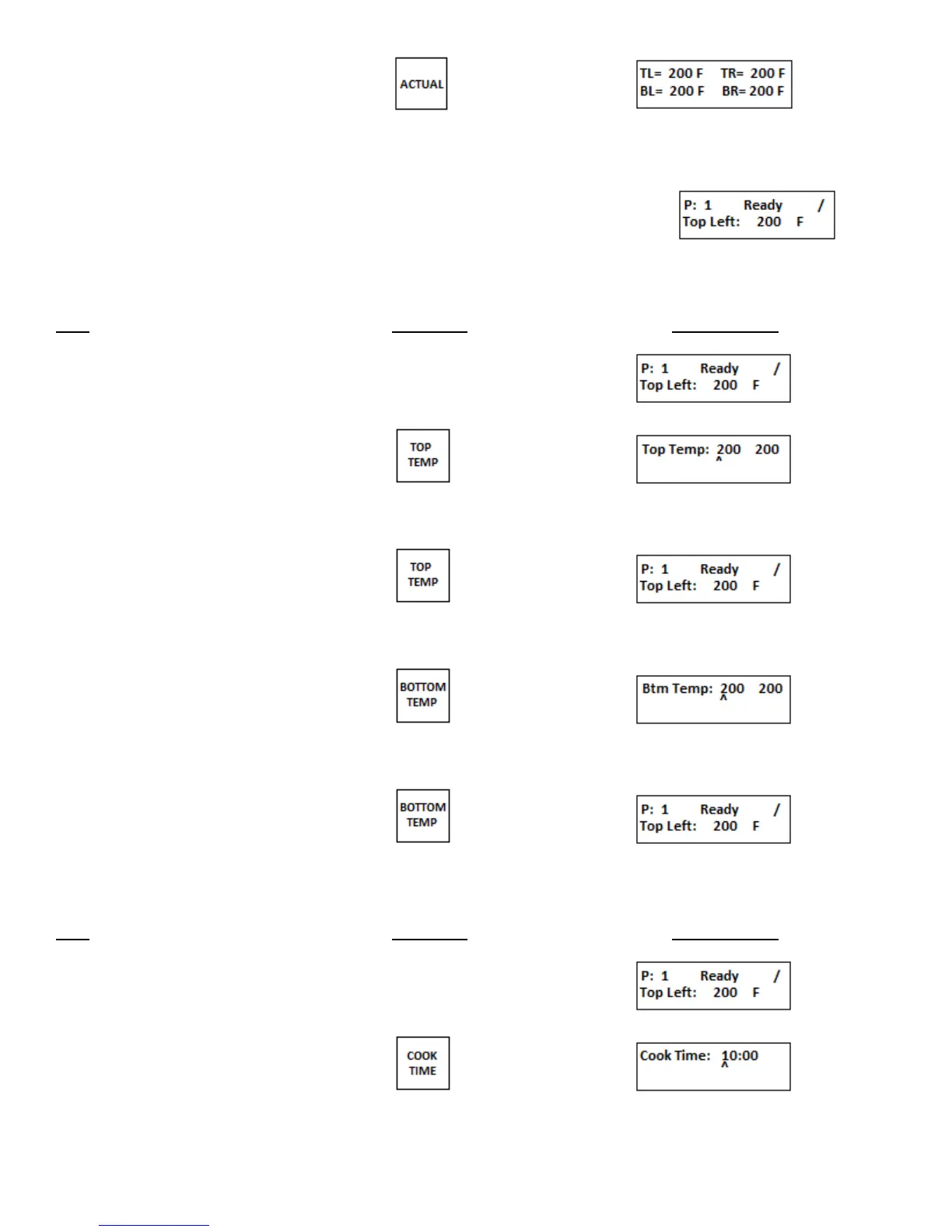
1. Push ACTUAL key
After approximately 3 to 4 seconds the display
reverts to the original program screen
d. View set temperature in all 4 zones
Step Press Key Display Reads
1. View set top temperature
2. Press TOP TEMP key
3. View set bottom temperature
4. Press BOTTOM TEMP key
e. Viewing set Cook Time
Step Press Key Display Reads
1. View set Cook Time


 To Next Page