23
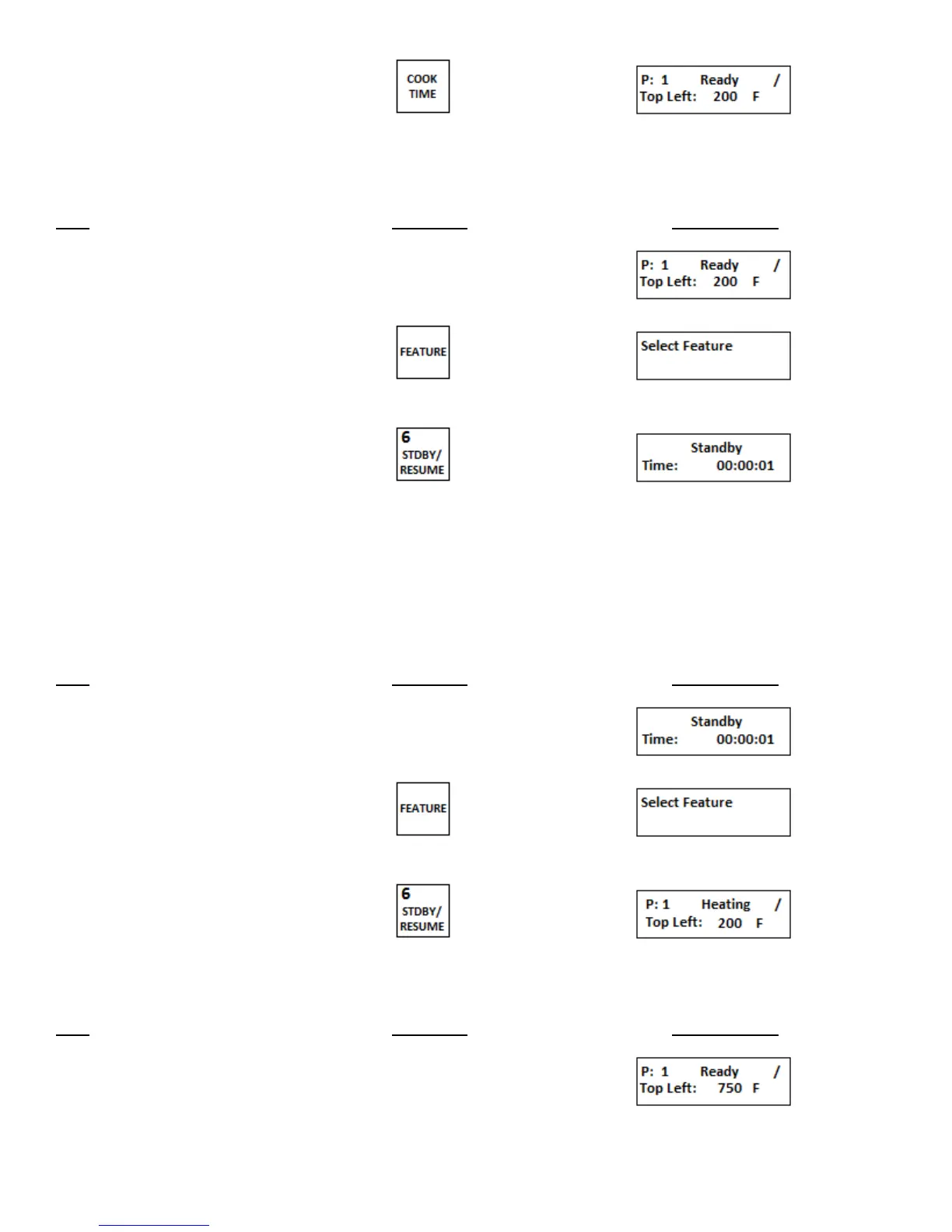
2. Press COOK TIME key
f. Put oven deck in STANDBY mode
This feature allows a deck to be put into an energy saving standby mode which reduces the
temperature of the oven deck by 25%.
Step Press Key Display Reads
1. Press FEATURE key
2. Press STDBY/RESUME key
The timer next to the Time: in the
display will start to count up indicating
the amount of time the oven is in the
standby mode.
g. Resume normal operation from the standby mode
This feature is used to return an oven deck back to normal operation from the standby mode.
Step Press Key Display Reads
1. Press FEATURE key
2. Press STDBY/RESUME key
h. Cleaning Operation
Step Press Key Display Reads


 To Next Page