24
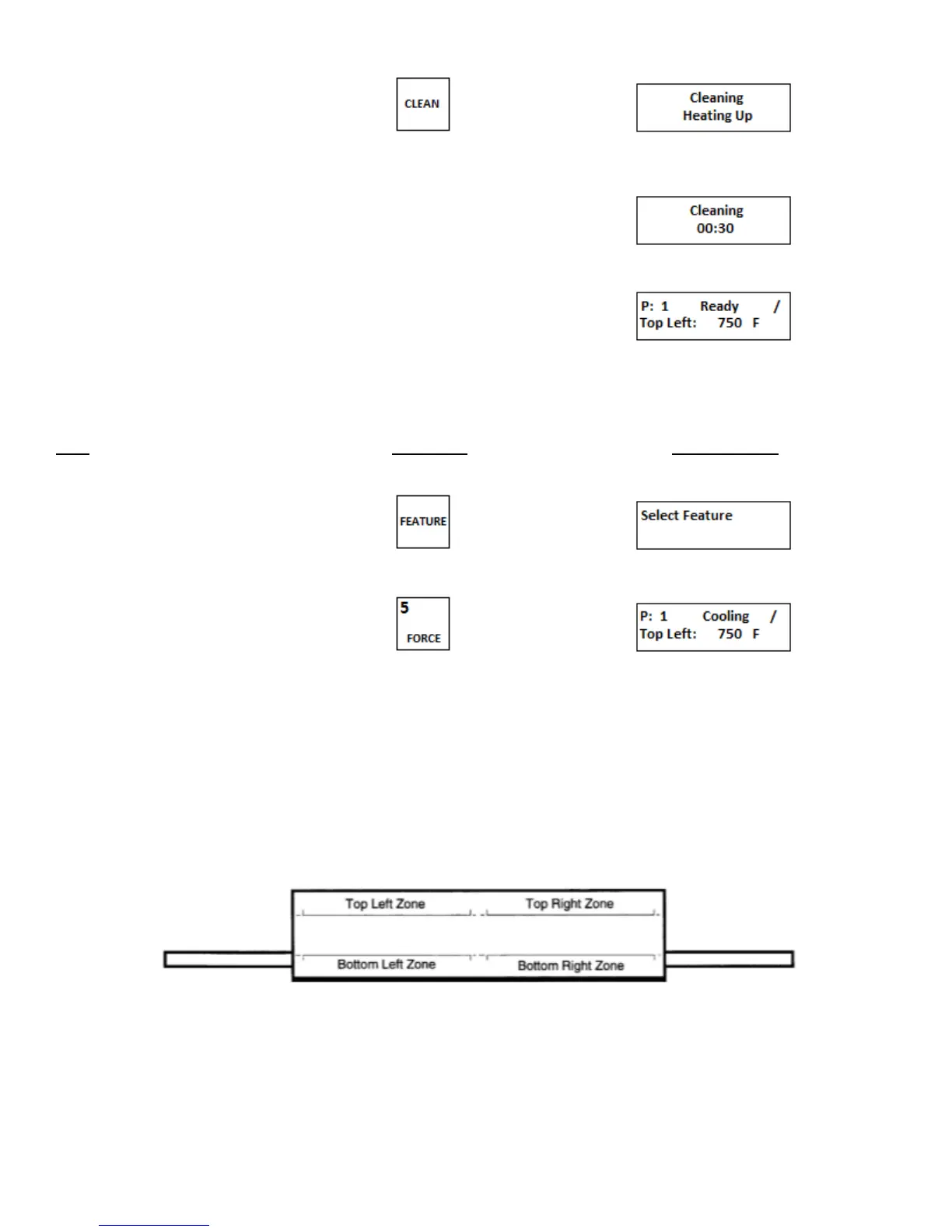
1. Push and hold for 2 seconds to
start cleaning operation
2. Display will count up from 00:00
to 60:00
3. After the Clean cycle has completed
the preset menu prior to the Cleaning
cycle is re-initiated
i. Cancel cleaning operation
Step Press Key Display Reads
1. Press FEATURE key
2. Press FORCE key
The oven deck will return to the
preset menu that was in use prior to
the cleaning cycle
3. Programming the MenuSelect
TM
control on DZ33I ovens
The DZ33I oven contain one MenuSelect
TM
control. Through this control you are capable of programming all four heating
elements as well as the conveyer motor speed.
This oven has four heating zones as shown in Figure 3-5
Figure 3-5
The oven controller controls all functions of the oven. To operate the oven the controller must be programmed. The
following pages contain a step by step “hands on” programming exercise. We invite you to program your oven by
following the examples.


 To Next Page