25
NOTE: This exercise assumes first time start after installation. Programming from the factory is 200
0
F (93
0
C)
temperature settings and 2 minute cook times.
a. Turn Oven Deck ON
1. Turn ON the main disconnect switch at the wall box.
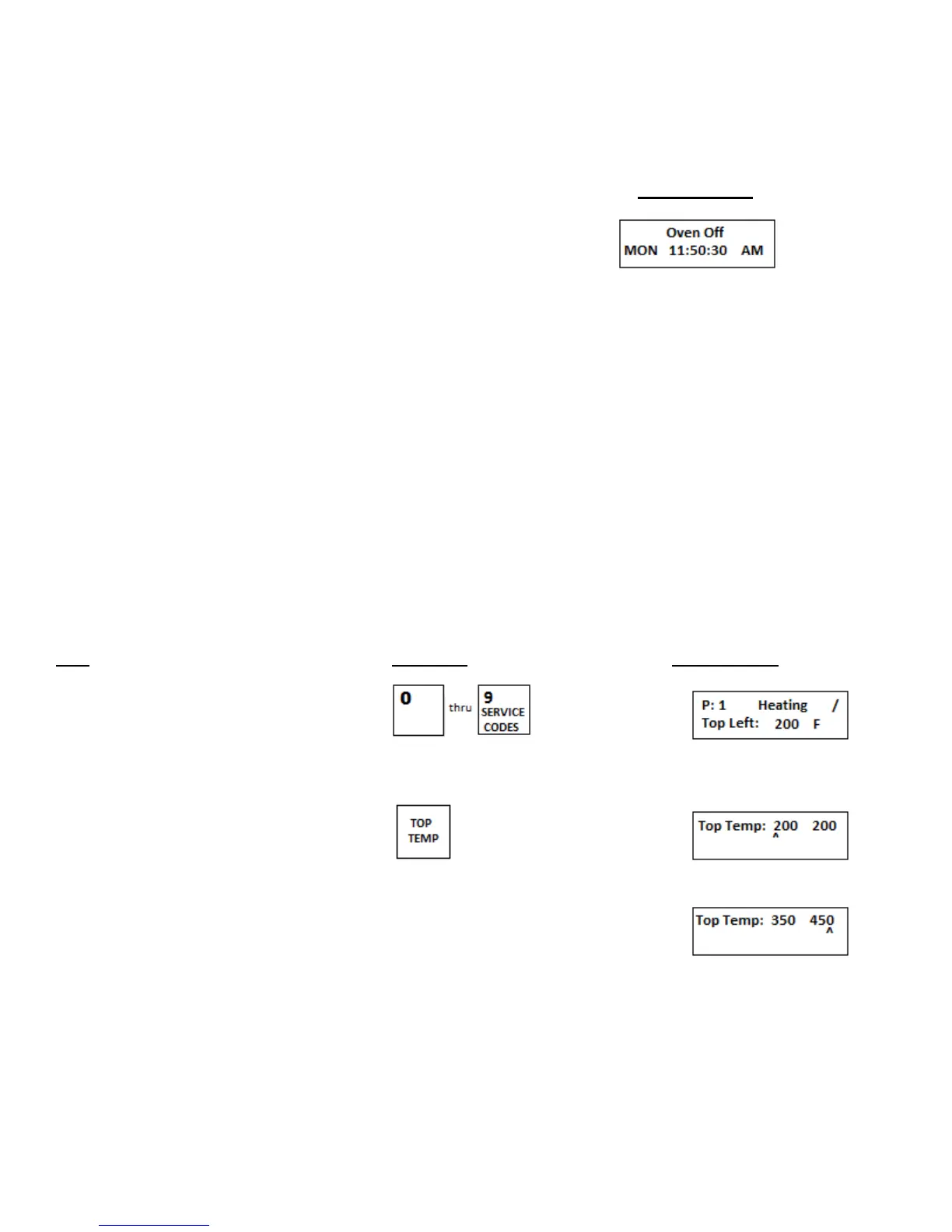
Displays Reads
NOTE: The date and time may be different from shown values. The date and time will be set later in this tutorial.
2. Turn Keypad ON/OFF switch ON.
b. The control is for programming, and must be unlocked to program.
1. When trying to program the control it will ask for a code.
2. In order to enter the program mode the code 1397 must be entered.
3. By entering this code the programming modes are enabled and will remain open for a period
of 30 seconds. After this time period the keypad will then ask for the code again.
4. After entering the code number press a preset program button (program number 0 through 9)
and set the top temperatures, bottom temperatures, and cook time values.
5. After the desired preset values are set, the control will automatically retain this information till
the program is changed.
NOTE: Do not lose the code number (1397) or you will not be able to change your program if needed.
c. Setting the preset MenuSelect
TM
temperatures in all four zones and the oven cook time.
Step Press Key Display Reads
1.Select preset menu key to be
Programmed
2.Press TOP TEMP key
3.Using the numeric keypad enter the new top left temperature.
As the cursor moves to the right enter the new top right temperature.
NOTE: If both top left and top right temperatures are the same
entering in the top left temperature and then pressing the TOP TEMP
button will lock in the same value for the top right temperature
as set on the top left side.


 To Next Page