29
Oven will return to the preset menu # that was used previous to timing.
3.Press desired preset menu number
NOTE: These same steps can also be used to FORCE out of automatic cleaning. To return the oven to
automatic timing mode turn ON/OFF switch to OFF position and then to ON position.
g. Manual Override operation
This feature is used to operate the oven deck manually. The oven deck is taken out of the MenuSelect
TM
mode by
entering new parameters and is returned to the MenuSelect
TM
mode without saving the parameters.
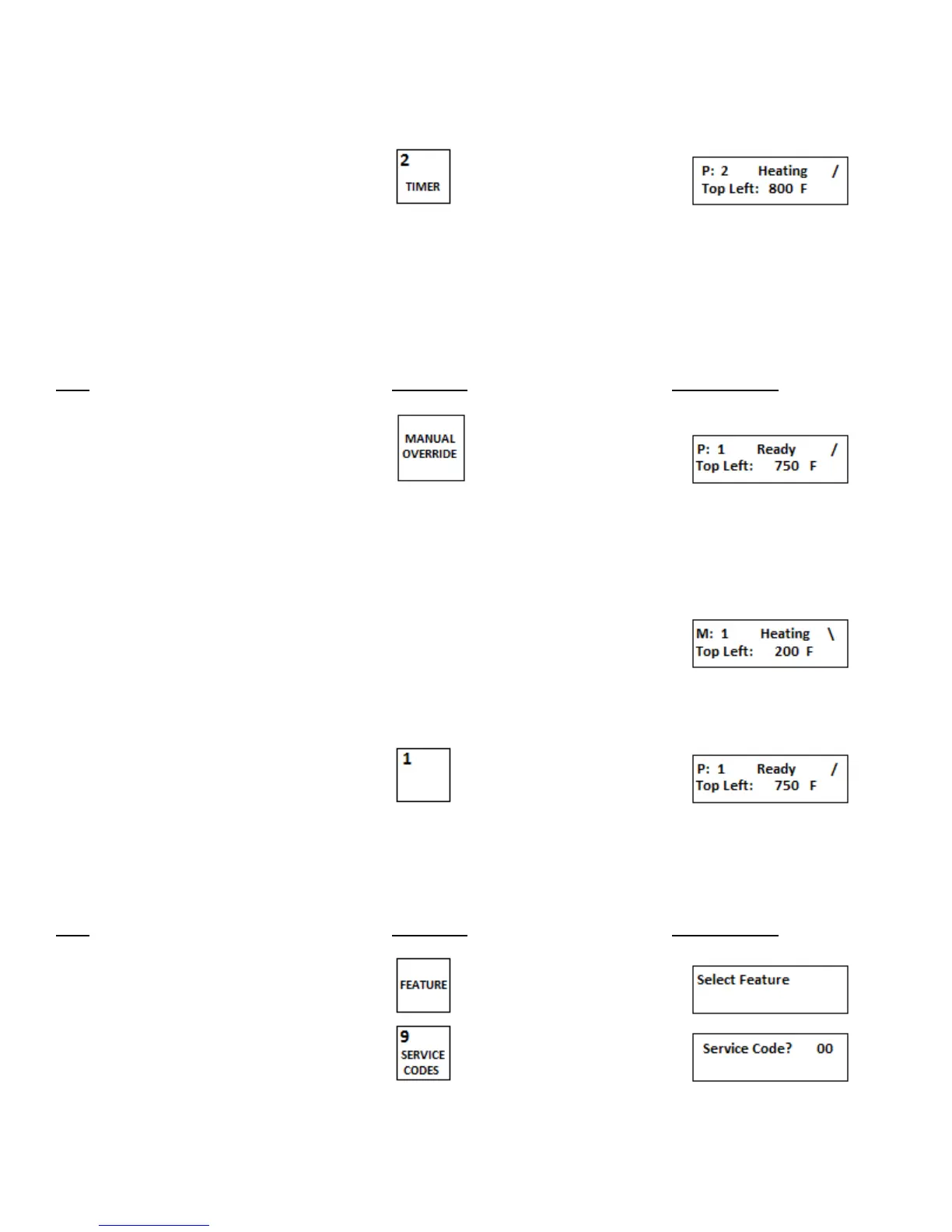
Step Press Key Display Reads
1.Press MANUAL OVERRIDE key
P: - Indicates preset mode
2.Set the oven deck temperature and cook time as in step c. The oven deck will function to the new settings, but the
settings will not be saved.
M: - Indicates manual
override mode
3.To return to normal preset menu press
the preset menu number.
h. Fahrenheit or Centigrade
This feature is used to change the display to read in either Fahrenheit (F) or Centigrade (C).
Step Press Key Display Reads
1.Press FEATURE key
2.Press SERVICE CODES key


 To Next Page