3
CUES Inc., MPlus+ User Manual | CH905
www.cuesinc.com, | salesinfo@cuesinc.com
SET-UP & INSTALLATION
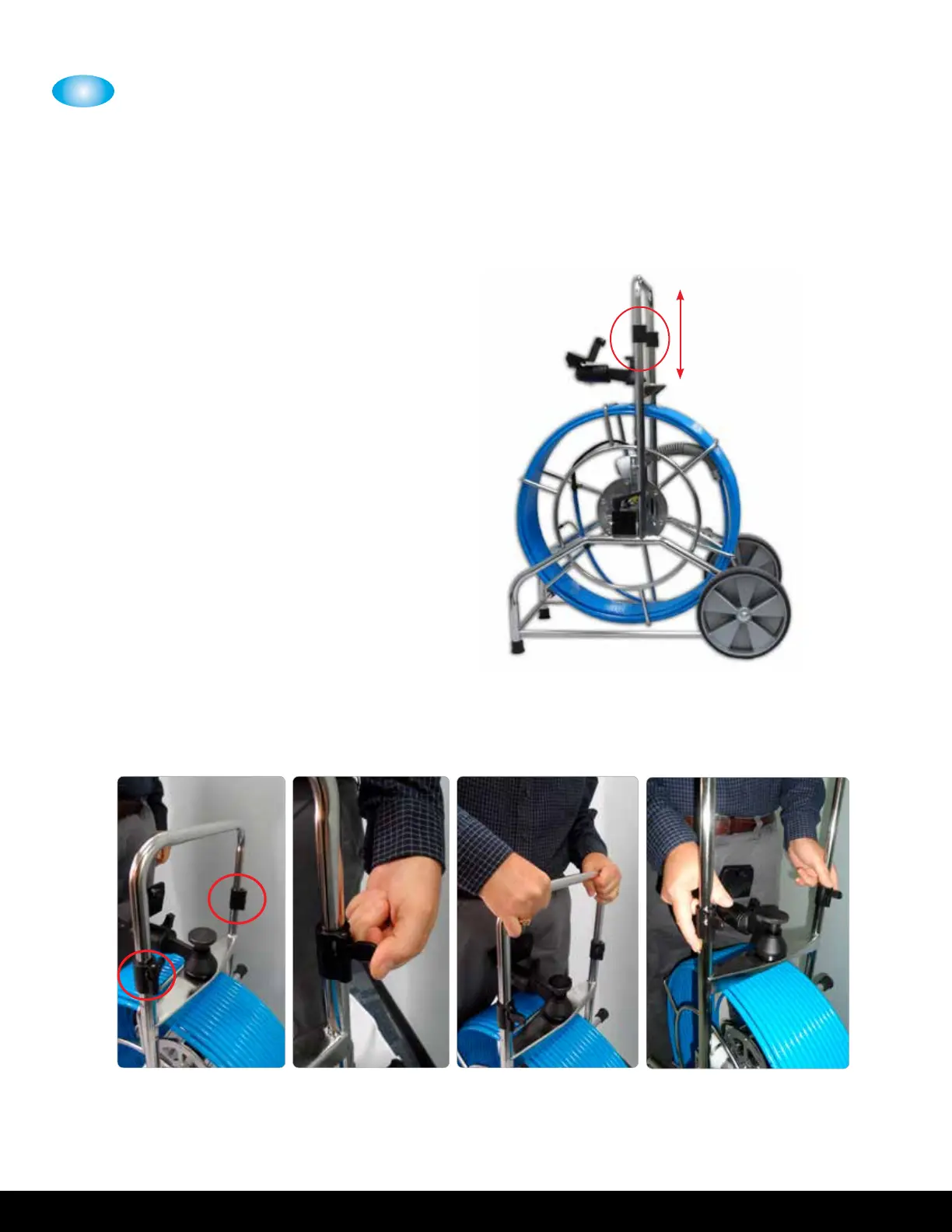
ADJUSTING THE HANDLE HEIGHT - STANDARD MPLUS ONLY
The MPlus includes a height-adjustable
handle for portability with cam locks and
button stops.
To adjust the height of the handle, open the
cam locks on each side of the handle.
Extend/retract the handle to the desired
position.
To secure, engage the cam locks on both
sides of the handle as shown.


 To Next Page