B
CUES Inc., MPlus+ User Manual | CH905
www.cuesinc.com, | salesinfo@cuesinc.com
APPENDIX B
MPLUS FIELD FIRMWARE UPDATE
EQUIPMENT NEEDED:
. Phillips screwdriver, size
. USB Flash “thumb” drive (Specs: TB maximum capacity FAT() or FAT le system)
PROCEDURE:
. Load the rmware update le, MPupdate.cfw, onto the USB Flash drive in the “root”,
meaning not inside of any folder. For example, if the thumb drive shows up as drive E:, the
update le should have the following path (address): E:\MPupdate.cfw. For USB Flash
drives containing multiple partitions, the rmware update le must be loaded into the
drive’s rst primary partition, typically assigned the lowest letter alphabetically, i.e., closest
to ‘A’, of the partitions on the drive.
To obtain the MPlus rmware update le, please contact CUES Customer Service at
---.
. Power-down the MPlus, if necessary, by pressing the power button.
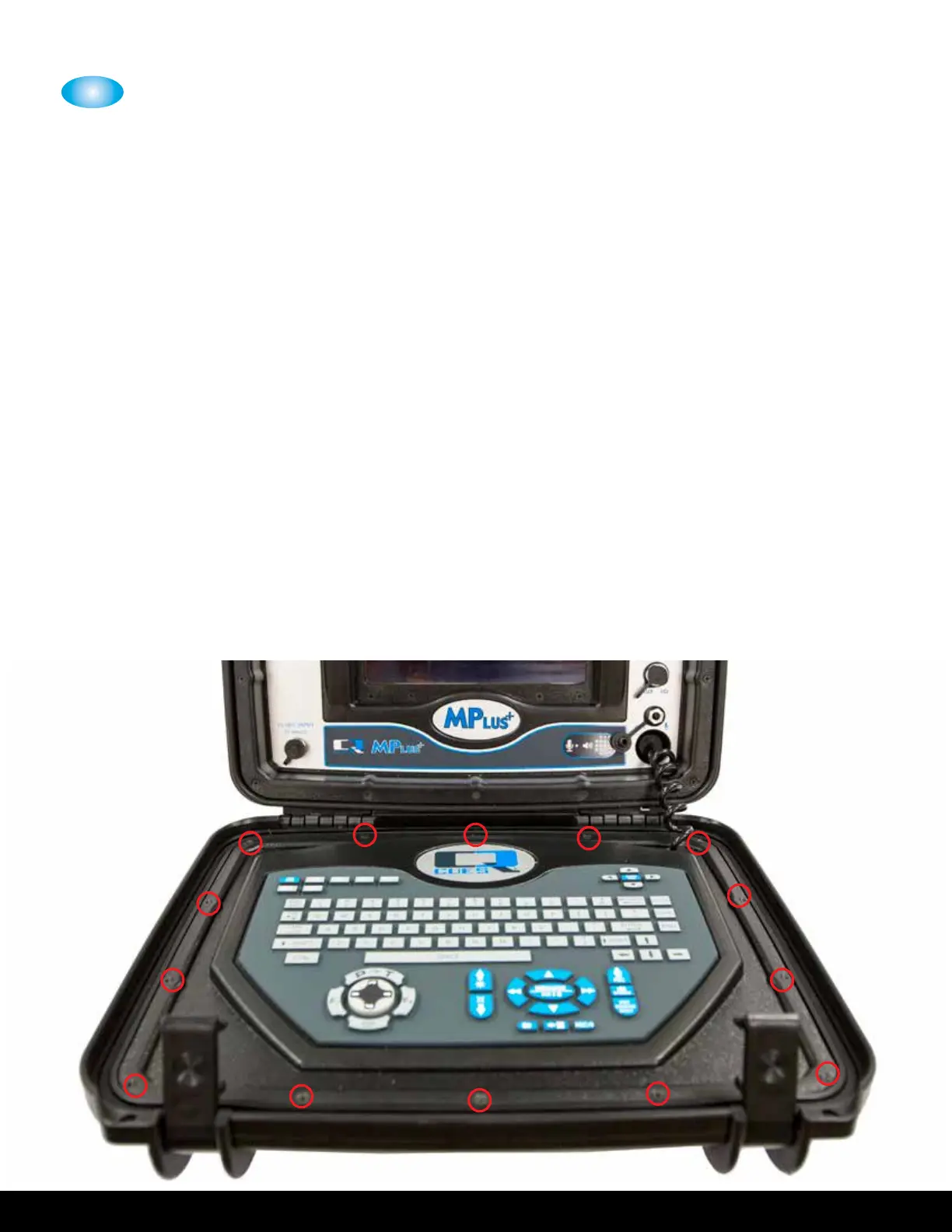
. Using the Phillips screwdriver, unscrew the screws that secure the keyboard panel to
the fold-down portion of the MPlus Control Unit.


 To Next Page