B
CUES Inc., MPlus+ User Manual | CH905
www.cuesinc.com, | salesinfo@cuesinc.com
APPENDIX B
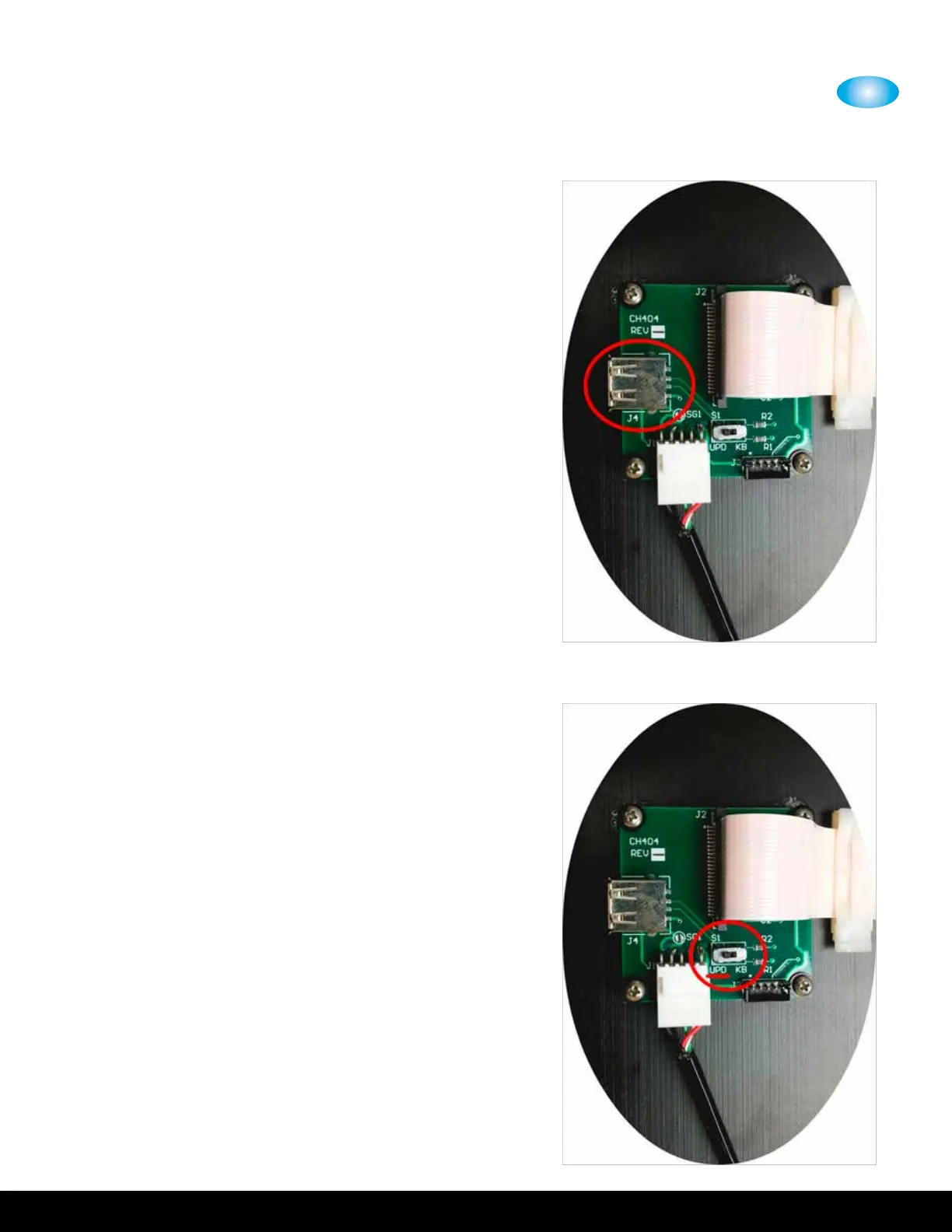
. Locate the circuit board attached to the underside
of the keyboard panel. Insert the USB Flash drive
into the USB port, J, on top of this circuit board.
. Move the sliding switch, S, on the circuit board to
the ‘UPD’ position.


 To Next Page